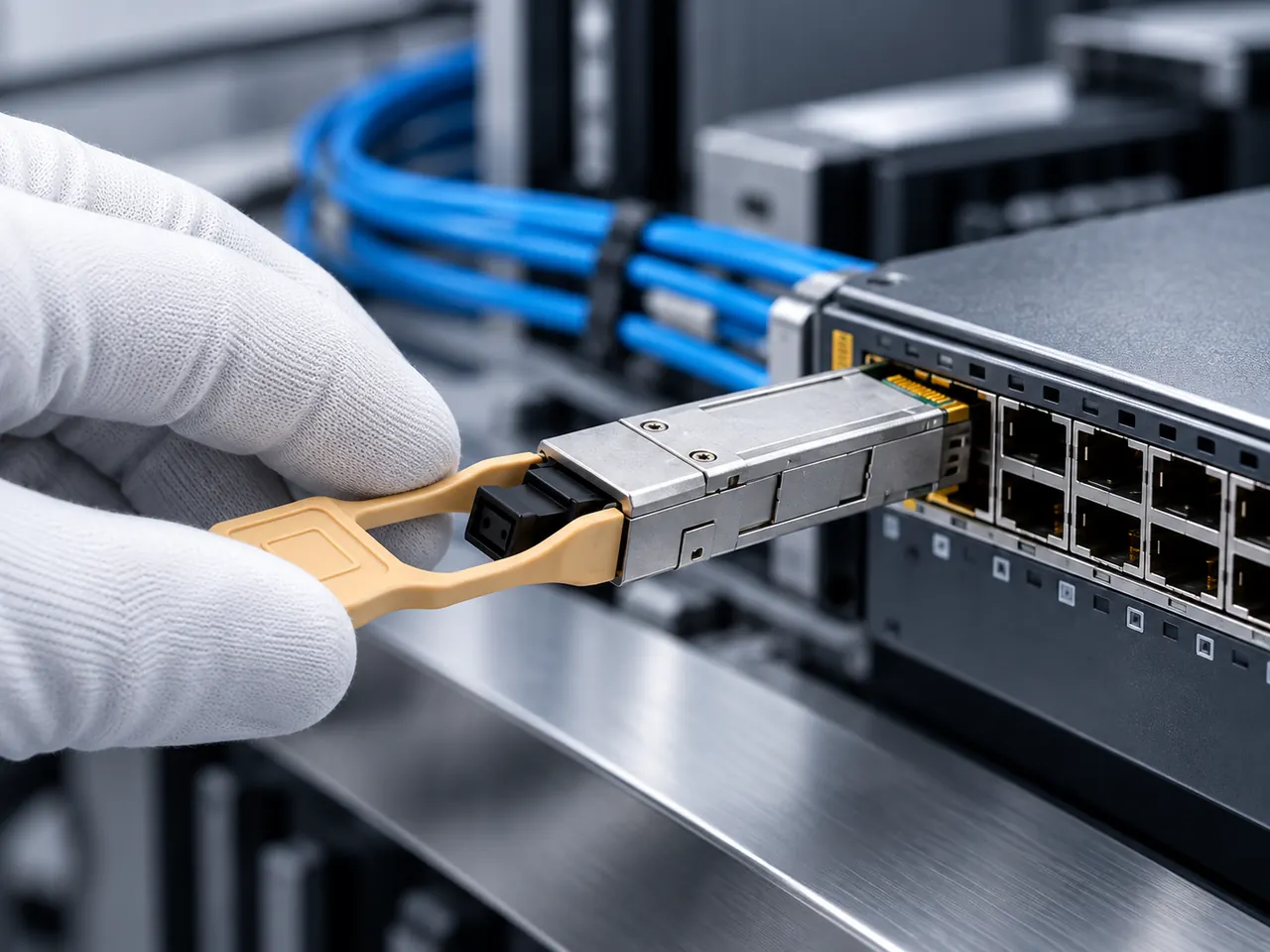
An unmanaged ethernet switch delivers deterministic, wire-speed Layer 2 packet switching with zero software configuration overhead, making it the most reliable, cost-effective choice for point-to-point field drops, isolated machine panels, and edge surveillance loops.
01What does unmanaged ethernet switch mean?
An unmanaged ethernet switch is an autonomous Layer 2 networking device that forwards Ethernet frames between connected nodes without requiring, or allowing, user configuration or software-based remote management. Operating strictly at the Data Link layer governed by IEEE 802.3 standards, an unmanaged ethernet switch relies on a fixed-function Application-Specific Integrated Circuit (ASIC) to maintain an internal Media Access Control (MAC) address forwarding table. Unlike managed enterprise hardware, it features no console port, IP address, web graphical user interface (GUI), or Command-Line Interface (CLI).
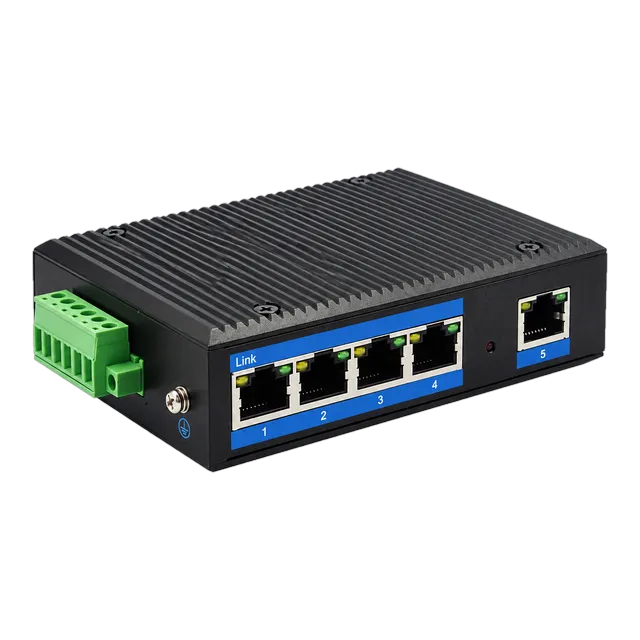
When a client device transmits data to a port, the unmanaged switch inspects the source MAC address, binds that address to the physical ingress port within its internal Content Addressable Memory (CAM) table, and forwards the frame to the specific egress port tied to the destination MAC address. If the destination MAC address is unknown, or if the transmission is an Ethernet broadcast (FF:FF:FF:FF:FF:FF), the unit floods the traffic to all active ports except the ingress port. For network engineers designing edge links or procurement teams ordering hardware for utility enclosures, devices such as an outdoor industrial gigabit ethernet switch provide transparent, wire-speed connectivity without firmware update overhead or software vulnerabilities.
02What is a managed network switch?
A managed network switch is a programmable Layer 2 or Layer 3 distribution device equipped with a central processing unit (CPU) running an embedded operating system to control network traffic, security, and topology. It allows network administrators to configure parameters through out-of-band serial consoles, Secure Shell (SSH), Simple Network Management Protocol (SNMP), and web management interfaces.
Managed switches give engineers granular control over frame handling through IEEE 802.1Q Virtual Local Area Network (VLAN) tagging, IEEE 802.1p Quality of Service (QoS) queue priority, and IEEE 802.1w Rapid Spanning Tree Protocol (RSTP) for physical link redundancy. They also provide comprehensive diagnostic visibility via Remote Monitoring (RMON) and port mirroring (SPAN), alongside security mechanisms such as IEEE 802.1X port authentication and Access Control Lists (ACLs). These software-driven capabilities require routine maintenance, continuous monitoring, and firmware vulnerability patching, which adds administrative overhead that may be redundant in small, dedicated subnets.
03What is the main difference between managed and unmanaged switches?
The main difference between managed and unmanaged switches is the level of administrative control over data traffic, network segmentation, and fault recovery. An unmanaged switch operates purely as a plug-and-play forwarding bridge, whereas a managed switch provides extensive administrative access to alter frame paths, isolate traffic, and monitor interface statistics.
In an unmanaged switch, every connected interface resides within the same default broadcast domain. If a broadcast storm occurs because of an accidental physical loop, an unmanaged device without loop-prevention circuitry will flood the packets until interface buffers deplete and the link fails. Conversely, a managed switch blocks looping redundant paths using Spanning Tree Protocol, groups physical ports into discrete VLANs to restrict broadcast domains, and isolates failing transceivers. For engineers choosing between a switch for fiber optic networks and basic copper distribution, this structural distinction dictates whether network management occurs centrally via software or remains handled entirely by physical architecture.
04Managed switch vs unmanaged switch: architectural trade-offs
Evaluating a managed switch vs unmanaged switch requires balancing protocol flexibility against hardware complexity, latency, and power consumption. Unmanaged switches route packets directly through hardware pipelines, bypassing the CPU interrupts and software queue lookups typical of fully managed enterprise platforms.
Because an unmanaged switch operates without an embedded software stack, its boot-up time is virtually instantaneous—typically under 1.5 seconds from DC power application to line-rate packet forwarding. A managed switch often requires 60 to 180 seconds to load its operating system kernel, initialise system tables, and execute link-negotiation daemons. Furthermore, eliminating the CPU, dynamic RAM, and flash memory components lowers power draw by 40% to 70% compared to a managed unit with identical port density. This simplified electronic footprint significantly increases the Mean Time Between Failures (MTBF), often exceeding 500,000 hours in robust industrial deployments where transient voltage and extreme ambient temperatures stress complex circuitry.
05Internal switching fabric: store-and-forward vs cut-through
Almost all modern unmanaged network switch hardware uses a store-and-forward switching architecture to prevent corrupted packets from propagating across the local infrastructure. In store-and-forward operation, the switch ASIC buffers the entire Ethernet frame into internal SRAM to verify the 32-bit Cyclic Redundancy Check (CRC) Frame Check Sequence (FCS) specified in IEEE 802.3 Clause 3.
If the calculated CRC does not match the received FCS field, or if the frame is shorter than 64 octets (a runt) or longer than 1518 octets (a giant, assuming standard Ethernet Maximum Transmission Unit), the switch discards the frame immediately. Cut-through switches, by contrast, begin forwarding the packet as soon as the 6-byte destination MAC address is decoded. While cut-through switching lowers transit latency by fractions of a microsecond, it permits bad packets and collision fragments to traverse the downstream line, degrading effective throughput. Unmanaged switches also incorporate IEEE 802.3x full-duplex flow control, sending PAUSE frames when internal ingress buffers approach saturation to prevent silent frame loss during bursty traffic.
06Latency and buffer sizing calculation in gigabit unmanaged units
Network latency across an unmanaged gigabit ethernet switch consists of frame serialization delay combined with internal ASIC crossbar lookup time. Because serialization delay depends strictly on frame size and transmission rate, engineers can calculate the deterministic delay introduced by an unmanaged switch processing various frame lengths.
The formula for packet serialization delay is:
Serialization Delay (seconds) = Frame Length (bits) / Interface Speed (bits per second)
For a standard minimum-sized Ethernet frame of 64 bytes (512 bits) operating at 1 Gbps (1,000,000,000 bps):
Delay = 512 / 1,000,000,000 = 512 nanoseconds (0.512 µs)
For a standard maximum-sized frame of 1518 bytes (12,144 bits):
Delay = 12,144 / 1,000,000,000 = 12.144 microseconds (12.144 µs)
Adding an ASIC forwarding latency of 2.1 µs yields a total transit latency of 2.612 µs for 64-byte packets and 14.244 µs for 1518-byte packets. Packet buffering must also be verified when uplinking gigabit ports to lower-speed edge devices. If an unmanaged switch features an internal packet buffer of 1 Megabit (128 KB) shared across 5 ports, each port can queue approximately 84 maximum-sized (1518-byte) frames during momentary egress contention before tail-dropping packets.
07Power over Ethernet in unmanaged switches
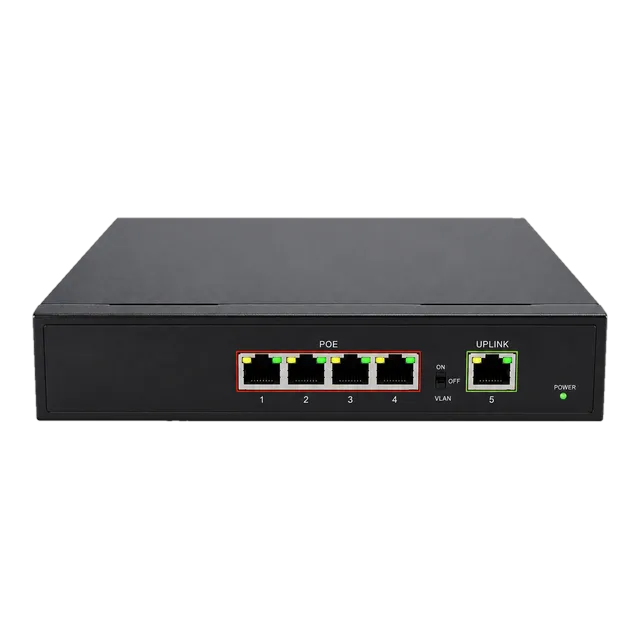
An unmanaged switch with Power over Ethernet (PoE) functionality supplies DC voltage to connected powered devices (PD) over standard twisted-pair copper cabling without requiring software management. Power delivery is governed by hardware handshake states defined in IEEE 802.3af (PoE, up to 15.4 W at PSE) and IEEE 802.3at (PoE+, up to 30.0 W at PSE).
In unmanaged deployments, the switch detects the 25 kΩ signature resistance of a valid PD across the Cat5e or Cat6 pairs, senses the classification current, and assigns power automatically up to the overall power supply ceiling. Compact hardware such as a gigabit PoE IP ethernet switch allows engineers to power industrial IP cameras, wireless access points, or biometric readers at edge sites. Engineers must review total power budgets rather than per-port ratings; for example, a 5-port unit with four 30 W ports requires a minimum 65 W to 120 W internal or external power supply to prevent port flapping during peak consumption. Guidance on power delivery sizing can be found in our PoE switch engineering and power budget guide.
08Industrial versus commercial unmanaged switches
Industrial unmanaged switches differ fundamentally from commercial office desktop switches in their environmental tolerances, power circuitry, and physical construction. While standard commercial switches operate between 0°C and 40°C in controlled rooms, industrial unmanaged hardware is rated for continuous operation from -40°C to +85°C.
Industrial units are housed in ruggedised IP30 or IP40 aluminium enclosures designed for DIN-rail or wall mounting inside roadside cabinets, automation cells, or trackside utility boxes. They replace fragile external 12 V DC wall adapters with redundant, wide-range DC terminal blocks (typically 10 V to 48 V DC) to accept battery-backed power systems. Furthermore, their electronic interfaces include robust electromagnetic compatibility (EMC) protection complying with IEC 61000-4-2 (Electrostatic Discharge) up to ±8 kV contact and ±15 kV air, and IEC 61000-4-5 (Surge Immunity) up to 4 kV to 6 kV. For extensive field deployments, consult our industrial switch engineering guide to verify ingress and vibration ratings.
09Comparing managed, smart-managed, and unmanaged switches
Selecting the correct switch tier requires comparing operational features, deployment risks, and maintenance requirements across the three primary hardware categories. The table below outlines technical criteria to establish whether an unmanaged ethernet switch meets your system topology requirements.
| Feature / Specification | Unmanaged Switch | Smart-Managed (Web-Smart) | Fully Managed (L2/L3) |
|---|---|---|---|
| Configuration Interface | None (Unmanaged hardware) | HTTP / HTTPS Web GUI | CLI, SSH, SNMP, REST API |
| VLAN Segmentation (IEEE 802.1Q) | No (Single broadcast domain) | Yes (Basic Port/Tag-based) | Yes (Full 4096 IDs, QinQ) |
| Redundancy Protocols | None (Physical loops drop link) | STP / RSTP | RSTP, MSTP, ERPS (G.8032) |
| Packet Prioritisation (QoS) | Hardware-fixed (IEEE 802.1p) | Configurable CoS / DSCP | Advanced multi-tier egress queuing |
| Port Monitoring & Mirroring | No | Yes (Single session) | Yes (Multi-session, RSPAN) |
| Boot Time to Forwarding (s) | < 2 s | 15 to 45 s | 60 to 180 s |
| Mean Power Consumption (W) | 2 to 5 W (Non-PoE) | 6 to 15 W | 15 to 60+ W |
| Maintenance & Security Patching | Zero maintenance | Periodic firmware updates | Mandatory continuous patching |
10Cabling, optical uplinks, and transceiver integration
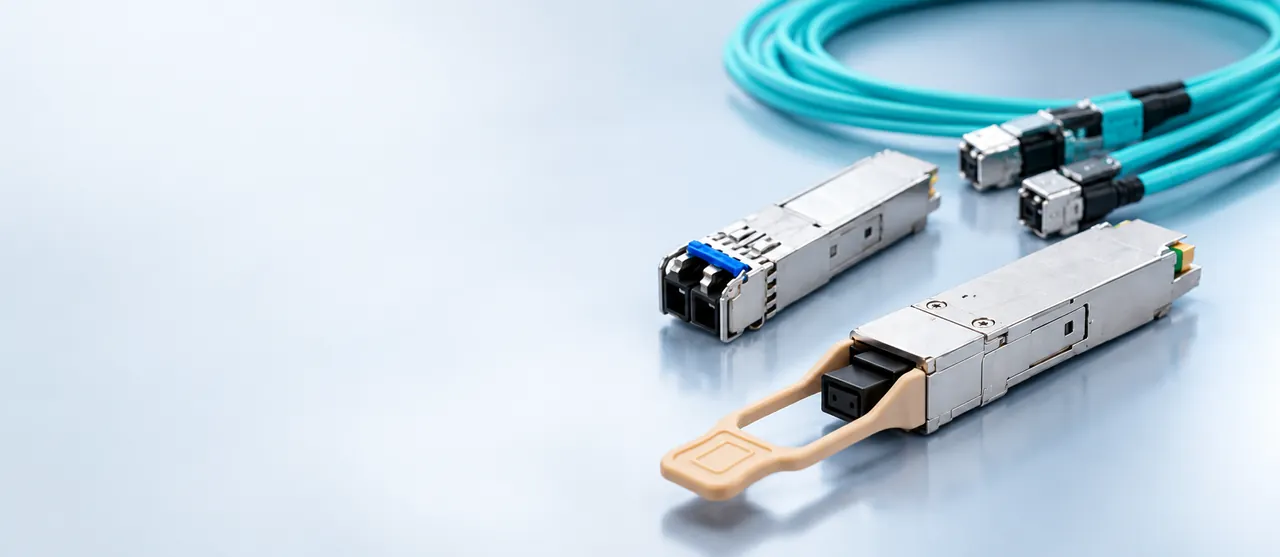
While unmanaged switches frequently terminate RJ45 copper runs using 1000BASE-T over Cat6 cabling, integrating optical uplinks enables long-reach isolation across electrical zones. Unmanaged switches equipped with Small Form-factor Pluggable (SFP) transceiver slots permit seamless single-mode and multi-mode optical drops up to 80 km or more.
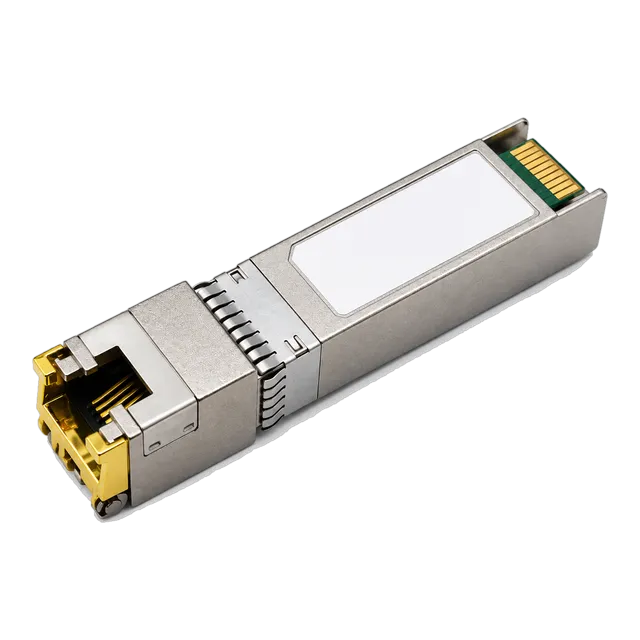
When deploying copper SFPs or extending links between building panels, engineers can connect high-rate physical modules directly into switch uplink cages. Using a multi-rate 10G SFP+ copper RJ45 transceiver allows high-capacity links to adapt backwards to 1G or 2.5G interfaces where media conversion is required. When designing transitions between twisted-pair media and optical fibres, referencing our technical guide on copper vs fiber at the access layer helps prevent impedance mismatches and excessive link loss.
11Procurement checklist for unmanaged ethernet switch RFQs
When generating a Request for Quotation (RFQ) for unmanaged switches, procurement managers must define physical, mechanical, and electrical parameters beyond simple port counts. Use the following structured checklist to ensure prospective suppliers quote modules matched precisely to field conditions:
- Port Configuration and Speeds: Specify the exact count of 10/100/1000BASE-T RJ45 ports and any required SFP or multi-rate optical uplink cages.
- Switching Fabric and Buffer Size: Require non-blocking backplane bandwidth (minimum 2 Gbps per full-duplex gigabit port) and define shared SRAM buffer depth (e.g., minimum 1 Mbit).
- Power Input Range: Document voltage requirements (e.g., redundant 12–48 V DC terminal blocks with reverse polarity protection) rather than assuming standard AC mains supplies.
- PoE Budgeting (if applicable): Define the total power delivery budget across all ports simultaneously according to IEEE 802.3at standards, including surge tolerances.
- Environmental Classifications: State required operating temperature windows (-40°C to +85°C for industrial setups) and ingress enclosure level (IP30 or IP40 minimum).
- Mounting Hardware: Indicate DIN-rail clips, 19-inch rackmount ears, or flat surface wall-mounting brackets in the Bill of Materials.
12Selecting the right unmanaged ethernet switch for your deployment
Selecting between an unmanaged switch and a managed alternative depends strictly on link topology, segmentation needs, and environmental exposure. For edge drops containing three to eight local endpoints—such as security cameras, programmable logic controllers (PLCs), or access control panels—an unmanaged switch delivers high reliability, zero configuration downtime, and immunity to network-based configuration tampering.
If your topology requires isolating broadcast domains across multiple corporate subnets, collecting continuous interface telemetry over SNMP, or constructing self-healing redundant ring loops, specify managed hardware instead. For terminal device connectivity where deterministic wire-speed switching is needed without management overhead, selecting a rugged, industrial unmanaged switch ensures optimal cost-efficiency and decades of continuous field operation.
13Frequently asked questions
what does unmanaged ethernet switch mean
An unmanaged ethernet switch is a hardware device that forwards network frames based on MAC addresses without software configuration, IP setup, or a management interface. It connects multiple wired devices onto a local area network instantly using factory-configured, auto-negotiating hardware.
what is a managed network switch
A managed network switch is a programmable network device equipped with an internal operating system. It allows network administrators to manage, configure, monitor, and segment traffic using tools such as VLANs, Spanning Tree Protocol, Quality of Service, SNMP, and command-line or web interfaces.
what does unmanaged switch mean
An unmanaged switch refers to a fixed-configuration plug-and-play Ethernet bridge. It functions autonomously at Layer 2 without user intervention, lacking console ports, web interfaces, routing features, or software settings, making it simple to install in edge network locations.
what is the main difference between managed and unmanaged switches
The main difference between managed and unmanaged switches is configurability. Managed switches allow users to segment traffic via VLANs, monitor interfaces, and prevent loops using protocols like RSTP, whereas unmanaged switches operate purely on automated hardware forwarding with a single shared broadcast domain.
can an unmanaged ethernet switch handle VLAN tags
Most unmanaged switches transparently forward standard IEEE 802.1Q tagged frames without altering them, provided the frame size does not exceed the maximum transmission unit limit. However, they cannot create, drop, filter, or isolate VLANs across individual ports.
do unmanaged switches cause network loops
Yes, unmanaged switches can cause catastrophic broadcast storms if cables are connected to form a physical loop, because they lack Spanning Tree Protocol (STP). Some industrial unmanaged switches include specialized hardware loop-detection dip-switches to mitigate this risk.
Technical review note: confirm model-specific specifications with the product datasheet and the intended host documentation. Product images and application photographs are illustrative.
Discuss this with our team