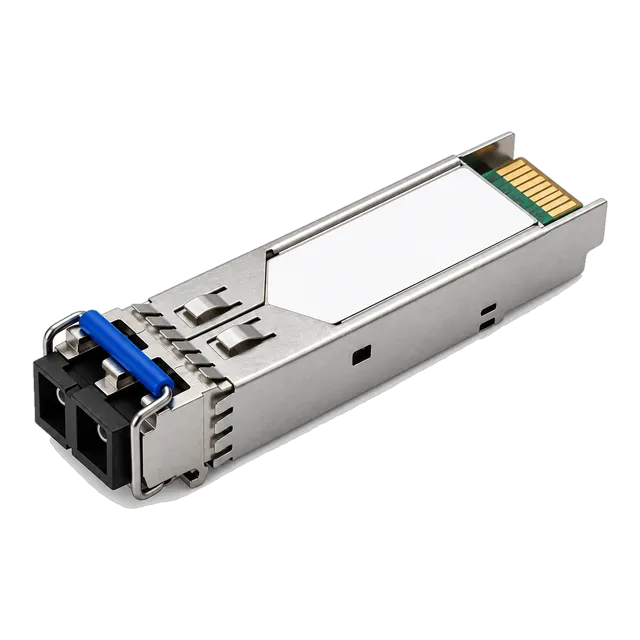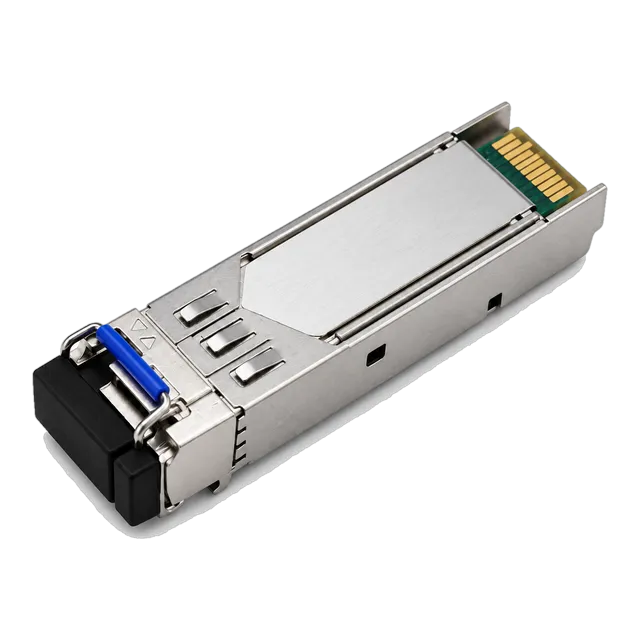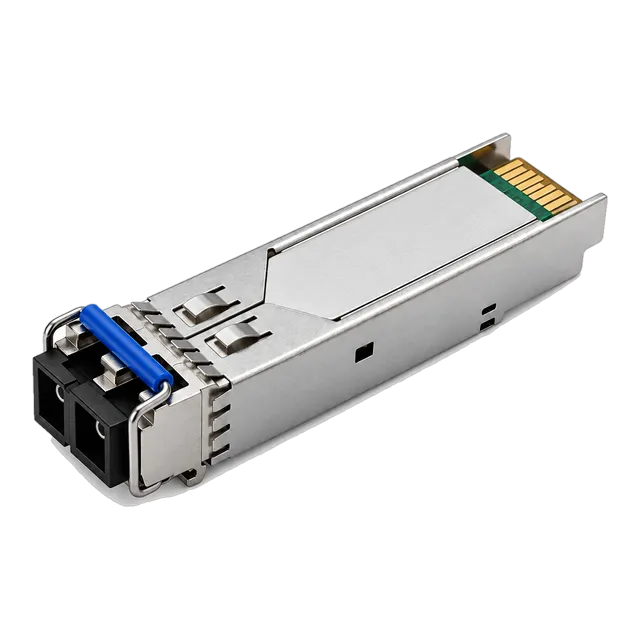
2.5G SFP-2.5G-LX20 Single-Mode 1310nm 20km Duplex LC
- Data Rate2.5 Gbps
- Wavelength1310 nm
- Transmission Distance20 km


2.5G SFP · 3 models
2.5G SFP transceivers in duplex LC 1310 nm 20 km and single-fiber BiDi 120 km builds, hot-pluggable with DDM and 3.3 V operation. Specifications and enquiry.
Buying guide
A 2.5G SFP sits between Gigabit and 10G optics. It uses the same SFP cage, the same 3.3 V supply and the same hot-pluggable mechanics as a 1.25G module, but carries a 2.5 Gb/s line rate, which suits ports that have outgrown Gigabit yet do not justify the cost or the power budget of a 10G interface. Typical uses are switch uplinks, FTTx and access aggregation, IP network links and equipment that exposes a 2.5G SFP port such as high-speed routers and converters.
The range listed here is deliberately narrow and covers the two link shapes that matter most. The first is a dual-fibre model at 1310 nm with a duplex LC interface, specified for 20 km over single-mode fibre. The second is a single-fiber BiDi model that carries both directions on one strand at 1490 and 1550 nm with a simplex LC interface, specified for 120 km. Both support digital diagnostics, run at 0 to 70 degrees Celsius and follow the SFP MSA.
Choosing between them is mostly a question of how much fibre is available. Where two strands are in place, the duplex 1310 nm model is the simpler option. Where only one strand can be allocated, or where the route runs far beyond normal access distances, the BiDi model saves a strand but must be ordered as a matched pair. In either case, confirm that the host port genuinely supports 2.5 Gb/s and confirm the coding required by that platform.
Models
Filter the family, then open a model for the full specification table, illustrations and ordering information.
Selection
What to specify when ordering a 2.5G SFP, and the options available in this range.
| What to specify | Options in this range | Notes |
|---|---|---|
| Line rate | 2.5 Gb/s | The host port must be rated for 2.5G, not Gigabit only |
| Fibre strands | Dual fibre or single fibre BiDi | BiDi halves the strand count and ships as a pair |
| Wavelength | 1310 nm duplex, 1490 / 1550 nm BiDi | Both ends of a BiDi pair must be opposite halves |
| Reach | 20 km duplex, 120 km BiDi | Size against measured path loss, not route length |
| Connector | Duplex LC or simplex LC | Simplex LC on the single-fiber BiDi models |
| Diagnostics and coding | DDM supported, coding per platform | State the switch model when requesting a quotation |
Listed values describe the published range. Confirm the exact model datasheet, host coding and installed link before ordering.
Before you order
A 2.5G module is mechanically identical to a Gigabit one and will seat in any SFP cage, but the host has to support the rate. Some switch ports negotiate 1G and 2.5G, some are fixed at Gigabit, and some expose 2.5G only on named ports or after a software release. Read the port specification rather than the cage type, and check whether the rate has to be configured rather than negotiated. A module that reports as present but never reaches link is usually a rate mismatch rather than a faulty optic.
A 120 km single-fiber span leaves very little margin for a fibre plant that has been spliced repeatedly or that passes through several patch frames. Before committing, obtain an OTDR trace or a measured end-to-end loss figure for the actual strand and compare it with the difference between launch power and receiver sensitivity. Chromatic dispersion also matters at this distance, so confirm the fibre is standard G.652.D. If the numbers are tight, plan a regeneration point rather than hoping the link holds.
Single-fiber modules work only in opposite-wavelength pairs, so a 1490 nm transmit unit has to face a 1550 nm transmit unit. Order both halves of each link together, label which end takes which half, and keep a spare of each half rather than a spare of one. Sites that hold only one half in stock discover during a fault that the spare cannot restore the link. The bail latch colour coding makes the pairing visible once the modules are in the rack.
As with other SFP optics, the module carries an EEPROM that the host reads to identify it, and different platforms expect different vendor information. Confirm the coding against the exact switch model and software release before ordering, and state it again on repeat orders so a second batch matches the first. Digital diagnostics are supported across this range, which lets the switch report optical power and temperature, but the display of those values also depends on the host reading the module correctly.
FAQ
It carries a 2.5 Gb/s Ethernet link in a standard SFP cage. The usual reasons to choose it are ports that have outgrown Gigabit, access and FTTx aggregation, and equipment such as high-speed routers, converters and wireless backhaul that exposes 2.5G interfaces. It draws less power and costs less than a 10G interface while giving more than twice the throughput of a Gigabit optic on the same fibre.
Only if the port itself supports 2.5 Gb/s. The connector, cage and supply voltage are the same, so the module will seat and may even be identified, but a port that is fixed at Gigabit will not bring the link up at 2.5G. Check the port specification of the switch and, where the platform allows both rates, check whether the rate is negotiated automatically or has to be set.
In this range, the dual-fibre 1310 nm model is specified for 20 km over single-mode fibre, and the single-fiber BiDi model at 1490 and 1550 nm is specified for 120 km. Those figures assume a clean single-mode path. Size the module against the measured loss of the actual route, including connectors and splices, and keep a margin in reserve rather than ordering to the exact distance.
The duplex model uses two fibre strands, one for each direction, and terminates in a duplex LC connector. The BiDi model carries both directions on a single strand using two different wavelengths and terminates in a simplex LC connector. BiDi halves the fibre required, which matters on leased or scarce strands, but the modules must be deployed as matched opposite-wavelength pairs.
Related families
Next step
Send the host platform, the fibre you have and the distance you need. We will shortlist the models that actually work and quote them.