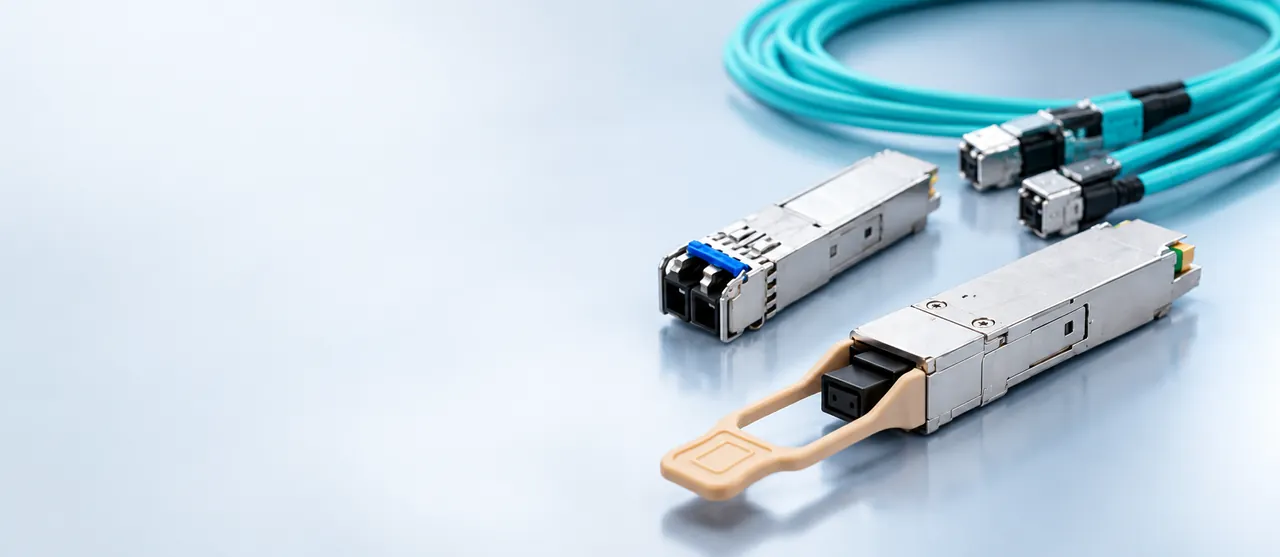
Selecting an optical switch requires matching cage electrical interfaces and PHY rates to transceiver transconductance, calculating optical budgets under IEEE standards, and validating power consumption and thermal dissipation across populated SFP, SFP28, or QSFP28 ports.
01Switch for fiber optic networks: architecture and port configurations
A switch for fiber optic networks is a dedicated packet-forwarding bridge that exchanges frames across optical interfaces rather than balanced twisted-pair copper. Deploying a switch for fiber optic links eliminates the 100-metre physical channel limit imposed by copper standards like TIA-568, allowing campus-wide and inter-facility links extending from 300 metres to beyond 80 kilometres. Modern installations rely on modular Small Form-Factor Pluggable (SFP) transceivers inserted into modular cages rather than fixed optical interfaces. This modularity allows network engineers to configure individual ports for 850 nm multimode fibre (MMF) or 1310/1550 nm single-mode fibre (SMF) according to site distance requirements.
The internal architecture of a fiber network switch couples an Ethernet packet processor—an application-specific integrated circuit (ASIC)—with serializer/deserializer (SerDes) blocks. In fixed copper switches, the physical layer device (PHY) converts SerDes serial lanes into multi-level pulse amplitude modulation (such as 1000BASE-T PAM-5 or 10GBASE-T PAM-16) transmitted through magnetic transformers. In contrast, an optical network switch routes serial differential electrical signals (such as SFI for 10 Gbps or 25GAUI for 25 Gbps) directly to the MSA-standard electrical connector inside the SFP cage. Bypassing copper PHY encoding delivers lower latency, minimal electromagnetic interference (EMI) susceptibility, and significantly reduced thermal dissipation per gigabit of throughput.
02Optical ethernet switch vs copper switch: physical layer differences
An optical ethernet switch differs from a copper switch primarily in physical channel encoding, electrical reach, transmission media, and total port power dissipation. Balanced twisted-pair Category 6A copper cables are restricted by IEEE 802.3an to a 100-metre maximum channel length and exhibit high attenuation at high frequencies, requiring significant Digital Signal Processing (DSP) power. A standard 10GBASE-T copper port consumes between 2.5 W and 4 W per port. Conversely, an optical port hosting an SFP+ transceiver for 10GBASE-LR consumes less than 1.0 W to 1.5 W per port while covering up to 10 kilometres over ITU-T G.652 single-mode fibre.
Propagation delay is another defining factor. Copper PHY transceivers introduce between 1.5 and 2.5 microseconds of latency per port for forward error correction (FEC) and line coding. Direct optical links running 10GBASE-R or 25GBASE-R over an optical ethernet switch incur latencies below 100 nanoseconds through the transceiver module itself, with delay governed purely by the speed of light in fused silica (approximately 4.9 microseconds per kilometre of fibre). For core backbones, storage area networks (SANs), and latency-critical distribution layers, an optical pluggable module provides predictable latency, total galvanic isolation against ground potential differences, and zero susceptibility to RF induction.
03Understanding SFP, SFP+, SFP28, and QSFP cages on a fiber network switch
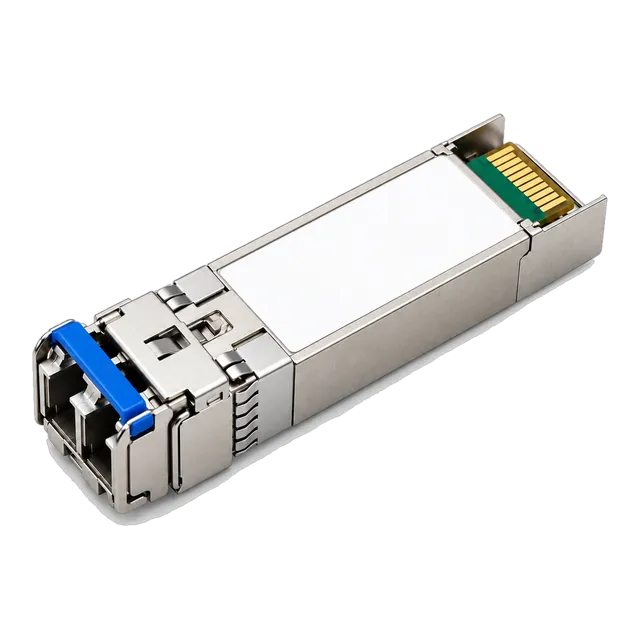
Cages on a fiber network switch accept standard pluggable modules that define the data rate, physical reach, and connector interface for each port. The SFP cage family is governed by the Multi-Source Agreement (MSA) specifications administered by the SNIA (Storage Networking Industry Association) SFF committee. SFP cages support speeds up to 1.25 Gbps (IEEE 802.3z 1000BASE-X). SFP+ cages expand the electrical SerDes interface to 10.3125 Gbps under SFF-8431, supporting 10GBASE-SR, 10GBASE-LR, and 10GBASE-ER. SFP28 uses identical mechanical dimensions to SFP+ but features upgraded high-frequency electrical contacts supporting 25.78125 Gbps per IEEE 802.3by.
For higher aggregation densities, Quad Small Form-Factor Pluggable (QSFP) cages group four independent transmit and receive lanes into a single form factor under SFF-8665 and SFF-8636. QSFP+ delivers 40 Gbps aggregate throughput (4 × 10 Gbps), whereas QSFP28 delivers 100 Gbps (4 × 25 Gbps). Most switches engineered with QSFP28 ports support breakout mode, allowing one QSFP28 cage to be bifurcated via configuration into four discrete 25G SFP28 links. When selecting a switch with fiber optic ports, engineers must confirm backwards electrical compatibility: while most SFP28 ports can throttle down to accept 10G SFP+ optics, backward interoperability to 1.25 Gbps SFP is platform-dependent and requires host SerDes re-clocking.
04Fiber optic to ethernet switch architectures: access to aggregation
A fiber optic to ethernet switch functions as an access-layer or distribution-layer aggregation bridge that transitions horizontal copper distribution into long-haul optical uplinks. In enterprise topologies, client devices like workstations, wireless access points (APs), and surveillance cameras terminate on RJ45 ports. A fiber optic to ethernet switch aggregates these localized copper connections—often providing Power over Ethernet (PoE) via IEEE 802.3at or IEEE 802.3bt—and multiplexes the traffic across redundant SFP or SFP+ optical uplinks directed toward the building core or campus distribution switch.
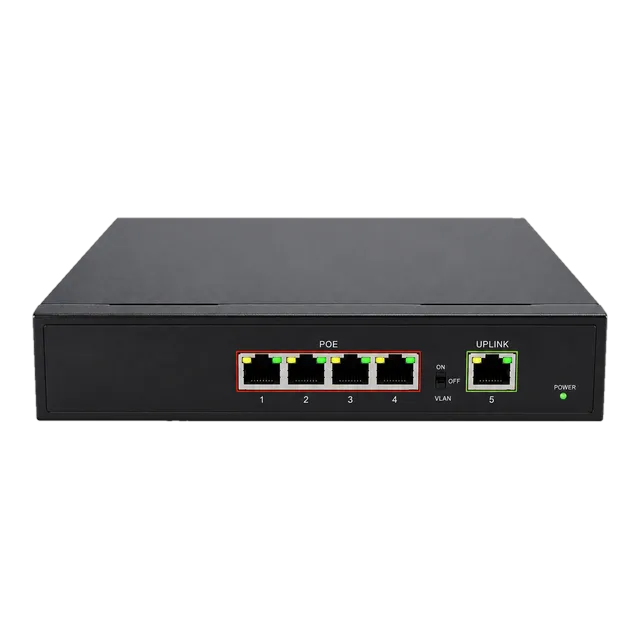
The structural topology follows a classic hierarchical tree or collapsed core. At the access tier, compact units such as a Gigabit PoE IP Ethernet switch provide localized copper endpoints while feeding into aggregation switches equipped with dedicated multi-gigabit optical ports. This structure protects against ground loop currents between separate buildings. If equipment in different facilities is linked via copper ethernet, differences in local earth grounding can induce dangerous shield currents. Linking facilities with single-mode dielectric optical cable through an ethernet switch with fiber optic port eliminates ground loops entirely, ensuring physical plant isolation and resilient link availability over distances exceeding campus boundaries.
05Fiber switch 8 port deployments: edge and industrial compact nodes
A fiber switch 8 port configuration provides an optimal density profile for edge aggregation, remote utility enclosures, and distributed CCTV security backbones. Where space inside 19-inch equipment racks or roadside DIN-rail cabinets is constrained, an 8-port unit delivers high port density without excessive power supply overhead or cooling footprints. These switches typically feature two primary layout topologies: eight dedicated SFP optical cages for hub aggregation, or an access blend consisting of six to eight RJ45 ports paired with two or four dedicated optical SFP cages.
In harsh deployment zones, engineers must specify industrial-grade units compliant with IEC 61850-3 or IEEE 1613, operating between -40°C and +75°C. Industrial switches employ passive convection cooling rather than forced-air fans, preventing dust, humidity, and chemical contaminants from penetrating the chassis. In our industrial switch engineering guide, we detail how fanless enclosures rely on thermal conduction blocks to pull heat directly from SFP cages to the outer chassis. Deploying an 8-port unit with dual DC power feeds (12–48 VDC) ensures continuous packet forwarding across mission-critical transport, energy, and perimeter monitoring installations.
06Fiber switch gigabit vs 10G and 25G uplinks: throughput calculations
Choosing between a fiber switch gigabit baseline and multi-gigabit 10G or 25G uplinks requires evaluating access port oversubscription ratios against uplink line-rate capacities. If an access switch features 24 Gigabit Ethernet (1 Gbps) downlinks, full bidirectional line-rate access traffic equates to 24 Gbps in each direction. If this switch provides only dual 1 Gbps uplinks aggregated under IEEE 802.3ad Link Aggregation Control Protocol (LACP), the uplink capacity is 2 Gbps, creating an oversubscription ratio of 12:1. While acceptable for light office administration, this ratio introduces egress packet buffer drops during high-concurrency backup routines, multi-stream 4K video surveillance aggregation, or Wi-Fi 6 (IEEE 802.11ax) load spikes.
Upgrading the uplinks on a network switch with fiber ports to 10G SFP+ or 25G SFP28 transforms link throughput and latency. With dual 10G uplinks configured in an LACP trunk (20 Gbps full-duplex capacity), the oversubscription drops to a near-line-rate ratio of 1.2:1. When transitioning to 25 Gbps uplinks using 25G SFP28 optical modules, the switch achieves non-blocking fabric performance, ensuring microburst traffic clears egress queues without activating tail-drop mechanisms or IEEE 802.3x flow control pause frames.
07Optical link budget calculation for switch-to-switch links
Calculating the optical link budget ensures that the optical path attenuation between two switches does not exceed the dynamic range of the installed transceivers. The power budget is determined by subtracting the minimum receiver sensitivity ($P_{rx\_min}$) from the minimum transmitter output power ($P_{tx\_min}$), both specified in decibels relative to one milliwatt (dBm). The total channel insertion loss is calculated by summing attenuation from the optical fibre, patch panel bulkhead connectors, fusion splices, and safety design margins.
Consider an enterprise campus deploying a 10-kilometre single-mode link between building aggregation switches using 1.25G SFP 1310nm SMF transceivers. The link parameters are defined as follows:
- Transceiver Minimum Launch Power ($P_{tx\_min}$): -9.0 dBm
- Transceiver Receiver Sensitivity ($P_{rx\_min}$): -20.0 dBm
- Available Optical Power Budget: $-9.0\text{ dBm} - (-20.0\text{ dBm}) = 11.0\text{ dB}$
- Fibre Cable: 10.0 km of ITU-T G.652.D SMF at 1310 nm (attenuation: $0.35\text{ dB/km} \times 10.0\text{ km} = 3.50\text{ dB}$)
- Bulkhead Patch Connections: 4 LC mated pairs at $0.30\text{ dB}$ per connector (loss: $4 \times 0.30\text{ dB} = 1.20\text{ dB}$)
- Fusion Splices: 4 splices at $0.05\text{ dB}$ per splice (loss: $4 \times 0.05\text{ dB} = 0.20\text{ dB}$)
- System Operating Margin ($M_{sys}$): $3.00\text{ dB}$ (allocated for component ageing and maintenance)
Total Channel Loss = $3.50\text{ dB} + 1.20\text{ dB} + 0.20\text{ dB} + 3.00\text{ dB} = 7.90\text{ dB}$. Since the total loss of 7.90 dB is well below the available budget of 11.0 dB, the link maintains a 3.10 dB excess operating buffer. For complete calculation models covering varying wavelengths, review our optical link budget engineering guide or verify parameters directly using our online link budget calculator.
08Ethernet switch with fiber port power and thermal engineering
Thermal engineering within an ethernet switch with fiber port infrastructure must accommodate the electrical power dissipated by individual optical transceivers. Switch cages are classified by SFF committee standards into power levels ranging from Power Level 1 (up to 1.0 W) for basic 1.25G SFP and short-reach 10G SFP+ modules, up to Power Level 8 (exceeding 5.0 W) for dense long-haul or extended-reach QSFP28 optics. A fully populated 48-port SFP+ switch running standard optical transceivers dissipates approximately 48 W to 72 W of heat from the transceivers alone, independent of the main ASIC and power supply losses.
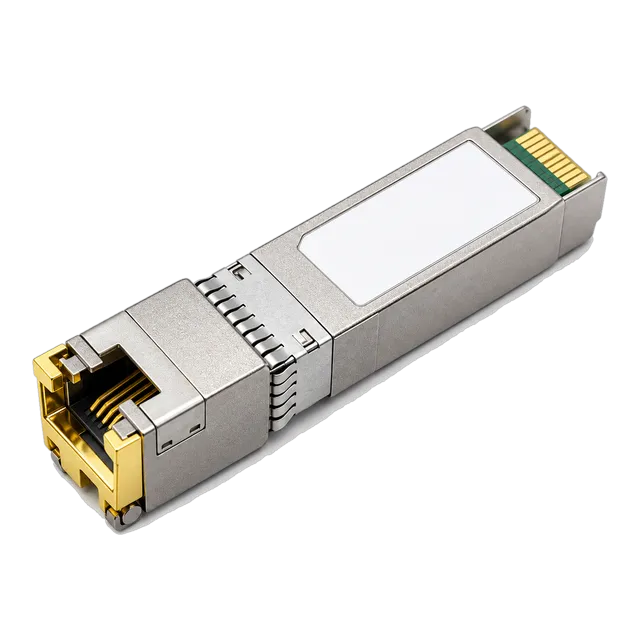
Installing copper SFP modules alters this thermal profile. An RJ45 copper module like the 10G SFP+ copper RJ45 transceiver draws between 2.5 W and 3.0 W due to the high-power DSP required for copper modulation. Populating adjacent cages with copper transceivers creates localized thermal bottlenecks that can trigger SFP thermal alarms or cause early optical laser diode failure in neighbouring cages. System integrators should stagger high-power transceivers across alternate ports or confirm that the switch backplane cooling system provides at least 250 linear feet per minute (LFM) of airflow across the front I/O cage zone.
09SFF-8472 digital diagnostic monitoring across optical network switch ports
Digital Diagnostic Monitoring (DDM), also known as Digital Optical Monitoring (DOM), is an industry-standard telemetry interface defined under SFF-8472 that enables an optical network switch to report real-time operating metrics from plugged-in transceivers. The transceiver exposes an internal I2C bus at memory address A2h. The switch operating system continuously queries this register space to extract five core operational parameters: internal module temperature, operating supply voltage, laser transmitter bias current, optical transmit power ($P_{tx}$), and optical receive power ($P_{rx}$).
Accessing DDM telemetry via the switch Command Line Interface (CLI) or through Simple Network Management Protocol (SNMP) MIBs allows proactive network maintenance. For example, if the received optical power on an SFP+ port degrades from -6 dBm to -14 dBm over several months, an engineer can detect optical fibre macrobending, patch lead contamination, or connector degradation before the link breaches receiver sensitivity thresholds and drops frames. Furthermore, DDM includes factory-calibrated alarm and warning flags that generate switch syslogs automatically when transmitter bias current rises, indicating impending laser diode end-of-life.
10BiDi and WDM transceiver integration on switch with fiber optic ports
Integrating bidirectional (BiDi) transceivers onto a switch with fiber optic ports allows organizations to double link density across existing single-mode infrastructure by transmitting and receiving over a single strand of optical glass. Standard duplex transceivers use separate optical fibres for transmission and reception (one Tx fibre, one Rx fibre). In contrast, BiDi transceivers incorporate an internal wavelength division multiplexing (WDM) diplexer prism that isolates transmit and receive optical signals on different wavelengths across one simplex connector.
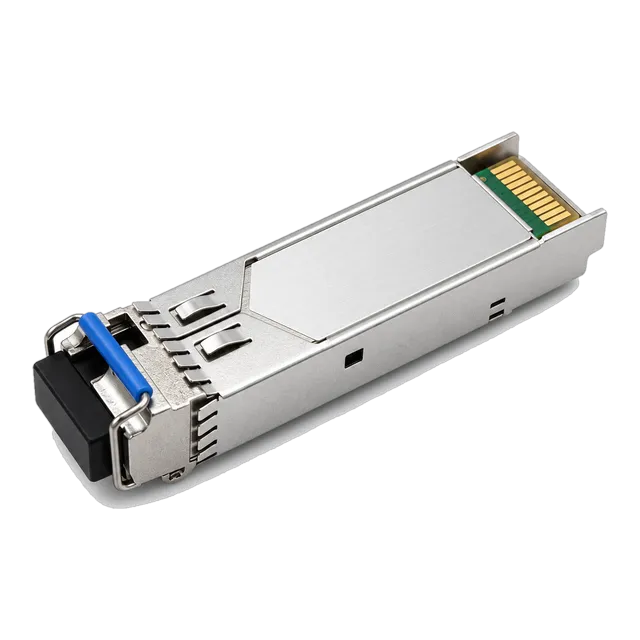
Deploying BiDi optics requires pairing complementary modules at opposite ends of the span. For example, a 1.25 Gbps BiDi link uses an upstream module transmitting at 1310 nm and receiving at 1550 nm, such as the 1.25G SFP BiDi 1310nm/1550nm optical module, paired with a downstream module that transmits at 1550 nm and receives at 1310 nm. Matching identical wavelengths on both sides prevents link initialization. For 10G and 25G BiDi links, standard wavelengths transition to 1270 nm and 1330 nm. In greenfield or lease-exhausted metropolitan fiber deployments, BiDi modules reduce physical strand lease expenses by 50% without altering the host switch hardware architecture.
11Managed vs unmanaged switch hub fiber optic operational trade-offs
Choosing between a managed optical switch and an unmanaged switch hub fiber optic node hinges on administrative control, traffic isolation requirements, and link failover capabilities. An unmanaged optical switch behaves as a simple plug-and-play transparent bridge. It lacks an administrative management processor, meaning it cannot construct Virtual Local Area Networks (VLANs under IEEE 802.1Q), support link aggregation (IEEE 802.3ad), prioritize traffic via Quality of Service (QoS / IEEE 802.1p), or query SFF-8472 optical diagnostics. While cost-effective for localized point-to-point media extension, unmanaged switches lack loop-prevention capabilities such as Spanning Tree Protocol (STP / RSTP / MSTP).
Managed fiber switches feature dedicated control-plane processing running an enterprise network operating system. They support Spanning Tree (IEEE 802.1w/802.1s) and G.8032 Ethernet Ring Protection Switching (ERPS), which delivers sub-50 millisecond failover across redundant optical rings. Managed switches also support Link Fault Pass-Through (LFPT) and IEEE 802.3ah Ethernet in the First Mile (EFM) Operations, Administration, and Maintenance (OAM). If a remote optical strand breaks, a managed switch immediately shuts down the corresponding copper access port, forcing attached endpoints or routers to shift traffic over alternate network paths instantly without waiting for higher-layer TCP timeouts.
12Switch for fiber optic procurement checklist: technical specification matrix
Specifying a switch for fiber optic infrastructure for procurement requires confirming physical, electrical, and protocol parameters against site architectural demands. The table below details the essential specification criteria that procurement teams and network architects must cross-examine before placing equipment orders:
| Evaluation Criterion | Specification Standard / Target Metric | Engineering Impact & Selection Rule |
|---|---|---|
| Cage Form Factor | SFP, SFP+, SFP28, QSFP28 (SFF MSA) | Defines modular port capacity; verify multi-rate SerDes auto-negotiation capabilities. |
| Switching Fabric Capacity | Non-blocking wire-speed (Gbps/Tbps) | Ensure internal fabric bandwidth equals or exceeds: $(2 \times \sum \text{Port Speed})$. |
| Frame Forwarding Rate | Mpps (Million Packets Per Second) | Calculated for 64-byte packets; confirms ASIC performance under small-frame traffic loads. |
| Optical Telemetry | SFF-8472 DDM / DOM Compliance | Enables active monitoring of $P_{tx}$, $P_{rx}$, bias current, and temperature via SNMP. |
| Port Thermal Envelope | Class 1 (1.0 W) to Class 4+ (>2.5 W) per cage | Prevents thermal throttling when dense copper RJ45 or long-reach ZR optics are installed. |
| Uplink Resiliency | IEEE 802.1w (RSTP), IEEE 802.1s (MSTP), ITU-T G.8032 | Guarantees rapid failover in redundant star, mesh, or optical ring campus architectures. |
| Media Compatibility | ITU-T G.652.D (SMF) / ISO/IEC 11801 OM3/OM4 (MMF) | Matches switch optical transceivers to existing structured cabling plant characteristics. |
When assembling an RFQ package, specify whether transceivers require vendor-specific EEPROM programming. While the SFF-8472 specification standardizes electrical operation, switch operating systems often check vendor bytes stored at I2C address A0h. Ensure transceivers are pre-coded for full compatibility with your specific host switch platform.
13Commissioning and validating your optical ethernet switch installation
Commissioning an optical ethernet switch into production service requires a rigorous verification sequence to confirm physical layer health, clean optical interfaces, and error-free frame forwarding. Execute the following commissioning procedure across all optical links:
- Inspect and Clean Connector End-Faces: Inspect every LC or MPO connector end-face using an optical fibre microscope in accordance with IEC 61300-3-35. Remove any particulate contamination using an automated one-click cleaner before inserting the connector into the transceiver cage.
- Seat and Latch Optical Modules: Insert the optical transceiver firmly into the switch SFP cage until the mechanical latch engages securely. Verify that the transceiver status LED on the switch faceplate illuminates, indicating valid module presence detection.
- Verify Optical Power Levels via DDM: Access the switch CLI and query the transceiver digital diagnostic readings (e.g.,
show interfaces transceiver detail). Confirm that the received optical power ($P_{rx}$) falls within the receiver dynamic range, ideally 3 dB above minimum receiver sensitivity and at least 3 dB below the receiver overload threshold. - Confirm Auto-Negotiation and Speed Settings: For 1.25 Gbps links, confirm whether IEEE 802.3z auto-negotiation is enabled on both peer switches. For 10G, 25G, or 100G interfaces, verify that the SerDes PHY rate and Forward Error Correction modes (such as RS-FEC per IEEE 802.3by) match identically on both switch endpoints.
- Run Bit Error and Frame Integrity Tests: Monitor the interface error counters for 15 to 30 minutes under load. Confirm that Cyclic Redundancy Check (CRC) errors, frame alignment faults, and runt packet counters remain strictly at zero.
For complex network deployments involving multi-rate transceivers or single-mode long-haul spans, consult our single-mode fiber optics engineering guide or contact our technical applications team at MARS Engineering Support for transceiver-to-switch matrix validation.
14Frequently asked questions
Can I use an SFP transceiver in an SFP+ switch port?
Yes, on most managed switches, an SFP+ cage can accept a standard 1.25G SFP transceiver. The switch SerDes automatically throttles down from 10 Gbps to 1.25 Gbps. However, some switches require manual configuration of the port speed to disable 10G auto-negotiation before the link will establish.
What is the difference between an optical switch and a media converter?
An optical switch is a multiport Layer 2/3 packet processor that forwards frames based on MAC addresses or IP routing tables. A media converter is typically a two-port physical layer device that simply translates electrical signals from copper to optical signals without parsing Ethernet frames or maintaining bridging tables.
Do fiber optic switches support Power over Ethernet (PoE)?
Standard optical fiber cannot transmit electrical current. However, hybrid switches provide copper RJ45 access ports that deliver PoE (such as IEEE 802.3at/bt) to powered devices while using dedicated optical SFP ports solely for data aggregation and network uplinks.
Can single-mode SFP transceivers work over multimode fiber?
Single-mode transceivers can transmit over multimode fiber over short distances (under 300 metres) using specialized mode-conditioning patch cables. Connecting single-mode transceivers directly into multimode fiber without mode conditioning causes Differential Mode Delay (DMD), leading to high bit error rates and link instability.
Why is my fiber switch port showing link up but dropping packets?
This issue is typically caused by dirty optical connector end-faces, an optical power level sitting near the receiver sensitivity threshold, or mismatched Forward Error Correction (FEC) settings. Check switch DDM telemetry to confirm whether received power ($P_{rx}$) is stable, and inspect CRC error counters.
Technical review note: confirm model-specific specifications with the product datasheet and the intended host documentation. Product images and application photographs are illustrative.
Discuss this with our team