Selecting a 5 port network switch requires matching non-blocking switching fabric capacity, IEEE 802.3af/at power budgets, operating temperature ratings, and uplink media types to the precise physical requirements of edge access topologies.
01What is a 5 port network switch and how does it forward traffic?
A 5 port network switch is a compact Layer 2 networking device that forwards Ethernet frames between up to five connected endpoints using hardware-based Media Access Control (MAC) address learning. In industrial enclosures, branch offices, and telecommunications demarcation boxes, a 5 port network switch establishes high-density connectivity without consuming excessive enclosure rack space or electrical power. The switch operates by inspecting the destination MAC address inside the header of an incoming Ethernet frame (defined under IEEE 802.3), cross-referencing it against an internal Address Resolution Table (often held in Fast Content-Addressable Memory, or TCAM), and selectively transmitting the frame strictly out of the destination port rather than broadcasting it to all ports like an legacy repeater hub.
Modern 5 port switches rely on store-and-forward switching architecture. The internal switch processor buffers each inbound frame, verifies its Frame Check Sequence (FCS) to filter out runt frames and CRC errors, and then forwards the validated frame to the egress queue. For edge installations that connect surveillance hardware, machine controllers, or IP telephony, small switches provide wire-speed traffic isolation across local collision domains while maintaining a shared broadcast domain, as detailed in our network with switch architecture guide.
025 port network switch architecture and switching fabric
A 5 port network switch must provide adequate switching fabric bandwidth and packet forwarding capacity to avoid packet drops during line-rate saturation. To achieve non-blocking wire-speed performance, the internal backplane must match the cumulative full-duplex capacity of all active ports. For a 5 port gigabit ethernet network switch, full-duplex operation permits simultaneous 1 Gbps transmission and 1 Gbps reception across each physical interface.
The required switching fabric capacity is calculated using the formula:
Switching Capacity (Gbps) = Number of Ports × Port Data Rate (Gbps) × 2 (Full Duplex)
For five 1000BASE-T ports:
Switching Capacity = 5 × 1 Gbps × 2 = 10 Gbps
The packet forwarding rate, expressed in millions of packets per second (Mpps), is derived from the minimum Ethernet frame size under IEEE 802.3ab. A minimum-size Ethernet frame is 64 octets (512 bits). Factoring in the physical layer overhead—8 octets (64 bits) of preamble and Start Frame Delimiter (SFD), plus 12 octets (96 bits) of Inter-Frame Gap (IFG)—the total wire space consumed per frame equals 84 octets (672 bits):
Wire-Speed Packet Rate = 1,000,000,000 bps / 672 bits ≈ 1.488095 Mpps per Gigabit port
Across all five gigabit ports running concurrently at full duplex, the switch forwarding engine must process:
Forwarding Rate = 5 × 1.488 Mpps = 7.44 Mpps
If the hardware data sheet specifies a switching capacity below 10 Gbps or a forwarding rate below 7.44 Mpps, the switch relies on an oversubscribed internal bus that will introduce packet drops and latency spikes during bursty traffic conditions.
03Gigabit ethernet 5 port switch vs fast ethernet switch 5 port
A gigabit ethernet 5 port switch delivers ten times the throughput of a legacy fast ethernet switch 5 port by complying with IEEE 802.3ab (1000BASE-T) rather than IEEE 802.3u (100BASE-TX). While a fast Ethernet switch operates at a maximum theoretical throughput of 100 Mbps per port with an aggregated 1 Gbps backplane, a Gigabit switch delivers 1000 Mbps per interface. Beyond basic bandwidth metrics, frame transmission delay diminishes drastically at gigabit speeds: a standard 1518-byte MTU (Maximum Transmission Unit) frame takes 121.4 microseconds to transmit over Fast Ethernet, compared to just 12.1 microseconds over Gigabit Ethernet.
Modern Internet of Things (IoT) edge appliances, video surveillance cameras streaming 4K H.265 video, and enterprise Wi-Fi 6 access points quickly saturate 100 Mbps interfaces. Deploying a five port ethernet switch engineered for Gigabit speeds prevents buffer bottlenecks at edge aggregation points. Fast Ethernet models remain justifiable only for deeply cost-sensitive telemetry nodes, such as low-baud serial-to-Ethernet remote terminal units (RTUs), where the attached microcontrollers cannot exceed 10 Mbps or 100 Mbps physical layer transceivers.
04Port configurations: 5 port gigabit switch rj45 and SFP uplink options
Standard edge switches feature an all-copper layout consisting of a 5 port gigabit switch rj45 interface set with integrated auto-MDI/MDI-X negotiation. Auto-MDI/MDI-X eliminates the need for crossover cables by electronically reconfiguring the transmit (Tx) and receive (Rx) pairs on twisted-pair Category 5e, Category 6, or Category 6a cabling per ANSI/TIA-568 standards. These copper RJ45 interfaces are rated for runs up to 100 metres.
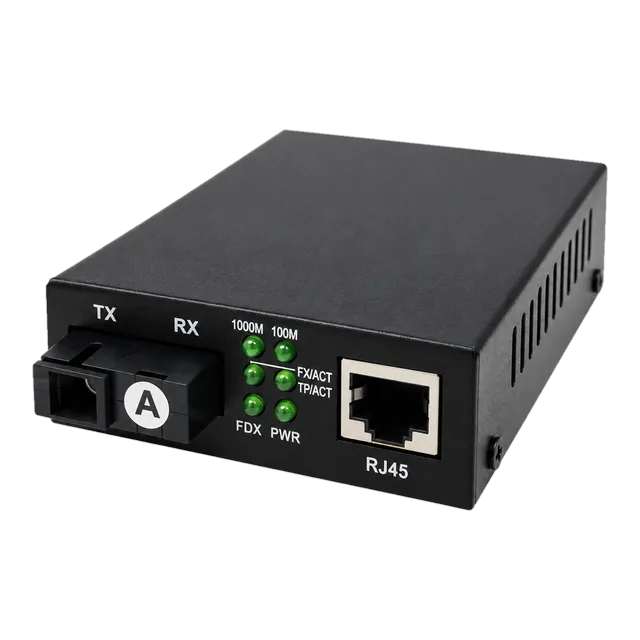
When edge nodes are installed in outbuildings, perimeter security poles, or across electrical substations, copper runs encounter ground potential differences and exceed the 100-metre distance ceiling. In these topologies, engineers deploy a switch coupled with an optical transceiver or media conversion device. For extended reach, integrating media converters such as the 10/100/1000 Gigabit Fiber Media Converter allows copper RJ45 ports to bridge directly to single-mode optical links spanning up to 20 km over 1310 nm wavelengths, as outlined in our switch for fiber optic selection guide.
05PoE power budgets for a 5 port ethernet switch
A PoE-enabled 5 port ethernet switch provides DC electrical power and data transmission simultaneously over balanced twisted-pair cabling, eliminating separate electrical runs to remote devices. Switches adhering to IEEE 802.3af (PoE) deliver up to 15.4 W at the switch port (12.95 W minimum guaranteed at the Powered Device, or PD), whereas IEEE 802.3at (PoE+) supplies up to 30.0 W per port (25.5 W guaranteed at the PD) using 48 V to 57 V DC nominal operating voltage.
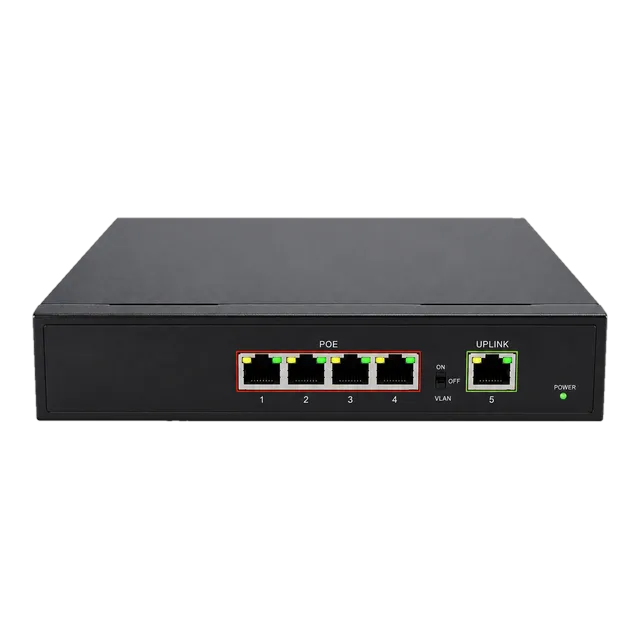
A typical edge layout uses a 4 PoE + 1 Uplink configuration, such as the Gigabit PoE IP Ethernet Switch — 4 PoE Ports + 1 Uplink. In this arrangement, four ports supply IEEE 802.3af/at power to endpoint devices—such as PTZ cameras, VoIP phones, or access controllers—while the fifth unpowered RJ45 port serves as a dedicated uplink to the core network router or aggregation switch.
When calculating system capacity, the total internal power supply must exceed the sum of the maximum power draws of all connected PDs. If four IEEE 802.3at Class 4 devices (requiring 30 W each) are connected, the switch requires a minimum power budget of:
Total PoE Budget = 4 × 30 W = 120 W
If the internal power supply only supports 65 W, connecting three or four Class 4 devices causes the switch power management logic to shut down lower-priority ports due to power budget exhaustion. Engineers can review extensive sizing rules in our PoE switch power budget guide.
06Industrial DIN-rail vs 5 port desktop switch deployments
Industrial DIN-rail switches and commercial desktop switches differ fundamentally in their physical enclosure engineering, power supplies, and operating thermal limits. A commercial 5 port desktop switch is housed in a stamped sheet-metal or plastic enclosure engineered for indoor environments with ambient operating temperatures between 0°C and 40°C. It uses an external AC/DC commercial wall adapter (typically 5 V or 12 V DC) without redundant power inputs or high-level surge immunity.
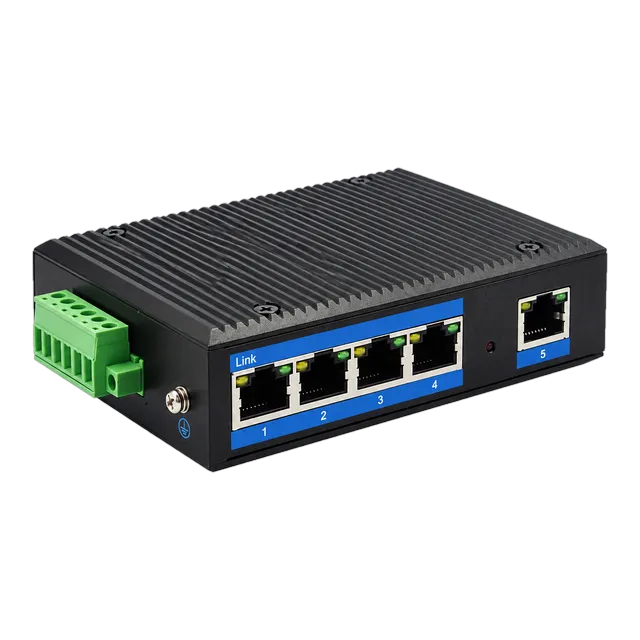
By contrast, an industrial switch such as the Outdoor Industrial Gigabit Ethernet Switch — 5× RJ45 Port is engineered to survive harsh environmental extremes. Key industrial hardware characteristics include:
- Operating Temperature: Hardened components rated for continuous service from -40°C to +85°C.
- Chassis Design: IP40-rated extruded aluminium chassis functioning as a passive heatsink without ventilation holes or failure-prone cooling fans.
- Power Input: Redundant terminal block power inputs supporting wide-range DC voltages (such as 10 V to 47 V DC or 12 V to 56 V DC) with reverse polarity protection.
- Surge and EMC Protection: Compliance with IEC 61000-4-2 (Electrostatic Discharge) up to 8 kV contact / 15 kV air, and IEC 61000-4-5 (Surge Immunity) up to 6 kV common mode on copper RJ45 interfaces.
- Mounting: Integrated 35 mm DIN-rail brackets conforming to EN 60715 for industrial control cabinet installation.
For deeper insight into hardened physical layer requirements, review our industrial switch engineering guide.
07Managed vs unmanaged five port ethernet switch architectures
An unmanaged five port ethernet switch is a plug-and-play device with fixed internal logic, whereas a managed switch incorporates an onboard processor that allows network administrators to configure, segment, and monitor port traffic. Unmanaged models process all frames transparently within a single flat broadcast domain without user intervention, making them ideal for simple network extensions where advanced traffic isolation is unnecessary.
Managed 5 port units incorporate a lightweight operating system accessible via Command Line Interface (CLI), Web GUI, or Simple Network Management Protocol (SNMP). Key operational features include:
- IEEE 802.1Q VLAN Tagging: Allows isolating guest, surveillance, and management traffic across distinct virtual networks despite sharing the same physical hardware.
- Quality of Service (QoS / IEEE 802.1p): Implements strict priority (SP) or weighted round-robin (WRR) queuing across hardware queues, prioritising latency-critical voice and video frames over standard bulk file transfers.
- IGMP Snooping: Constrains multicast video streams to requesting subscriber ports rather than flooding all switch ports.
- Port Mirroring: Duplicates ingress or egress traffic from any port to a designated monitoring port for protocol analysis using network sniffers.
- Loop Detection: Incorporates Rapid Spanning Tree Protocol (RSTP, IEEE 802.1w) or proprietary loop protection to prevent broadcast storms caused by accidental redundant patching.
08Using a switch for internet 5 ports at branch edges
A switch for internet 5 ports cannot replace a Layer 3 broadband router because an unmanaged switch does not run Network Address Translation (NAT) or dynamic IP address assignment via DHCP. When provisioning internet access across multiple client devices, the switch must be placed downstream from an ISP modem or security router. The WAN cable connects directly to the router, and a single patch cable links a router LAN interface to port 1 on the 5 port ethernet network switch, leaving the remaining four ports available for local client distribution.
Packet buffer memory becomes critical when a 5 port switch handles traffic bursts originating from high-speed client nodes funneling into a constrained Internet connection. If four client workstations transmit simultaneous 1 Gbps bursts toward a broadband uplink capped at 100 Mbps, the switch egress buffer must hold incoming frames to avoid instantaneous packet drops. Robust 5 port architectures feature an integrated packet buffer of at least 1 Mbit (128 KB) to 2 Mbit, combined with IEEE 802.3x full-duplex pause frames to throttle upstream transmitters gracefully during buffer saturation.
09Decision matrix: comparing 5 port ethernet network switch form factors
Selecting the correct switch requires evaluating the physical environment, power infrastructure, throughput requirements, and device power demands against concrete operational specifications.
| Criteria | Commercial Desktop Switch | PoE+ Edge Access Switch | Hardened Industrial Switch |
|---|---|---|---|
| Port Configuration | 5× 10/100/1000Base-T RJ45 | 4× PoE+ RJ45 + 1× Uplink RJ45 | 5× 10/100/1000Base-T RJ45 |
| Switching Fabric [Gbps] | 10.0 Gbps | 10.0 Gbps | 10.0 Gbps |
| Forwarding Rate [Mpps] | 7.44 Mpps | 7.44 Mpps | 7.44 Mpps |
| Operating Temp [°C] | 0 to +40 °C | -10 to +55 °C | -40 to +85 °C |
| Power Input [V] | 5V / 12V DC (AC Adapter) | 100–240V AC (Internal PSU) | 10–47V DC (Dual Terminal) |
| PoE Power Budget [W] | 0 W (None) | 65 W – 120 W | Optional (Requires 48–56V DC) |
| Surge Protection [kV] | 1 kV Common Mode | 2 kV Common Mode | 6 kV (IEC 61000-4-5) |
| Mounting Options | Desktop / Wall slot | Desktop / Wall bracket | 35 mm DIN-Rail / Wall |
| Ingress Protection | IP20 / IP30 Plastic or Metal | IP20 Metal Enclosure | IP40 Hardened Aluminium |
For network architectures requiring extended links beyond local switches, see our comprehensive guide on Ethernet switch selection, uplinks, and RFQ specifications.
10Troubleshooting packet loss and buffer exhaustion on 5 port switches
Packet loss on unmanaged 5 port switches is generally caused by buffer overruns, physical layer transmission faults, or autonegotiation duplex mismatches. Network engineers should follow this systematic troubleshooting sequence to isolate performance faults:
- Inspect Physical Link State and Speed Negotiation: Verify that the port LED indicators confirm 1000 Mbps operation. A dual-colour LED illuminating amber rather than green indicates that the link has negotiated down to 100 Mbps or 10 Mbps due to bent cable pins, damaged conductors, or excessive patch cable lengths exceeding 100 metres.
- Check for Duplex Mismatches: Ensure both the switch port and the endpoint network interface card (NIC) operate in full-duplex autonegotiation. Forcing 1000BASE-T full-duplex manually on a client while the unmanaged switch relies on IEEE 802.3u/ab autonegotiation causes a duplex mismatch, generating late collisions, frame alignment errors, and extensive retransmissions.
- Diagnose Broadcast Storms and Switching Loops: Observe switch activity LEDs. If all port LEDs flash synchronously at high frequency without user traffic, an unmanaged switching loop exists. Because unmanaged 5 port switches frequently lack Spanning Tree Protocol, an accidental physical loop will crash the switching fabric within milliseconds. Disconnect patch cords sequentially to isolate the looping link.
- Assess Egress Buffer Overrun: If multi-stream traffic is directed from several 1 Gbps ingress ports toward a single saturated 1 Gbps egress uplink, the shared packet buffer (typically 1 Mbit to 2 Mbit) will overflow, discarding incoming packets. Deploy flow control (IEEE 802.3x) on endpoints or move high-volume streams to dedicated uplinks.
11Procurement checklist and RFQ specifications for a 5 port gigabit network switch
Engineers specifying hardware for an enterprise or industrial procurement request for quotation (RFQ) should require vendors to verify compliance against concrete electrical and operational parameters. Copy and adapt the following technical parameters into your equipment schedule:
- Throughput Performance: 10 Gbps non-blocking switching fabric; minimum 7.44 Mpps forwarding capacity at 64-byte frame sizing.
- Port Specifications: 5× RJ45 10BASE-Te / 100BASE-TX / 1000BASE-T ports conforming to IEEE 802.3, 802.3u, and 802.3ab with automatic MDI/MDI-X crossover detection.
- Buffer and MAC Tables: Minimum 1 Mbit shared packet memory; minimum 2,000 (2K) unmanaged or 8,000 (8K) managed MAC address entries with automatic aging.
- PoE Provisioning (if required): IEEE 802.3af/at compliance across 4 ports; minimum dedicated PoE budget of 60 W (commercial) or 120 W (high-power edge); pin assignment 1/2 (+), 3/6 (-).
- Power Input Requirements: Commercial: 100–240 V AC 50/60 Hz; Industrial: Redundant dual DC inputs 12–48 V DC with removable terminal block and reverse polarity protection.
- Environmental Limits: Industrial grade: -40°C to +85°C operating temperature; 5% to 95% non-condensing relative humidity; IP40 metal enclosure with DIN-rail mount.
- Compliance and Immunity: CE, FCC Part 15 Class A; IEC 61000-4-2 (ESD ±8 kV contact, ±15 kV air); IEC 61000-4-5 (Surge ±6 kV).
For custom pinout definitions, managed firmware options, or high-volume OEM builds across our complete Ethernet switch product family, submit your technical schedule directly to our engineering team through our optical and switch contact page.
12Frequently asked questions
What is the difference between a 5 port network switch and a hub?
A 5 port network switch inspects MAC addresses and forwards Ethernet frames strictly to the destination port, eliminating collisions and providing dedicated bandwidth per port. A legacy hub broadcasts incoming frames to all ports simultaneously, sharing total bandwidth and causing frequent collisions.
Can I connect two 5 port switches together to expand ports?
Yes, you can interconnect two switches using an ordinary straight-through Category 6 cable between any two ports. Modern switches feature auto-MDI/MDI-X, which automatically configures the internal transmit and receive pairs without needing specialized crossover cabling.
Does a 5 port gigabit switch need an internet connection to work?
No, a 5 port switch does not require an internet connection. It functions autonomously at Layer 2 to transfer local data frames, print jobs, and video streams between locally connected endpoints without requiring an active WAN gateway or upstream ISP.
Why is my 5 port gigabit switch running at only 100 Mbps?
A gigabit switch negotiates down to 100 Mbps if the Ethernet cable is damaged, missing conductors on pins 4, 5, 7, or 8, or exceeds 100 metres in length. It also drops if the connected endpoint NIC only supports 100BASE-TX Fast Ethernet.
Can a 5 port PoE switch power any regular computer?
Yes, standard IEEE 802.3af/at switches perform active resistive handshakes before applying DC power. If a connected desktop PC or laptop does not request PoE voltage, the switch supplies standard data signals only, preventing damage to non-PoE network cards.
Technical review note: confirm model-specific specifications with the product datasheet and the intended host documentation. Product images and application photographs are illustrative.
Discuss this with our team