A network with switch architecture delivers deterministic, wire-speed packet delivery by isolating collision domains across dedicated Layer 2 and Layer 3 interfaces, requiring non-blocking switching fabrics matched to physical transceiver and cabling bandwidths.
01Network with switch: core architecture and forwarding
Deploying a local area network with switch hardware establishes high-throughput data paths by forwarding Ethernet frames directly between connected endpoints using dedicated physical ports. Unlike legacy shared hubs that broadcast electrical signals across an entire collision domain, a modern network switch isolates traffic per port using an internal switching fabric and dedicated Application-Specific Integrated Circuit (ASIC) processors. Every connected station operates in full-duplex mode in accordance with IEEE 802.3 standards, eliminating transmission collisions entirely.
A basic network switch definition denotes a multi-port Layer 2 bridge that inspects ingress data link layer headers to determine destination hardware addresses. Upon receiving an electrical or optical bitstream, the switch converts physical signals into an Ethernet frame, verifies the Frame Check Sequence (FCS) for data integrity, and maps the destination Media Access Control (MAC) address against its internal Content Addressable Memory (CAM) table. If the address matches an existing entry, the ASIC directs the frame exclusively to the egress switch ethernet port, preserving bandwidth across remaining links.
02What does an ethernet switch do?
An Ethernet switch directs traffic between local devices, isolates collision domains, filters corrupted packets, and manages quality of service across network endpoints. When multiple host systems transmit concurrently, the switch buffers frames in high-speed packet memory to prevent dropped data during transient link congestion. Beyond basic packet forwarding, managed switches execute IEEE 802.1Q Virtual Local Area Network (VLAN) tagging, allowing network engineers to partition a single physical chassis into multiple isolated broadcast domains for security and broadcast containment.
Modern enterprise switches also enforce link aggregation groups (LAG) via IEEE 802.3ad Link Aggregation Control Protocol (LACP), bundling multiple physical connections into a single logical trunk. This provides both fault redundancy and increased uplink capacity. To understand how chassis-level designs scale across campus or industrial environments, engineers frequently consult our guide on gigabit switch architecture and selection when sizing uplink transceivers.
03How do network switches work at Layer 2?
Network switches operate at Layer 2 by continuously inspecting the source and destination MAC addresses of incoming frames to populate dynamic forwarding tables. When a frame arrives on an ingress port, the switch reads the 48-bit source MAC address in the frame header (defined in IEEE 802.3 Clause 3) and records that address alongside the receiving physical port ID and VLAN assignment in the CAM table.
The switch then executes one of three packet handling actions based on the destination MAC address:
- Forward: If the destination MAC address exists in the CAM table for a known egress port, the frame is transmitted solely out of that designated port.
- Filter: If the destination MAC address resides on the same physical segment or ingress port where the frame originated, the switch drops the frame to conserve backplane bandwidth.
- Flood: If the destination MAC address is unknown, or if the frame contains a broadcast address (FF:FF:FF:FF:FF:FF) or multicast address (01:00:5E:xx:xx:xx), the switch forwards a copy out of all operational ports belonging to that specific VLAN, except the ingress port.
Dynamic CAM entries maintain an aging timer, typically defaulting to 300 seconds. If an endpoint does not transmit within this period, the entry expires, preventing stale mappings when hosts migrate between ports.
04What is the function of a switch in networking compared to a router?
The primary function of a switch in networking is linking devices within the same local network segment at Layer 2, whereas a router connects disparate networks across Layer 3 using logical IP addressing. A switch makes forwarding decisions based on physical 48-bit hardware MAC addresses, processing frames with microsecond latencies inside dedicated ASIC hardware. A router inspects Layer 3 Internet Protocol (IP) headers, calculates optimal paths across wider networks via routing protocols such as OSPF or BGP, and modifies the Layer 2 encapsulation headers as packets cross network boundaries.
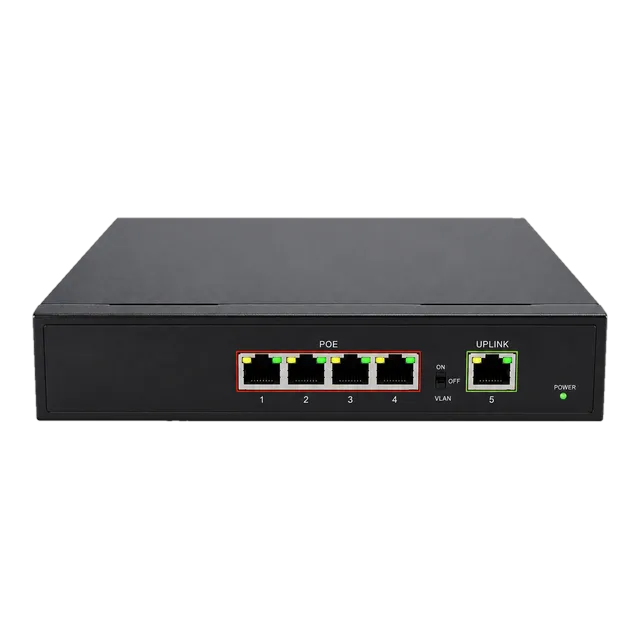
While traditional Layer 2 switches restrict forwarding to local broadcast domains, multilayer switches incorporate hardware-based IP routing functionality. These Layer 3 switches execute inter-VLAN routing at line rate using Ternary Content Addressable Memory (TCAM), offloading repetitive local gateway tasks from perimeter firewalls and WAN routers. For edge installations requiring consolidated power and switching, deploying dedicated equipment like the Gigabit PoE IP Ethernet Switch provides direct device powering while retaining local Layer 2 forwarding.
05Switch ethernet port types: copper RJ45 versus optical SFP cages
Switch interfaces balance fixed twisted-pair copper RJ45 connectors for short reach with modular pluggable transceiver cages for extended distances and higher bandwidths. Standard 1000BASE-T and 10GBASE-T ports use 8P8C modular connectors running over balanced copper cables such as Category 6 or Category 6A up to 100 metres (per ISO/IEC 11801 and TIA-568 standards). However, modular Small Form-Factor Pluggable (SFP, SFP+, SFP28, and QSFP28) cages accept interchangeable optical transceivers, enabling engineers to adapt port speeds and transmission media dynamically.
The table below outlines common switch port interfaces, associated media, physical distance capabilities, and typical transmission latencies:
| Port Interface Standard | Transceiver Form Factor | Physical Medium | Maximum Distance (m) | Typical Port Latency (µs) |
|---|---|---|---|---|
| 1000BASE-T | Fixed RJ45 / SFP | Cat5e / Cat6 UTP | 100 | 2.50 to 3.00 |
| 1000BASE-LX | SFP | G.652 SMF (1310 nm) | 10,000 | 0.35 to 0.50 |
| 10GBASE-T | Fixed RJ45 / SFP+ | Cat6A UTP/STP | 100 | 1.50 to 2.50 |
| 10GBASE-SR | SFP+ | OM4 MMF (850 nm) | 300 / 400 | 0.10 to 0.30 |
| 25GBASE-SR | SFP28 | OM4 MMF (850 nm) | 100 | 0.10 to 0.25 |
| 100GBASE-SR4 | QSFP28 | OM4 MPO-12 (850 nm) | 100 | 0.08 to 0.15 |
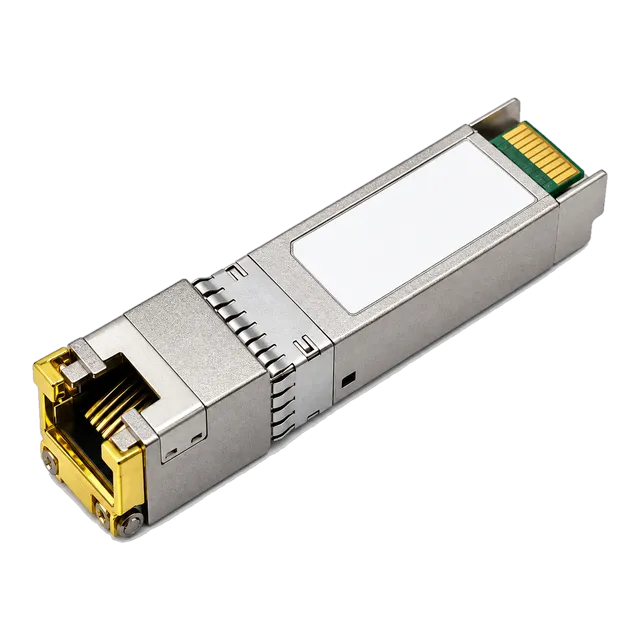
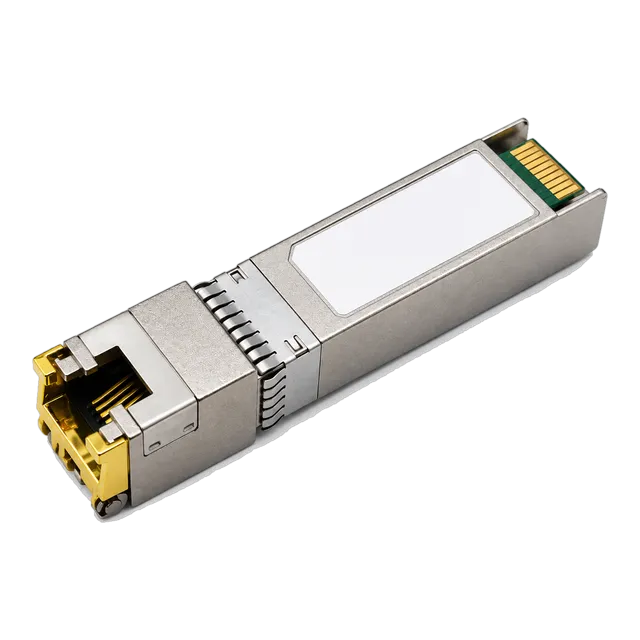
To populate dual-purpose uplink cages with copper connections, engineers deploy modules such as the Affordable 1000BASE-T SFP Copper RJ45 Gigabit Transceiver or the multi-rate 10G SFP+ Copper RJ45 10GBASE-T 100m Transceiver, matching physical plant requirements without replacing core chassis.
06Network switch layers: understanding Layer 2 versus Layer 3 switching
Network switch layers designate the OSI model tier at which the hardware makes packet forwarding and policy enforcement decisions. Layer 2 switches function strictly within the Data Link layer, relying on MAC addresses to forward frames inside a single broadcast domain. These switches do not interpret IP addresses, meaning traffic moving between different VLANs must transit an external Layer 3 gateway.
Layer 3 switches merge the high-density port architectures of a bridge with the packet routing engine of a router. By reading the 32-bit IPv4 or 128-bit IPv6 headers, Layer 3 switches forward packets across different subnets at hardware line rates using dedicated TCAM tables. This eliminates the bandwidth bottlenecks associated with traditional "router-on-a-stick" configurations. Layer 3 switches also support dynamic routing protocols (such as RIP, OSPF, and static routes), Access Control Lists (ACLs), and DHCP relay agents directly on the hardware backplane.
07Forwarding architecture: cut-through versus store-and-forward switching
Switch packet forwarding architectures are divided into store-and-forward and cut-through mechanisms, directly determining packet processing latency and error propagation. In store-and-forward switching, the switch receives the entire Ethernet frame into its internal buffer, verifies the 32-bit Cyclic Redundancy Check (CRC) in the FCS field, and discards any malformed, runt (less than 64 bytes), or giant (greater than 1518 bytes without jumbo enabled) frames before forwarding. While store-and-forward guarantees that invalid frames do not waste downstream bandwidth, latency varies proportionally with frame size, ranging from approximately 5 µs to over 40 µs on Gigabit links.
In cut-through switching, the ASIC inspects only the first 14 bytes of the Ethernet header to extract the destination MAC address before beginning transmission out of the egress port. This delivers deterministic forwarding latencies often under 1 µs regardless of frame length, making it ideal for financial trading systems and high-performance computing clusters. However, cut-through forwards corrupted frames because the FCS trailer arrives at the very end of the transmission, placing error detection responsibility on upper-layer transport protocols such as TCP.
08Switch LAN network design: access, aggregation, and core tiers
A structured switch LAN network uses a hierarchical three-tier or collapsed two-tier model to maintain deterministic traffic flows, administrative boundaries, and fault isolation. Rather than connecting switches haphazardly, enterprise designs partition the switching infrastructure into Access, Distribution (Aggregation), and Core layers:
- Access Layer: Delivers high-density connectivity directly to end hosts, IP security cameras, wireless access points, and user workstations. Ports here enforce port security, IEEE 802.1X network access control, and PoE delivery.
- Distribution/Aggregation Layer: Concentrates uplinks from multiple access switches, executes Layer 3 inter-VLAN routing, aggregates routing policies, and provides firewall or packet inspection handoffs.
- Core Layer: Operates as the high-speed optical backbone of the network, designed strictly for high-throughput, non-blocking packet transit without compute-heavy ACL processing or packet inspection.
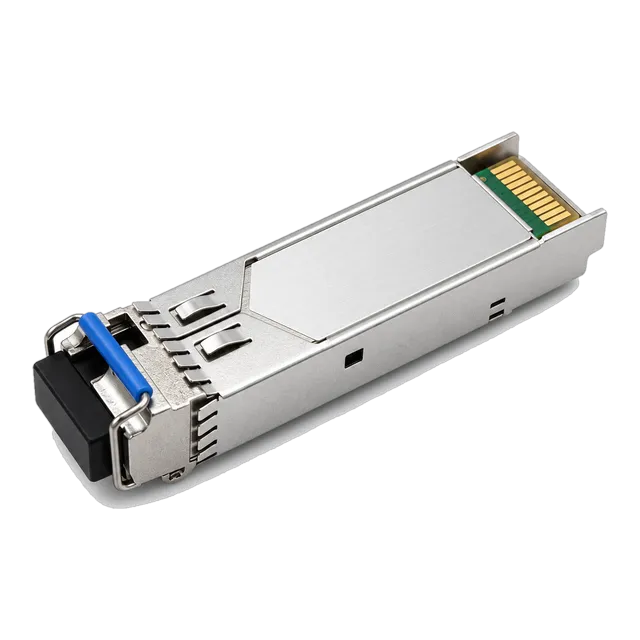
For cross-campus runs linking access switches to core optical distribution frames, long-range transceivers such as the 1.25G Gigabit SFP Transceiver 1000Base SM/MM provide single-mode fibre reaches up to 120 km. Further deployment strategies can be reviewed in our analysis of Ethernet switch selection and RFQ specifications.
09Calculating forwarding rates and backplane bandwidth
Sizing switch hardware requires calculating the wire-speed packet forwarding rate in packets per second (pps) and comparing total interface load against the switching fabric backplane capacity in gigabits per second (Gbps). Under IEEE 802.3, an untagged Ethernet frame consists of the minimum 64-byte payload and header, plus an 8-byte preamble/SFD and a minimum 12-byte Interpacket Gap (IPG), totaling 84 bytes (672 bits) per packet on the wire.
To calculate the theoretical maximum wire-speed packet rate for a 1 Gbps port:
Forwarding Rate (pps) = Link Speed (bps) / (Packet Size + Overhead in bits)
Forwarding Rate = 1,000,000,000 bps / 672 bits = 1,488,095 pps (approx. 1.488 Mpps) per Gigabit port.
For a 10 Gbps port, this calculation yields:
Forwarding Rate = 10,000,000,000 bps / 672 bits = 14,880,952 pps (approx. 14.881 Mpps).
Consider an enterprise access switch equipped with 24 × 10/100/1000BASE-T ports and 4 × 10G SFP+ uplink cages operating concurrently in full-duplex mode:
- Backplane bandwidth requirement:
Total Throughput = ((24 × 1 Gbps) + (4 × 10 Gbps)) × 2 (full duplex) = (24 + 40) × 2 = 128 Gbps. - Total packet forwarding requirement:
Total Mpps = (24 × 1.488 Mpps) + (4 × 14.881 Mpps) = 35.712 Mpps + 59.524 Mpps = 95.236 Mpps.
If the switch vendor specification sheet lists a backplane bandwidth below 128 Gbps or a forwarding capacity below 95.24 Mpps, the switch is oversubscribed and may drop packets during simultaneous wire-speed bursts across all ports.
10VLAN segmentation and 802.1Q trunking implementation
Virtual Local Area Networks (VLANs) segment a physical switch into distinct logical broadcast domains to improve network security, manage broadcast storms, and isolate sensitive department data. When a switch receives a broadcast frame on a port assigned to VLAN 10, the ASIC replicates that broadcast only to other switch ports explicitly provisioned inside VLAN 10.
To pass traffic across multiple VLANs over a single physical link between switches, engineers configure an 802.1Q trunk port. The sending switch injects a 4-byte 802.1Q tag into the original Ethernet frame header directly between the Source MAC address and the EtherType field. This tag includes a 12-bit VLAN Identifier (VID), providing up to 4,094 distinct VLANs (VIDs 1 through 4094). The receiving switch strips the tag, inspects the VID, and directs the frame to the corresponding internal VLAN context. Trunk links prevent the requirement of running separate physical cables between switches for every isolated network subnet.
11PoE power budgets and optical monitoring for switch ports
Power over Ethernet (PoE) and Digital Diagnostics Monitoring (DDM) provide essential physical-layer telemetry to ensure stable device powering and error-free optical links. Switches equipped with PoE inject DC voltage across twisted-pair copper cabling to power remote VoIP phones, surveillance cameras, and Wi-Fi access points directly through their RJ45 interfaces, adhering to standardized power tiers:
- IEEE 802.3af (PoE): Delivers up to 15.4 W at the switch port, guaranteeing 12.95 W at the device over 100 m.
- IEEE 802.3at (PoE+): Delivers up to 30.0 W at the switch port, guaranteeing 25.5 W at the device.
- IEEE 802.3bt (4PPoE / PoE++): Uses all four cable pairs to deliver Type 3 (up to 60 W) or Type 4 (up to 90 W) for PTZ cameras and compact switches.
On optical uplink ports, SFF-8472 compliant transceivers feature Digital Optical Monitoring (DOM/DDM). This allows network managers to view real-time physical parameters via CLI or SNMP, including internal transceiver temperature, supply voltage, laser bias current, transmitted optical power (Tx), and received optical power (Rx). Monitoring these thresholds isolates fiber attenuation faults and dirty connectors before link loss causes spanning tree reconvergences. You can explore transceiver diagnostic thresholds further in our reference on what DDM can tell you about an optical link.
12Hardware procurement checklist for switch and transceiver integration
Procuring switches, transceivers, and patch cabling requires strict verification of host platform compatibility, power requirements, and physical environmental constraints. Use the following structured checklist before finalising a procurement order or generating a Request for Quotation (RFQ):
- Switch Fabric Sizing: Verify that switching capacity (Gbps) and packet forwarding rates (Mpps) meet or exceed wire-speed calculations for all copper access and optical uplink ports running concurrently.
- Optical Form Factor and Speed: Identify whether uplink cages require standard 1G SFP, 10G SFP+, 25G SFP28, or 100G QSFP28 modules, noting whether multi-rate fallback (e.g., 10G/1G auto-negotiation) is required.
- Fibre Cable Mode and Connectors: Match transceivers to existing physical plant infrastructure: 850 nm multi-mode fibre (OM4) using LC duplex connectors for intra-rack or campus links up to 400 m, or 1310/1550 nm single-mode fibre (OS2) for inter-building runs up to 10–40 km.
- Host Platform Vendor Coding: Ensure transceivers incorporate vendor-specific Multi-Source Agreement (MSA) EEPROM coding. Many enterprise switch vendors lock ports to reject non-coded third-party optics unless correctly flashed with matching vendor IDs.
- Operating Temperature Grade: Specify commercial grade (0°C to +70°C) for climate-controlled data centre racks, or industrial temperature grade (-40°C to +85°C) for roadside cabinets, factory floors, and outdoor enclosures.
- Power Consumption and Thermal Dissipation: Calculate total thermal load when filling modular switch chassis with high-power 10GBASE-T copper SFP+ modules, which consume between 2.0 W and 2.5 W per port, ensuring adequate fan airflow and chassis PSU overhead.
13Frequently asked questions
what does an ethernet switch do
An Ethernet switch connects devices on a local area network and forwards data packets directly to their intended physical destination. By inspecting the MAC address of each incoming frame, the switch sends data solely to the specific port connected to the recipient, reducing network congestion and preventing packet collisions.
how do network switches work
Network switches work by building a Content Addressable Memory table that maps physical port numbers to connected devices' MAC addresses. When a frame enters an ingress port, the switch reads its destination address, consults this table, and switches the packet across its internal hardware fabric directly to the designated egress port.
what is the function of a switch in networking
The function of a switch in networking is to establish a dedicated, collision-free local network segment that facilitates full-duplex communication between computers, servers, and network equipment. Switches enable VLAN segmentation, link aggregation, quality of service traffic prioritisation, and line-rate hardware bridging within modern local area networks.
how do ethernet switches work
Ethernet switches work by processing data frames at Layer 2 of the OSI model using dedicated ASIC chips. Upon receiving a frame, the switch verifies data integrity using a cyclic redundancy check, learns the source MAC address, and routes the frame to its destination port without broadcasting to unrelated devices.
what does a lan switch do
A LAN switch manages and optimises local data traffic among networked systems within an office, data centre, or campus building. It segments the network into isolated collision domains, directs traffic via MAC table lookups, and provides high-speed uplinks to core network switches, firewalls, and external internet routers.
what is a switch in networking used for
A switch in networking is used to connect multiple wired network devices—such as workstations, access points, network-attached storage, and servers—into a cohesive local network. It allows these devices to share data, access internet gateways, and communicate securely at wire speed without bandwidth degradation.
Technical review note: confirm model-specific specifications with the product datasheet and the intended host documentation. Product images and application photographs are illustrative.
Discuss this with our team