Specifying a rack mountable network switch requires matching port switching capacity and SFP/QSFP uplink thermal footprints against rack physical depth, front-to-back chassis airflow, and available continuous power capacity.
01Rack mountable network switch dimensions and physical mounting standards
A rack mountable network switch adheres strictly to the EIA-310-E (standardised globally under IEC 60297-3-100) specifications for 19-inch equipment enclosures. In this standard, one rack unit (1U) corresponds to a vertical front-panel height of exactly 1.750 inches (44.45 mm), with a horizontal panel width of 19.00 inches (482.6 mm) and standard mounting hole horizontal spacing of 18.312 inches (465.1 mm). The physical chassis of a 1u switch measures between 435 mm and 440 mm wide to fit comfortably between the structural vertical mounting posts of the equipment frame.
Depth varies widely by functional role. Shallow distribution units measure between 200 mm and 300 mm deep, making them compatible with wall-mount telecom cabinets. High-density core switches and PoE platforms range from 400 mm to over 600 mm deep, necessitating four-post mounting rails rather than simple two-post front-bracket ears. Understanding structural dimensions ensures you do not encounter rail binding or blocked rear cabling pathways in dense installations.
02Thermal management: front-to-back vs side-to-side airflow in a network switch rack
Airflow orientation in a network switch rack dictates operating switch reliability and rack-level thermal efficiency. Data centre hot-aisle/cold-aisle containment designs mandate front-to-back (port-to-power or power-to-port) airflow, drawing cold intake air directly from the cold aisle at temperatures compliant with ASHRAE A1 standards (18°C to 27°C) and exhausting hot air straight into the rear hot aisle.
Conversely, many compact campus access switches use side-to-side or side-to-rear convection cooling. When installed in an enclosed server rack network switch row, side-exhaust units ingest pre-heated exhaust air from neighbouring servers, leading to thermal throttling or optical transceiver failure. Optical transceivers operating under SFF-8472 specifications track internal temperatures; high ambient exhaust can drive module temperatures beyond their standard 70°C commercial limits. Always verify chassis airflow direction against your cabinet thermal profile before completing procurement.
03Selecting access and uplink ports on a rack mount ethernet switch
Port architecture on a modern rack mount ethernet switch splits into fixed downlink copper access ports and modular optical uplink cages. Downlink connections for workstations and standard IoT endpoints typically employ 10/100/1000BASE-T RJ45 interfaces, while modern enterprise wireless access points and multi-gigabit workstations demand 2.5G or 5GBASE-T ports compliant with IEEE 802.3bz.
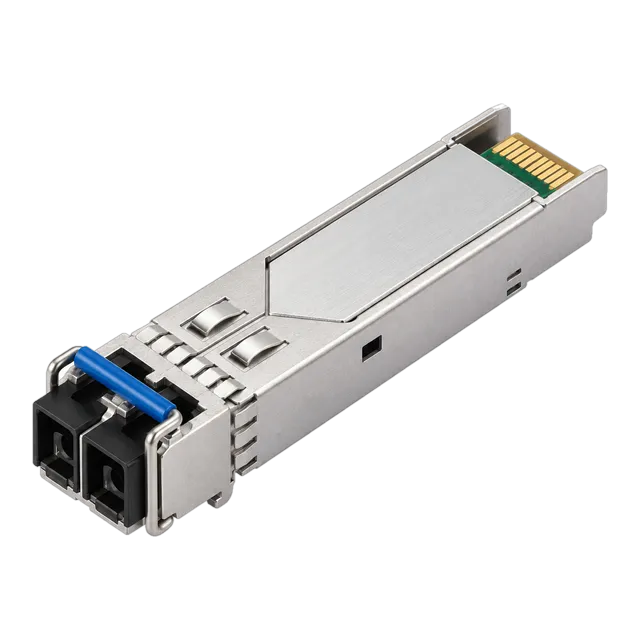
For modular uplinks, SFP (1.25 Gb/s), SFP+ (10 Gb/s), SFP28 (25 Gb/s), and QSFP28 (100 Gb/s) cages provide the required backhaul flexibility. Deploying an optical uplink using an 100% Compatible 1.25G SFP Module SM 1310nm 20km Duplex LC allows point-to-point single-mode backhaul across campus infrastructure. Review our SFP Switches: Port Types, Compatibility and RFQ Guide to understand host cage multi-rate auto-negotiation mechanics.
04PoE power provisioning for a rack mountable switch
A rack mountable switch supporting Power over Ethernet must balance total power supply unit (PSU) capacity against individual port allocation requirements governed by IEEE standards. While access switches might present 24 or 48 RJ45 ports, the internal power budget determines how many powered devices can operate simultaneously at full draw.
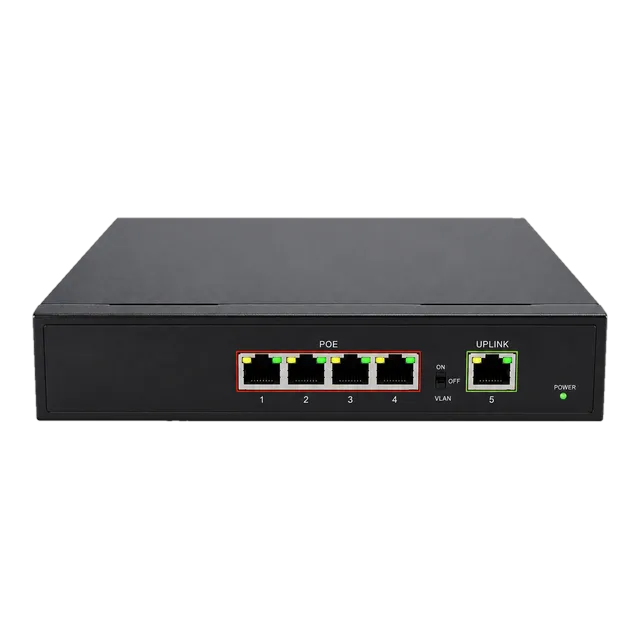
Standard enterprise deployments reference three core PoE standards: IEEE 802.3af (PoE, up to 15.4 W delivered per port), IEEE 802.3at (PoE+, up to 30.0 W per port), and IEEE 802.3bt (Type 3 up to 60 W, Type 4 up to 90 W per port). When planning installations with edge devices or outdoor industrial nodes like the Gigabit PoE IP Ethernet Switch — 4 PoE Ports + 1 Uplink, calculate both the continuous draw and startup inrush currents to avoid PSU trips. For complete engineering calculations, consult our PoE switch engineering guide: standards, budgets and design.
05Backplane switching capacity and non-blocking line-rate performance
Switching fabric capacity determines whether a rack mount network switch can sustain full wire-speed traffic across all interface ports without packet loss. A truly non-blocking architecture features an internal backplane capacity equal to or greater than the sum of all ports operating in full-duplex mode simultaneously.
To evaluate if an enterprise rackmount ethernet switch is non-blocking, apply the standard forwarding bandwidth formula:
Switching Capacity (Gbps) = (Number of Downlink Ports × Speed × 2) + (Number of Uplink Ports × Speed × 2)
For a typical 48-port Gigabit switch with four 10G SFP+ uplinks, the calculation is:
(48 × 1 Gbps × 2) + (4 × 10 Gbps × 2) = 96 Gbps + 80 Gbps = 176 Gbps.
Packet forwarding rate must also scale, based on minimum 64-byte Ethernet frames (84 bytes total including the 8-byte preamble and 12-byte inter-packet gap). A Gigabit port transmits 1.488 million packets per second (Mpps), while a 10GbE port requires 14.88 Mpps. A non-blocking 48+4 switch requires a minimum forwarding performance of (48 × 1.488) + (4 × 14.88) = 130.94 Mpps.
06Comparison: rack mount switch form factors and port topologies
Selecting between different physical iterations of a rack mount switch depends on port density, rack depth constraints, and network topology layers. The following engineering comparison contrasts common switch configurations:
| Switch Configuration | Chassis Height (U) | Typical Depth (mm) | Total Switching Fabric (Gbps) | Primary Deployment Location |
|---|---|---|---|---|
| 24-Port GbE + 4x 10G SFP+ | 1U | 260 – 320 | 128 | Wiring closet / Edge IDF |
| 48-Port GbE PoE+ + 4x 10G SFP+ | 1U | 400 – 460 | 176 | Enterprise access layer |
| 24-Port 10G SFP+ Aggregation | 1U | 380 – 440 | 480 | Campus distribution frame |
| 48-Port 25G SFP28 + 8x 100G QSFP28 | 1U | 500 – 550 | 4000 | Data centre ToR (Top-of-Rack) |
| 32-Port 100G QSFP28 Spine | 1U / 2U | 520 – 600 | 6400 | Spine-and-leaf core fabric |
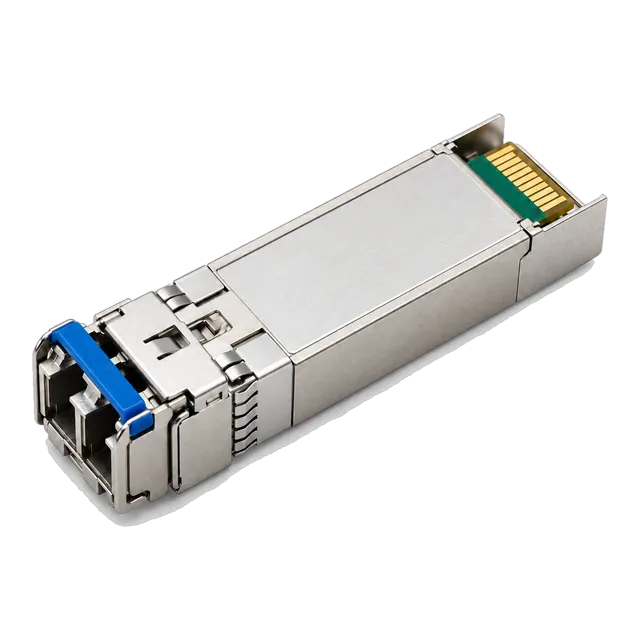
For top-of-rack server interconnects handling dense compute, high-throughput transceivers such as the 25G SFP28 SR 850nm 100m Multimode Duplex LC Optical Transceiver provide low-latency aggregation into spine architectures.
07Direct attach copper vs optical transceivers in a server rack network switch
Intra-rack cabling from a server rack network switch to co-located servers or storage arrays allows a direct trade-off between passive copper cabling and active optical transceivers. Within a standard 42U cabinet, distances rarely exceed 3 metres, making Direct Attach Copper (DAC) assemblies the superior engineering choice for link latency, power draw, and capital expenditure.
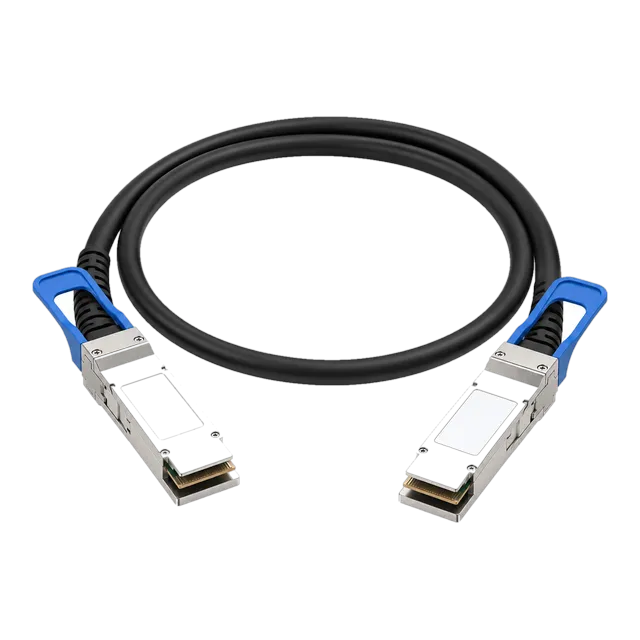
A 100G passive twinaxial cable, such as the 100G QSFP28 to QSFP28 Passive Direct Attach Copper Cable, consumes effectively zero transceiver operating power and generates virtually no heat inside the chassis port cage, whereas two 100GBASE-SR4 optical modules consume roughly 2.5 to 3.5 W per module. For links crossing between non-adjacent racks where cable bulk and bend radius exceed DAC limits (typically beyond 5 metres), choose multimode optical fibres with dedicated transceivers. Explore our comparative study on DAC Cable Guide: Direct Attach Copper for Data Networks for detailed insertion loss limits.
08Power supply redundancy and AC/DC power architecture in a rackmount network switch
High-availability deployments require an enterprise rackmount network switch with dual, hot-swappable power supplies configured for 1+1 redundancy. In this configuration, each power supply connects to an independent power distribution unit (PDU)—typically split between Utility Grid A and Uninterruptible Power Supply (UPS) Grid B—ensuring uninterrupted chassis operation if one feed fails.
Beyond standard 100–240 V AC enterprise supplies, telecommunications exchange racks and industrial sub-stations rely on -48 V DC or redundant 24/48 V DC terminal blocks. When engineering your rack power plan, confirm that the combined maximum thermal draw (expressed in BTU/hr or Watts) matches the circuit breaker derating curve (typically 80% continuous load under NEC / NFPA 70 rules) and that the switch chassis includes dedicated grounding lugs (M4 or M6 dual-hole) to bond properly to the rack grounding busbar.
09Cabling management and port serviceability for 1U switch deployments
A high-density 1u network switch presenting 48 copper RJ45 ports and 4 SFP+ uplinks creates significant physical cabling congestion if cable strain relief is not properly planned. The total weight of 48 Cat6a shielded patch leads can exceed 4 kg, placing vertical downward mechanical torque on the front RJ45 jacks and leading to intermittent physical-layer link drops.
To maintain long-term serviceability and compliant airflow, observe these cabling rules:
- Install a horizontal 1U cable management bar directly above or below the switch to absorb the mechanical weight of the patch bundles.
- Employ 28 AWG slimline patch cords for high-density patches to reduce bundling bulk by up to 50% across the rack face.
- Maintain bend radius limits: minimum 4× outer cable diameter for copper unshielded twisted pair (UTP), and minimum 30 mm bend radius for duplex LC patch cords.
- Ensure clear access to modular optic pull-tabs (bail latches) on transceivers to allow hot-swapping without removing neighbouring copper cables.
10Environmental resilience: deploying a rackmount switch in harsh edge environments
Deploying a standard commercial rackmount switch outside climate-controlled facilities exposes internal silicon and optical electronics to rapid thermal degradation, dust, and electrical transients. Industrial installations—such as trackside cabinets, sub-stations, or manufacturing floors—require specialised rack-mounted industrial ethernet switches rated under IEC 60068-2 standards for mechanical shock and vibration.
Industrial rack units specify wide operating temperature ranges (-40°C to +75°C or +85°C), fanless passive heat-sink convection, and robust electromagnetic compatibility (EMC) compliance with IEC 61000-4-5 (surge protection up to 4 kV or 6 kV on network and power ports). For lower port-count edge deployments that aggregate into 19-inch racks via DIN-rail adapters, units such as the Outdoor Industrial Gigabit Ethernet Switch — 5× RJ45 Port deliver extreme temperature reliability. Read our Industrial Switch Engineering and Procurement Guide for environmental hardening parameters.
11Engineering checklist for specifying a rack mountable network switch RFQ
Before submitting a request for quotation (RFQ) for an enterprise or data centre rack mountable network switch, verify that your specification schedule includes all mechanical, optical, thermal, and management criteria:
- Chassis Form Factor & Depth: Exact RU height (1U/2U), maximum permissible chassis depth (including cable bend radius clearance), and 2-post vs 4-post rail kit inclusion.
- Airflow Vector: Front-to-back (cold aisle to hot aisle), back-to-front, or side-to-side thermal profile.
- Port Allocation & Speeds: Number of RJ45 ports (1G/2.5G/5G/10G) and transceiver cages (SFP+, SFP28, QSFP28) required.
- Switching Fabric & Buffers: Non-blocking line-rate capacity (Gbps), packet forwarding rate (Mpps), and packet buffer depth (MB) for microburst mitigation.
- PoE Power Budget: Total PoE allocation (W), standards supported (802.3af/at/bt), and simultaneous full-power port count.
- Power Supply Architecture: Dual hot-swappable AC or -48V DC modules with redundant N+1 or 1+1 configuration.
- Optics Compatibility: Open MSA host coding support for third-party optical transceivers and active/passive DAC cables via DDM/DOM monitoring.
12Frequently asked questions
What size rack does a rack mountable network switch require?
A standard rack mountable network switch fits a 19-inch (482.6 mm) wide equipment rack compliant with EIA-310-E or IEC 60297. The height is measured in standard rack units (1U = 1.75 inches or 44.45 mm). Chassis depth varies from 200 mm for compact shallow units up to 600 mm for high-performance switches.
Can you put a non-rackmount switch in a server rack?
Yes, desktop or DIN-rail switches can be mounted inside a server rack using a 19-inch cantilever shelf or a dedicated 19-inch DIN-rail adapter bracket. However, desktop switches generally lack front-to-back airflow, proper chassis grounding lugs, and dual redundant power supplies found on purpose-built rackmount models.
What is the difference between 1U and 2U switches?
A 1U switch occupies 1.75 inches (44.45 mm) of vertical rack space, whereas a 2U switch occupies 3.5 inches (88.9 mm). 2U chassis accommodate higher port counts (such as 96 ports), modular line-card slots, larger cooling fans that run at lower RPM, and larger internal redundant power supply modules.
Why is airflow direction important on a rack mount switch?
Airflow direction must match the rack containment design to prevent overheating. In data centre cold/hot aisle containment, a switch must pull cool air from the front aisle and exhaust hot air into the rear. Installing a side-exhausting switch can pull preheated server exhaust into its intake, causing thermal throttling.
Do all rack mountable switches support PoE?
No, PoE requires dedicated internal power supplies and PoE controller chips on the copper downlink ports. Non-PoE switches draw significantly less continuous power (often 30 W to 100 W total), while high-capacity PoE+ or PoE++ switches feature power supply capacities ranging from 370 W to over 1500 W.
What rails are used for mounting network switches?
Shallow switches under 300 mm deep typically use standard two-post rack ears mounted directly to the front uprights. Deeper and heavier switches (exceeding 350 mm or 7 kg) require adjustable four-post slide rails or rear chassis support brackets to prevent vertical torque and rail bending.
Technical review note: confirm model-specific specifications with the product datasheet and the intended host documentation. Product images and application photographs are illustrative.
Discuss this with our team