SFP switches deliver interface flexibility only when engineers verify port generation backward compatibility, allocate 1.0 W to 2.5 W per slot thermal budget, and align vendor EEPROM coding to avoid locked physical links.
01How sfp switches define modular network connectivity
Deploying sfp switches allows network architects to decouple the fixed physical switching silicon from transmission media, physical reach, and connector geometry. Modern sfp switches incorporate modular input/output cages rather than dedicated copper or fixed-optic interfaces. This architecture permits a single switch chassis to support short-reach multimode fiber inside a rack, long-reach single-mode runs spanning metro distances up to 120 km, or twisted-pair copper patches using RJ45 transceivers. By isolating the physical layer (PHY) into hot-pluggable modules conforming to Multi-Source Agreement (MSA) standards, enterprise and telecom operators avoid forklift upgrades of the switching fabric when transmission media changes.
Standardisation governed by the SFF Committee establishes the mechanical dimensions, electrical edge-connector pinouts, and low-speed digital communication protocols that ensure cross-vendor interoperability. Network engineers can explore the core mechanical standards in our detailed Small Form Factor Pluggable Module guide. Understanding the operational boundaries of modular cages ensures switches operate reliably under varying thermal, optical, and physical link constraints.
02Define sfp port mechanics, signaling, and electrical interfaces
To define sfp port architecture precisely, an engineer must view it as a 20-pin board-mounted electrical connector housed inside a metal shielding cage designed to accept Small Form Factor Pluggable (SFP) transceivers. Mechanically defined under SFF-8431 and SFF-8074i, the port delivers dual differential high-speed data pairs—one transmit (TD+ and TD-) and one receive (RD+ and RD-)—operating at Current Mode Logic (CML) voltage levels with a nominal differential impedance of 100 ohms.
Electrically, the cage delivers a nominal 3.3 V DC rail across pins VccT (transmit power) and VccR (receive power), isolated through on-card low-pass filtering. Control lines include Mod_Def0 (or Mod_ABS, indicating module presence via pin grounding), Tx_Fault (indicating laser diode failure or driver malfunction), Tx_Disable (allowing software laser shutdown), and Rate_Select. Low-speed communication occurs over a 2-wire serial Inter-Integrated Circuit (I2C) interface via SCL (clock) and SDA (data) mapped to the 7-bit device addresses defined in SFF-8472. A complete review of the cage pin assignments is detailed in our SFP connector types, pinouts, and optics guide.
03How an sfp slot differs across speed generations
An sfp slot maintains an identical 20-pin mechanical footprint across multiple networking generations, but the underlying host SerDes (Serializer/Deserializer) and cage electromagnetic shielding vary substantially. The standard 1.25 Gb/s SFP cage operates with SerDes running at 1.25 Gb/s (for 1000BASE-X) or 1.25 to 2.5 Gb/s. The SFP+ slot increases the physical clock rate to 10.3125 Gb/s for 10GBASE-R, requiring enhanced internal ground fingers on the cage to mitigate electromagnetic interference (EMI) up to 11 GHz.
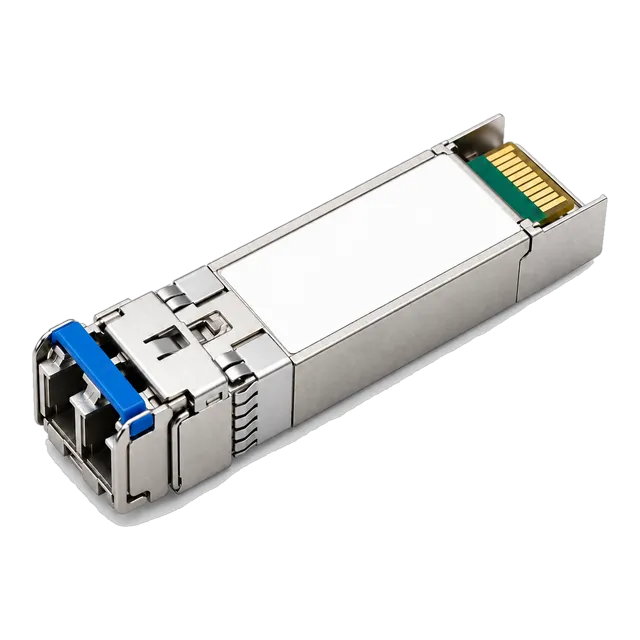
Moving to 25 Gb/s networking, the SFP28 cage handles 25.78125 Gb/s per lane using non-return-to-zero (NRZ) modulation. The physical trace routing on host printed circuit boards (PCBs) demands low-loss dielectric laminates like Megtron-6 to keep insertion loss under 32 dB at 12.89 GHz Nyquist frequency. The SFP56 variant uses 4-level Pulse Amplitude Modulation (PAM4) to reach 53.125 Gb/s across that same 20-pin edge interface. Engineers sourcing modules must verify host SerDes capabilities; for example, high-speed applications often utilise transceivers like our 25G SFP28 ZR 1310nm 80km Single-Mode Duplex LC transceiver to achieve metro links directly from 25G-enabled switches.
04Port form factor mechanical and bandwidth comparison
Choosing the correct switch cage format requires balancing port density, per-lane clock speeds, power budgets, and backward capability. The following table outlines the mechanical, thermal, and bandwidth profiles across standard switch port cages.
| Form Factor | Lanes | Max Bandwidth (Gb/s) | Standard MSA | Typical Max Power (W) | Backward Compatibility Modes |
|---|---|---|---|---|---|
| SFP | 1 | 1.25 – 2.5 | SFF-8074i | 1.0 | 100BASE-FX (vendor-dependent) |
| SFP+ | 1 | 10.31 | SFF-8431 | 1.5 – 2.5 | 1000BASE-X, 1000BASE-T |
| SFP28 | 1 | 25.78 | SFF-8402 | 1.5 – 2.0 | 10GBASE-R, 1000BASE-X |
| SFP56 | 1 (PAM4) | 53.125 | SFF-8402 | 2.5 – 3.5 | 25GBASE-R, 10GBASE-R |
| QSFP+ | 4 | 41.25 | SFF-8436 | 3.5 – 5.0 | 4x 10GBASE-R break-out |
| QSFP28 | 4 | 103.125 | SFF-8665 | 3.5 – 6.0 | 4x 25G, 4x 10G, 40GBASE-R |
While multi-lane Quad Small Form Factor Pluggable (QSFP) cages maximize aggregate backplane capacity on core switches, SFP variants dominate top-of-rack (ToR) and enterprise distribution switches due to flexible port allocation and lower per-port power consumption.
05Forward and backward speed compatibility rules for sfp switches
Backward compatibility on modular switch ports depends entirely on whether the physical layer silicon supports multi-rate clock and data recovery (CDR). An SFP+ slot will accept a legacy 1.25 Gb/s SFP module only if the host switch PHY can switch its internal clock divider down to 1.25 GHz. Many fixed-speed enterprise 10G aggregation switches omit multi-rate CDR circuitry to save power and board layout area, permanently restricting the port to 10.3125 Gb/s signaling.
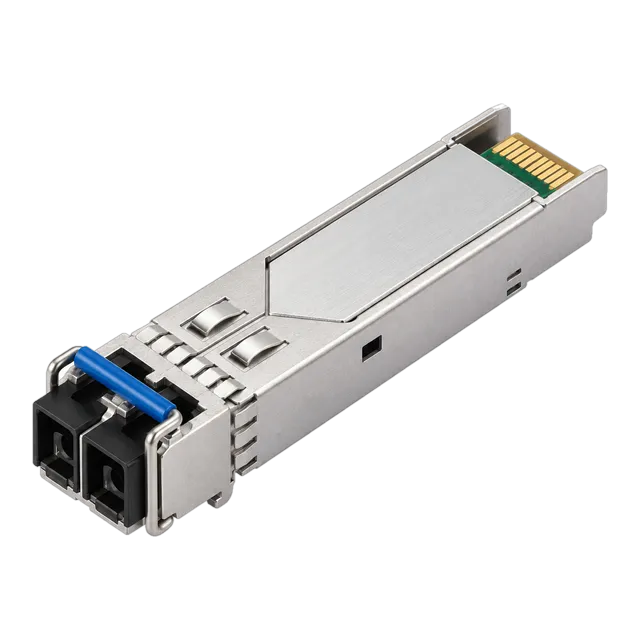
Conversely, inserting an SFP+ module into an older 1.25 Gb/s SFP slot will fail completely; the SFP port clock cannot scale up to 10G, and the host will refuse to initialize the optic. When connecting multi-generation switches, engineers often employ products from our 1.25G SFP module family to guarantee operation across legacy 1G interfaces. If linking multi-rate switches, verify whether the port configuration requires manual speed forcing via the Command-Line Interface (CLI), as IEEE 802.3z 1000BASE-X auto-negotiation cannot dynamically bridge rate mismatches across 1G and 10G domains.
06SFP vs combo ports vs dedicated RJ45 switch ports
Switch front panels present interfaces as dedicated RJ45 ports, dedicated optical cages, or combo (dual-personality) ports. A dedicated RJ45 port features an integrated magnetic module and PHY hardwired directly into the switch packet processor, delivering cost efficiency for static twisted-pair runs up to 100 metres at the expense of media flexibility.
A combo port pairs an RJ45 jack and an SFP cage to the same underlying MAC/PHY channel on the switch PCB. Only one interface can remain active at any given time. If an optical transceiver is inserted into the cage, the host firmware shuts down the RJ45 circuit automatically unless configured otherwise. Combo ports allow switch manufacturers to optimize front-panel real estate while leaving access choices to the field technician. However, dedicated cages remain mandatory for spine, leaf, and long-haul aggregate links where continuous port density cannot sacrifice neighbouring connectors.
07Power budgets and thermal management in dense sfp switches
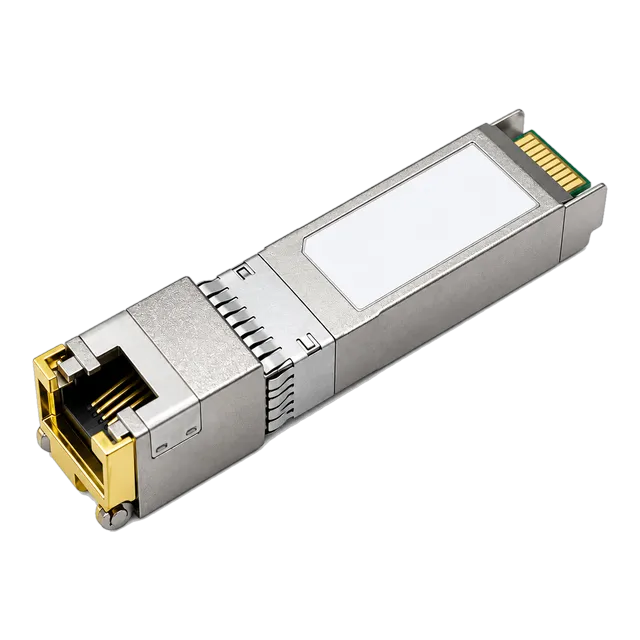
Thermal dissipation represents the single greatest engineering challenge when loading high-density switches with transceivers. Standard legacy SFP modules consume between 0.6 W and 1.0 W. In contrast, 10GBASE-T copper transceivers such as the 10G SFP+ Copper RJ45 transceiver require up to 2.5 W per port to run the digital signal processor (DSP) needed to cancel echo and near-end crosstalk across Cat6a cabling.
Filling a 48-port SFP+ switch entirely with 10GBASE-T copper optics introduces up to 120 W of thermal load solely at the front bezel. Without front-to-back chassis airflow delivering at least 15 to 25 cubic feet per minute (CFM) per port bank, cage temperatures can exceed the standard commercial limit of 70 °C. When operating transceivers in dense environments, switch internal telemetry should monitor laser bias and operating temperature constantly. Our guide on what DDM can tell you about an optical link explains how to read real-time thermal telemetry to avoid physical degradation.
08Worked power consumption calculation for a 48-port switch
To prevent thermal throttling and chassis power supply trip conditions, engineers must calculate the total module thermal dissipation before specifying a dense optical deployment. Consider a 48-port 10G SFP+ switch populated with a mixed transceiver configuration: 24 single-mode 10GBASE-LR optical transceivers, 16 multimode 10GBASE-SR optics, and 8 copper 10GBASE-T RJ45 transceivers.
Individual module power specifications:
- 10GBASE-LR SMF module: 1.2 W
- 10GBASE-SR MMF module: 0.8 W
- 10GBASE-T copper RJ45 module: 2.3 W
Total optical thermal calculation:
Total Transceiver Power = (24 × 1.2 W) + (16 × 0.8 W) + (8 × 2.3 W)
Total Transceiver Power = 28.8 W + 12.8 W + 18.4 W = 60.0 W
If the switch base chassis consumes 110 W under full switching load, the aggregate power required is 170 W. Calculating heat rejection in British Thermal Units (BTU) per hour:
Heat Output (BTU/hr) = 170 W × 3.41214 = 580.06 BTU/hr
If the thermal specification for the cage array restricts heat dissipation to no more than 1.5 W per adjacent slot, placing eight 2.3 W copper transceivers in contiguous cages (ports 1 to 8) will cause local thermal buildup exceeding the 70 °C junction threshold. Spacing the high-power copper units every sixth cage across the chassis avoids localized hotspots.
09Host coding, EEPROM maps, and vendor lock-in mechanics
Transceiver interoperability issues in modern switches are rarely optical; they stem from digital rights enforcement within the host operating system. The SFF-8472 standard defines a two-wire serial interface providing access to an 8-bit memory map. Memory page A0h contains static vendor information: vendor name (bytes 20–35), vendor OUI (bytes 37–39), part number (bytes 40–55), revision, serial number, and a critical cyclic redundancy check (CRC) checksum at byte 63.
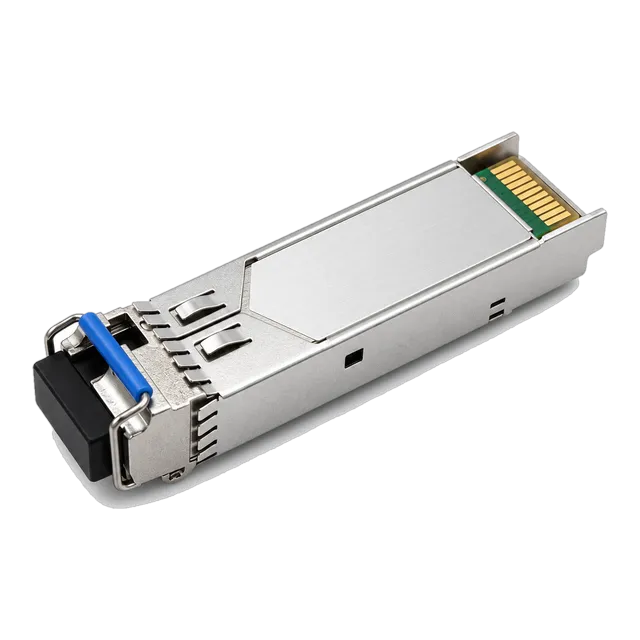
When a module enters a cage, the host operating system reads page A0h. If the vendor identification or the encrypted cryptographic hash stored in high memory does not match the switch vendor whitelist, the switch firmward flags the interface as "unsupported transceiver" and sets the software port state to err-disable. B2B optical manufacturers resolve this problem by programming custom EEPROM tables tailored to the target switch platform. For links requiring reliable gigabit transport across varied hardware, our 100% Compatible 1.25G SFP Module SM 1310nm 20km transceiver is encoded to pass host validation checks natively without requiring chassis-level software overrides.
10Media types and optical reach from sfp switches
Switch ports accept a diverse spectrum of transmission media categorized by wavelength, fiber core structure, and optical reach. Multimode fiber (MMF) links utilize 850 nm Vertical-Cavity Surface-Emitting Lasers (VCSEL) over OM3 or OM4 graded-index glass with a 50 µm core, limited by modal dispersion to reaches of 300 m to 550 m. Single-mode fiber (SMF) links utilize 1310 nm Fabry-Pérot (FP) or Distributed Feedback (DFB) lasers over 9 µm ITU-T G.652.D glass for enterprise distances up to 10 km or 20 km.
For extended campus backbones or regional metro links, 1550 nm electro-absorption modulated lasers (EML) combined with Avalanche Photodiode (APD) receivers cover spans up to 80 km or 120 km. In fiber-constrained environments, single-strand bidirectional (BiDi) transceivers separate downstream and upstream transmission via integrated Wavelength Division Multiplexing (WDM) diplexers—commonly operating at 1310 nm/1490 nm or 1270 nm/1330 nm wavelength pairs. Engineers can reference complete wavelength allocations in our Bidirectional SFP wavelength pairs guide.
11Step-by-step procedure to commission and verify an optical switch link
Commissioning an optical link between modular switches requires methodical verification of physical seating, optical power budgets, and link-state signaling.
- Inspect the optical connector end-faces using an IEC 61300-3-35 certified fiber microscope, cleaning with an IBC dry-cloth click cleaner to eliminate particulate contamination.
- Inspect the switch cage, ensuring that no internal pins are bent and grounding spring fingers are intact.
- Insert the transceiver firmly into the cage until an audible mechanical click confirms the latching mechanism is seated into the chassis retaining clip.
- Connect the optical patch leads, maintaining correct cross-over polarity (transmit TX connects to remote receive RX).
- Execute transceiver digital diagnostic commands via the switch CLI (such as
show interfaces transceiver detail) to confirm the module is recognized and operational. - Measure incoming optical receive power (Rx Power) against the transceiver receiver sensitivity. Verify the reading is at least 3 dB above the receiver sensitivity floor and at least 3 dB below the maximum optical overload threshold.
- Enable the host switch port (
no shutdown), confirming Layer 1 physical link up, followed by Layer 2 carrier establishment without link flap increments.
12Troubleshooting physical link faults on sfp switches
When a switch port fails to achieve link-state up, engineers must systematically isolate whether the failure originates in the host configuration, the transceiver module, or the passive optical plant. The table below provides a root-cause diagnostic matrix for modular switch ports.
| Symptom | Probable Root Cause | Diagnostic Method | Corrective Action |
|---|---|---|---|
| Port stays down; Rx Power reads -40 dBm | Optical fiber broken or TX/RX patch polarity reversed | Check local Rx Power via DDM; swap patch cables | Cross duplex patch leads; replace failed patch lead |
| Port status err-disabled | EEPROM coding rejected by switch operating system | Examine system syslog for unauthorized transceiver alerts | Use vendor-coded transceiver or configure third-party unlock CLI |
| Rx Power high; framing errors increment | Receiver optical overload; photodiode saturation | Check DDM Rx Power against max receiver overload threshold | Install fixed LC optical attenuator (e.g., 5 dB or 10 dB) |
| High bit error rate (BER); CRC drops | Dirty connector end-face or excessive fiber bend radius | Inspect connector with scope; check link optical loss with OTDR | Clean ferrule end-faces; eliminate macrobends conforming to G.652 specs |
| Port links up at 1G instead of 10G | Auto-negotiation failure or port speed misconfiguration | Review show interface status and hardware capabilities | Hardcode switch port speed to 10000; disable auto-negotiation |
13Direct Attach Copper and Active Optical Cables in switch fabrics
Inside high-density server racks and inter-switch interconnects, Direct Attach Copper (DAC) cables and Active Optical Cables (AOC) offer cost-effective alternatives to discrete transceivers. Passive DAC assemblies integrate copper twinaxial cable directly terminated to SFP+ or SFP28 mechanical shells without optical-to-electrical converters. While DAC minimizes latency to less than 15 ns and limits power draw to under 0.1 W per termination, physical reach is bounded by wire gauge; 30 AWG twinaxial copper reaches approximately 1 metre to 2 metres, whereas thicker 24 AWG cabling reaches up to 5 metres at 10 Gb/s or 3 metres at 25 Gb/s.
Active Optical Cables (AOC) utilize permanent multimode optical fibers bonded to transceiver shells housing low-power optical engines. AOCs achieve spans up to 100 metres with thin, lightweight 3.0 mm cabling that avoids the bend-radius congestion of heavy copper bundles. Our complete DAC Cable engineering guide provides full wire gauge and insertion-loss comparisons for top-of-rack architectures.
14Optical budget calculation for long-haul switch connections
Connecting sfp switches over long-distance single-mode fiber infrastructure requires verifying that the total channel attenuation does not exceed the module optical power budget. To calculate whether an enterprise link between switches will close reliably:
Channel Parameters:
- Physical Route Length: 34.0 km G.652.D SMF
- Cable attenuation at 1310 nm: 0.35 dB/km
- Total fusion splices: 8 (standard loss: 0.05 dB per splice)
- Total connector pairs: 4 (standard loss: 0.35 dB per connector pair)
- Required engineering safety margin: 3.0 dB
Total Optical Channel Loss = (34.0 km × 0.35 dB/km) + (8 × 0.05 dB) + (4 × 0.35 dB) + 3.0 dB
Total Optical Channel Loss = 11.90 dB + 0.40 dB + 1.40 dB + 3.0 dB = 16.70 dB
Module Power Budget Specification (e.g., standard 1.25G 40 km transceiver):
- Minimum Optical Transmit Power (Tx Min): -5.0 dBm
- Receiver Sensitivity Floor (Rx Min): -23.0 dBm
- Available Power Budget = Tx Min - Rx Min = -5.0 dBm - (-23.0 dBm) = 18.0 dB
Link Evaluation:
Operating Margin = Available Power Budget (18.0 dB) - Total Channel Loss (16.70 dB) = +1.30 dB
Because the operating margin is positive (+1.30 dB), the link will establish error-free transmission. Engineers can verify complex topologies using our interactive online link budget calculator tool.
15Procurement checklist and RFQ specification guide for sfp switches and optics
When preparing a formal Request for Quotation (RFQ) for modular switches and transceivers, engineering teams must supply explicit physical, electrical, and coding parameters to prevent order mismatch. Copy and incorporate the following engineering checklist directly into procurement schedules:
- Chassis Port Inventory: Specify total cage counts separated by native speed (1G SFP, 10G SFP+, 25G SFP28, 100G QSFP28) and quantify combo port allocations.
- Target Host Switch Platform: Document switch hardware vendor, model, and active operating system version to allow accurate factory EEPROM programming.
- Media Reach Requirements: Quantify distance per link (e.g., 300 m on OM4 MMF, 10 km on G.652.D SMF, 80 m on Cat6a copper).
- Thermal and Power Limits: Enforce maximum transceiver power thresholds (e.g., ≤ 1.0 W for 1G/10G optical, ≤ 2.0 W for 10GBASE-T copper).
- Wavelength and Architecture: Specify standard dual-fiber duplex LC or single-fiber BiDi (e.g., 1310TX/1490RX) to match installed cable distribution.
- Digital Telemetry: Mandate full SFF-8472 Digital Diagnostic Monitoring (DDM/DOM) compliance across all optical transceivers.
- Operating Environment: Define temperature rating: Commercial (0 °C to +70 °C), Extended (-20 °C to +85 °C), or Industrial (-40 °C to +85 °C).
For custom platform validation or high-density network deployments, contact Shanghai Mars Industrial technical sales via our optical module contact page.
16Frequently asked questions
Can I plug an SFP module into an SFP+ switch port?
Yes, in most cases, provided the switch port supports dual-speed clocking. The SFP+ cage will accept the 1.25 Gb/s SFP module mechanically, but the host switch port must support 1G operation and may require manual configuration to lock the port speed to 1000 Mbps.
What is the difference between an SFP port and an RJ45 port?
An RJ45 port is a fixed copper interface limited to twisted-pair cabling up to 100 metres. An SFP port is a modular cage that accepts pluggable transceivers for multimode fiber, single-mode fiber, or copper, allowing transmission distances ranging from a few metres up to 120 km.
Why is my SFP switch not recognizing a third-party transceiver?
Most host switches read vendor identification tables stored on the transceiver EEPROM via the I2C bus. If the vendor code, part number, or security hash does not match the switch operating system whitelist, the switch will disable the port or flag an unsupported transceiver error.
Do SFP ports consume power when empty?
No, an empty SFP cage consumes virtually no active power. Power is drawn only when a module is inserted, energizing the transceiver internal PHY, driver circuits, and optical components via the cage 3.3 V DC electrical pins.
What is a combo port on an Ethernet switch?
A combo port pairs an RJ45 physical connector and an SFP modular cage to a single internal switch channel. Only one connection can function at a time; inserting an active SFP module typically disables the corresponding RJ45 copper interface automatically.
Can I connect an SFP switch port directly to a 10G SFP+ port?
Yes, but both ends must run at the same speed. The 10G SFP+ switch port must be equipped with a 1.25 Gb/s SFP module or possess a multi-rate dual-speed transceiver manually forced to 1 Gb/s to match the standard SFP switch port.
Technical review note: confirm model-specific specifications with the product datasheet and the intended host documentation. Product images and application photographs are illustrative.
Discuss this with our team