Legacy ethernet hubs operate as Layer 1 repeaters sharing a single collision domain, whereas modern multi-port Layer 2 switches isolate collision domains, double effective throughput with full-duplex transmission, and extend network reach across fibre optics.
01What is an ethernet hub in modern network engineering?
An ethernet hub is a legacy Layer 1 multiport repeater that broadcasts every incoming electrical bit out of all other ports without interpreting frame addresses. Defined historically under IEEE 802.3 Clause 9 as a repeater unit for baseband networks, an ethernet hub establishes a shared collision domain where all connected nodes compete for half-duplex transmission access using the Carrier Sense Multiple Access with Collision Detection (CSMA/CD) protocol.
Because an ethernet hub network does not inspect Media Access Control (MAC) addresses, network throughput degrades exponentially as host density increases. When two transceivers transmit simultaneously on the shared medium, the voltages collide, generating a jam signal that triggers exponential backoff algorithms defined in IEEE 802.3 Clause 4. Consequently, enterprise infrastructure has replaced the traditional ethernet lan hub with modern Layer 2 bridging, such as an unmanaged ethernet switch, which provides dedicated bandwidth per port.
02How an ethernet hub network handles collisions and frame distribution
An ethernet hub network distributes data by regenerating physical voltage pulses across all downstream PHY transceivers simultaneously. When Station A transmits a 64-byte frame destined for Station B, every single port on the hub receives the signal, forcing every connected network interface card (NIC) to process the preamble and header before discarding non-matching destination frames at the Layer 2 driver level.
This shared broadcast behaviour introduces severe operational limits:
- Shared Bandwidth: A 100BASE-TX ethernet hub provides 100 Mbps aggregate throughput across all ports combined, rather than 100 Mbps per port.
- Half-Duplex Operation: Nodes cannot transmit and receive simultaneously, cutting theoretical capacity by more than 50% compared to full-duplex links.
- Collision Propagation: Late collisions occur when physical cable runs exceed propagation delay limits, corrupting frames and triggering costly retransmissions.
- Eavesdropping Risk: Every attached station can put its network interface into promiscuous mode to capture raw packets across the entire local segment.
03Comparing an ethernet cable hub with an ethernet switch
An ethernet cable hub forwards frames purely at the physical layer, whereas an Ethernet switch operates at Layer 2 to make intelligent forwarding decisions based on hardware MAC addresses. Modern network deployments require micro-segmentation, deterministic latency, and wire-speed switching fabric capacity.
Review the architectural differences between hubs and modern switching platforms below:
| Engineering Metric | Legacy Ethernet Hub | Modern Ethernet Switch | Engineering Impact |
|---|---|---|---|
| OSI Operating Layer | Layer 1 (Physical) | Layer 2 / Layer 3 (Data Link / Network) | Frame parsing vs bit repeating |
| Collision Domains | 1 shared across all ports | 1 independent domain per port | Eliminates CSMA/CD backoff delays |
| Duplex Mode | Half-duplex only | Full-duplex (IEEE 802.3x) | Doubles raw link capacity per drop |
| Bandwidth Allocation | Shared aggregate bandwidth | Dedicated line-rate per port | Guarantees deterministic throughput |
| Forwarding Logic | Blind electrical repeating | MAC address table lookups (ASIC) | Enhances security and drops noise |
| Maximum Distance | 100 m total copper reach | Up to 120 km via optical transceivers | Enables long-haul network expansion |
To examine switch uplinks and backplane capacity in detail, see our ethernet switch selection and RFQ guide.
04Why legacy net hubs failed to scale in industrial and commercial environments
Legacy net hubs failed because CSMA/CD network efficiency deteriorates rapidly once bus utilisation exceeds 30% to 40%. Under heavy broadcast loads or high-volume IP camera streaming, frame collision frequency rises quadratically, reducing useful payload throughput down to single-digit percentages.
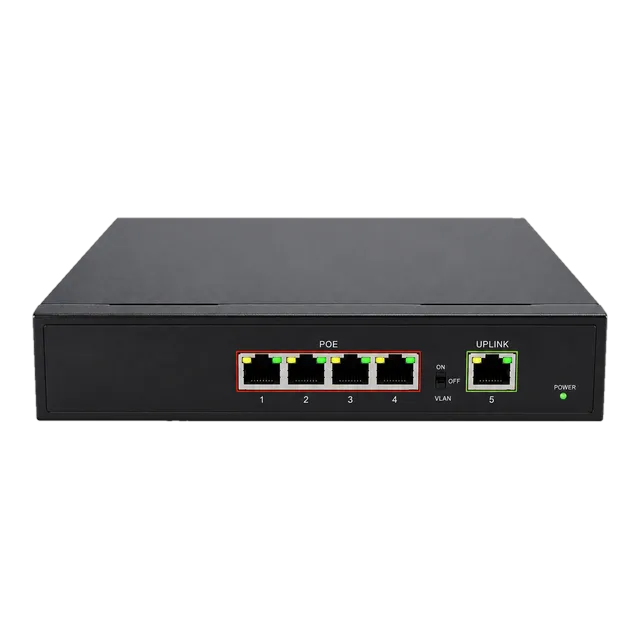
Industrial environments also require deterministic delivery for Modbus/TCP, PROFINET, or EtherNet/IP control loops. In these control architectures, unpredictable backoff intervals caused by packet collisions introduce jitter that disrupts time-sensitive programmable logic controllers (PLCs). Replacing legacy net hubs with industrial hardware like the Gigabit PoE IP Ethernet Switch — 4 PoE Ports + 1 Uplink isolates machine traffic into dedicated collision-free segments while supplying up to 30W of IEEE 802.3af/at power to endpoints.
05Bridging legacy segments using a modern media converter
Bridging legacy segments into modern fibre backbones requires media conversion rather than multi-port repeating. A passive or active ethernet lan hub cannot overcome the 100-metre copper physical limit established by TIA-568 and IEEE 802.3u without violating round-trip timing parameters (slot time).
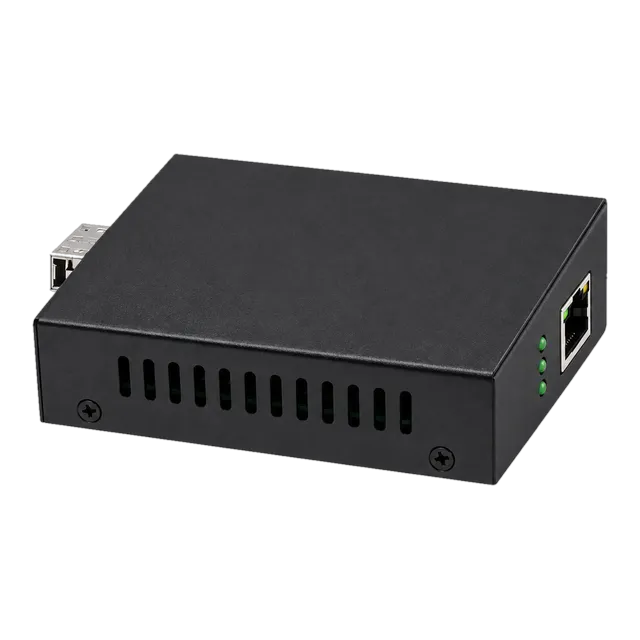
Engineers solve copper distance bottlenecks by pairing an unmanaged switch with an optical media converter, such as the 2.5G Fiber to Ethernet Media Converter. This device translates 100M/1000M/2.5G copper baseband signals into standard 850 nm, 1310 nm, or 1550 nm optical signals, extending drops past copper limits. For architectural details on protocol transparency and link fault pass-through (LFPT), refer to our ethernet media converter guide.
06How modern wireless devices replaced the hub wifi ethernet concept
The search for a hub wifi ethernet unit describes a legacy consumer mental model that has been superseded by enterprise wireless access points (APs) and multi-port switches. While Wi-Fi remains a shared half-duplex radio medium subject to CSMA/CA (Collision Avoidance), connecting wireless traffic back to the core network requires dedicated Layer 2 full-duplex switching.
In modern enterprise topologies, an access point connects directly to an Ethernet switch port using Cat6a cabling. The switch provides Power over Ethernet (PoE) and segregates the wireless traffic into specific IEEE 802.1Q virtual local area networks (VLANs). Deploying an actual physical repeater between an AP and the switch would bottleneck modern Wi-Fi 6/6E multi-gigabit access down to shared half-duplex throughput, destroying network performance.
07Clarifying hubs internet connectivity versus routing and switching
When end users search for hubs internet gateways, they conflate three distinct networking roles: physical layer distribution, local area switching, and WAN routing. An internet connection requires Layer 3 packet routing, Network Address Translation (NAT), and Dynamic Host Configuration Protocol (DHCP) services.
A repeater cannot route packets to the internet because it has no awareness of IP packets or routing tables. As illustrated in standard network hierarchies:
- The Router: Sits at the WAN edge, assigns IP addresses, inspects Layer 3 headers, and forwards packets across different subnets.
- The Switch: Operates at the access and distribution layer, forwarding Layer 2 frames between local clients using MAC address tables.
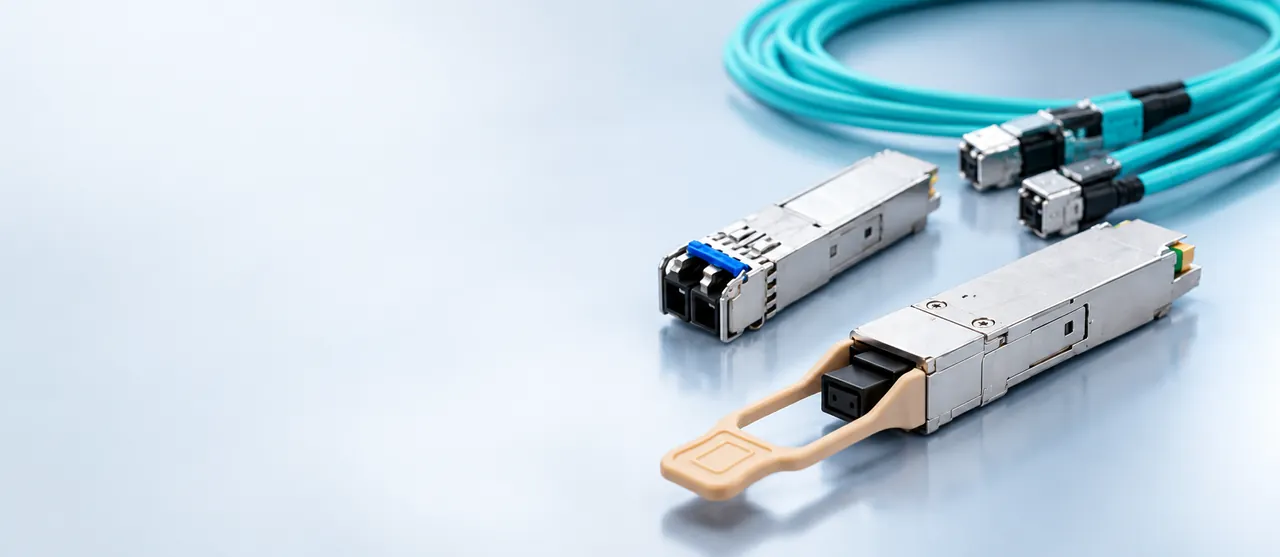
- The Media Converter or Uplink Transceiver: Converts switch traffic into optical signals to traverse campus or metropolitan networks.
Replacing legacy internet hubs with managed or unmanaged switching hardware ensures internal traffic flows at wire speed without bogging down the perimeter gateway.
08Calculating link budget and throughput loss: hub vs switched optical links
Calculating throughput efficiency illustrates why an ethernet hub cannot match modern switched fibre links. On a half-duplex CSMA/CD hub segment, effective throughput drops sharply as round-trip propagation delay increases, governed by channel capacity formulas.
Consider an actual calculation comparing a 100BASE-TX hub network against a switched gigabit optical link utilizing a 1.25G SFP module:
- Scenario A (Legacy Hub Segment): 10 hosts attached to a 100BASE-TX hub. Under 40% collision load, aggregate throughput collapses to approximately 35 Mbps. Divided equally among 10 nodes, each client receives an effective throughput of merely 3.5 Mbps.
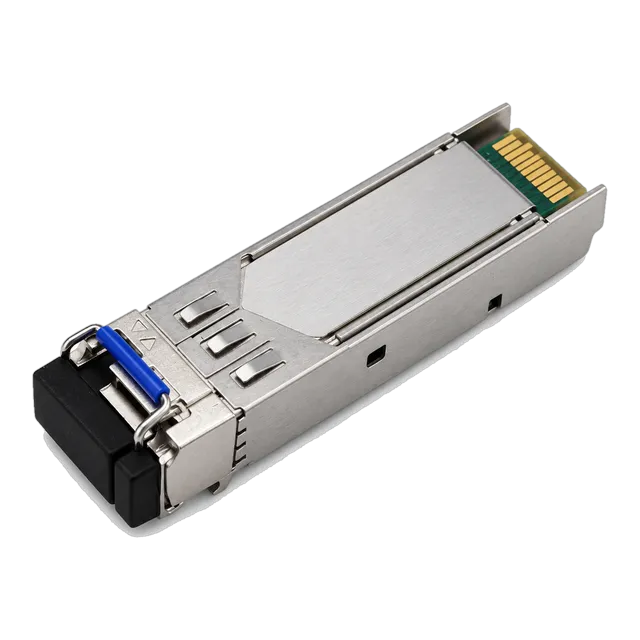
- Scenario B (Switched Optical Link): 10 hosts attached to a gigabit switch with an optical uplink. Using an SFP transceiver like the 1.25G Gigabit BiDi SFP Transceiver 40km 1310nm/1550nm, each host enjoys 1 Gbps non-blocking local bandwidth, and the uplink operates over single-mode fibre across 40 km.
The optical link budget equation confirms system margins across distance:
Optical Link Margin (dB) = [Transmitter Min Power - Receiver Max Sensitivity] - [Fibre Attenuation (dB/km) × Distance (km) + Splice Loss + Connector Loss]
For the 1.25G 40 km BiDi transceiver operating at 1310 nm / 1550 nm on ITU-T G.652 single-mode fibre:
- Transmitter Launch Power (P_TX): -5 dBm
- Receiver Sensitivity (P_RX): -23 dBm
- Total Power Budget: 18 dB
- Fibre Attenuation at 1310 nm: 40 km × 0.35 dB/km = 14 dB
- Connector & Splice Losses: 2 connectors (0.5 dB each) + 2 splices (0.1 dB each) = 1.2 dB
- Total Link Loss: 14 dB + 1.2 dB = 15.2 dB
- Available Power Margin: 18 dB - 15.2 dB = 2.8 dB (Passes standard engineering safety threshold > 2.0 dB).
For additional details on evaluating optical infrastructure budgets, explore our guide on switch for fiber optic networks selection and design.
09Why wifi lan hub searches point to modern multi-gigabit access points
Queries for a wifi lan hub or wifi network hub reflect an operational need to combine wired ports and high-speed wireless connectivity in a compact footprint. In contemporary designs, this function is served by wall-plate access points or edge micro-switches equipped with optical uplinks and PoE passthrough.
Modern enterprise workgroups route Category 6 or optical drops directly to an edge switch. That switch then powers IEEE 802.11ax (Wi-Fi 6) or 802.11be (Wi-Fi 7) access points. Because modern multi-user MIMO (MU-MIMO) Wi-Fi systems exceed 2.5 Gbps in cumulative over-the-air throughput, pairing them with legacy repeating equipment would choke backhaul links. Instead, network designers use multi-rate transceivers and PoE switches to provide robust, collision-free backhaul capacity.
10Engineering checklist for replacing legacy hubs in network retrofits
Replacing obsolete network hubs with high-performance switching and optical transmission equipment requires careful verification of field cabling, power delivery, and traffic isolation. Engineers can paste the following procurement checklist directly into an RFQ or modernisation audit document:
- Collision Domain Isolation: Confirm all legacy multiport repeaters are decommissioned and replaced with Layer 2 store-and-forward switches (IEEE 802.3u / 802.3ab compliant).
- Duplex Configuration: Set all connected network interface cards (NICs) to auto-negotiation or hardcode them to 100/1000 Mbps full-duplex; eliminate all half-duplex configurations.
- Cabling Integrity: Test existing Category 5/5e/6 runs with a field cable certifier to ensure pinout compliance (TIA-568-C.2) and verify insertion loss below maximum limits.
- PoE Budget Allocation: Identify endpoints requiring power (VoIP phones, surveillance cameras, wireless APs) and specify switches supporting IEEE 802.3af (15.4W) or IEEE 802.3at (30W) per port.
- Optical Backbone Uplinks: Where runs exceed 90 metres, specify SFP/SFP+ optical transceivers paired with single-mode (OS2) or multimode (OM4) duplex fibre cabling.
- Broadcast Storm Control: Ensure replacement switches include hardware-based broadcast and multicast rate-limiting to prevent packet flooding across the local LAN segment.
11Frequently asked questions
What is the main difference between an ethernet hub and a switch?
An ethernet hub works at Layer 1 and forwards incoming traffic to all ports simultaneously, creating a single shared collision domain. A switch works at Layer 2, inspecting MAC addresses to forward frames only to the designated recipient port, providing dedicated full-duplex bandwidth.
Can you still buy an ethernet hub today?
Commercial manufacturers have phased out production of pure Layer 1 ethernet hubs because unmanaged switches are faster, more reliable, and similarly priced. Devices advertised as hubs today are almost universally unmanaged switches, USB network docking stations, or legacy surplus hardware.
Does an ethernet hub slow down internet speed?
Yes, an ethernet hub severely degrades throughput because all connected hosts share half-duplex bandwidth and experience collisions. As traffic increases, collision retries cause packet drops, increased latency, and a drastic reduction in real-world download and upload speeds.
What is a hub wifi ethernet adapter?
Searchers typically mean a wireless bridge, multi-port access point, or a USB-C docking station that provides both Wi-Fi connectivity and wired RJ45 ports. Unlike legacy hubs, these modern units use switching logic to segregate network traffic.
Why were ethernet hubs replaced by switches?
Switches eliminate packet collisions by giving every port its own dedicated collision domain and supporting full-duplex data transmission. They drastically improve network throughput, security, and stability while supporting higher speeds from 1 Gbps up to 100 Gbps.
Technical review note: confirm model-specific specifications with the product datasheet and the intended host documentation. Product images and application photographs are illustrative.
Discuss this with our team