DDM is only useful against two references: the model datasheet thresholds and a baseline reading taken when the link was known good, so record both at commissioning.
01What the module actually reports
Digital diagnostics monitoring, written DDM or DOM depending on the manufacturer, exposes five real-time values from inside the transceiver: case temperature, supply voltage, laser bias current, transmit optical power and received optical power. Each is paired with four thresholds, a high and low alarm and a high and low warning, which the host compares against the live reading to raise an event. The values are read by the host over a two-wire serial interface to the module and presented through the command line interface, SNMP or streaming telemetry depending on the platform. Our catalog lists DDM or DOM support explicitly on most optical items, for example the 25G SFP28 LR 1310nm 10km Single-Mode Duplex LC Transceiver and the 100G QSFP28 SR4 DDM Data Center Optical Transceiver Module, and it is worth stating the requirement in the enquiry rather than assuming it.
02Calibration changes how the numbers are produced
Modules report diagnostics either internally calibrated, where the module applies its own correction and presents finished values, or externally calibrated, where the module presents raw analogue-to-digital values plus a set of calibration constants that the host must apply. Internally calibrated modules are now the common case and are simpler, because any host that can read the diagnostic page produces the same answer. With externally calibrated modules, a host that ignores or mishandles the constants can display a value that is plainly wrong, which sends engineers looking for an optical fault that does not exist. If a reading looks implausible, for instance a transmit power far outside anything the datasheet allows, check how the module is calibrated and whether the host applies the constants before concluding that the module is faulty.
03Accuracy expectations and why they matter
DDM is a monitoring facility, not a calibrated optical power meter. Manufacturers typically specify accuracy over the full operating temperature and voltage range in the order of a few decibels for optical power and a similar proportional tolerance for bias current, with the figure stated on the datasheet. This has a practical consequence: a reading that sits one decibel from a threshold is not proof of anything, while a reading that has moved four decibels from its commissioning baseline is a strong signal regardless of absolute accuracy. Treat DDM as excellent at detecting change and adequate at detecting gross faults. Where an absolute measurement is required, for instance to accept a new fiber route or to settle a dispute with a cabling contractor, use a calibrated optical loss test set and keep the DDM reading as corroboration.
04Reading transmit power
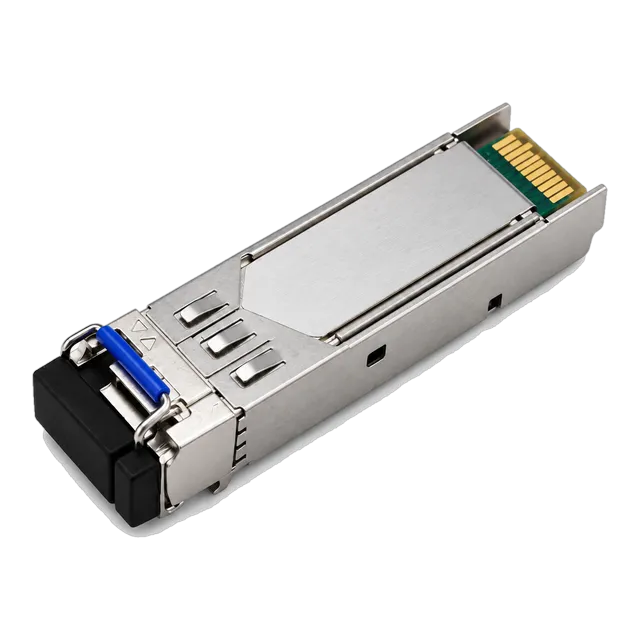
Transmit optical power should sit inside the range printed on the datasheet for that model. Short-reach multimode modules commonly sit within a few decibels below zero, while long-reach single-mode modules sit higher; the 1.25G BiDi Single-Fiber SFP Transceiver 1310nm/1550nm 20km in our catalog, for example, lists an output power range of minus 3 to minus 9 dBm. A transmit reading that starts inside the range and drifts downward over months usually indicates laser ageing. A reading that is suddenly very low or reported as a floor value points at a module that has shut its transmitter down, often because the host has disabled it, because a safety mechanism has triggered, or because the module has failed. Transmit power is the one value unaffected by the fiber, so it isolates the local module cleanly.
05Reading receive power against sensitivity and overload
Received optical power is the most diagnostic value available, because it summarises everything the light passed through. Compare it against two limits from the datasheet: worst-case receiver sensitivity at the low end, and receiver overload or saturation at the high end. A healthy link sits comfortably between them with several decibels of headroom above sensitivity. Too little light points at loss in the path, and the size of the shortfall relative to your predicted budget suggests the cause: a fraction of a decibel is normal variation, one to two decibels is typical of a contaminated or poorly mated connector, and a much larger gap suggests a bend, a damaged strand or a wrong patch. Too much light matters too, and happens when a long-reach module is used on a short link without an attenuator.
06Laser bias current as an ageing indicator
Bias current is the drive current the module applies to its laser to hold the output at its target power. As a laser ages its efficiency falls, so the control loop raises the current to compensate, and bias current therefore rises slowly over the life of the module while transmit power stays nominally constant. A single reading tells you little unless it is near a threshold. A trend tells you a great deal: a module whose bias has climbed steadily over a year is a candidate for planned replacement before it fails during business hours. Bias current also responds strongly to temperature, so compare readings taken under similar conditions. A sudden jump rather than a slow climb usually accompanies a thermal problem or a partial failure rather than normal ageing.
07Temperature and supply voltage
Module case temperature reflects the air entering the cage plus the module's own dissipation, and is the value that tells you whether a commercial grade module rated 0 to 70 degrees Celsius is being asked to work outside its design envelope. A high reading in a room that feels cool usually means blocked airflow at the faceplate, a failed fan tray, a reversed airflow module in a hot aisle, or an over-populated chassis. Supply voltage should sit close to the nominal 3.3 volts; a low or unstable reading points at the host rather than the module, for example a power supply under stress or a marginal connection at the cage. Both values are worth alarming on, because they frequently move before the optical values do and give warning while the link is still carrying traffic.
08Baselines are what make readings meaningful
Record every diagnostic value at commissioning, once the link is known good and carrying traffic, and store it with the link documentation. That single step converts DDM from a set of numbers into a comparison. Six months later the question is no longer whether minus 14.8 dBm is acceptable in the abstract, but whether it has moved from the minus 11.2 dBm recorded on the day the link was accepted. Capture both directions, since the two ends can behave differently. Where the monitoring system supports it, poll the values at a modest interval, every few minutes is ample, and retain enough history to see a seasonal pattern. Trends discovered this way are the main reason to insist on DDM in the specification, and they cost nothing once the polling is configured.
09Using the readings to localise a fault
Combine the two ends before touching anything. If both ends transmit normally but one end receives low, the loss is in that direction of the path, which on a two-fiber link points at a specific strand and on a single-fiber BiDi link points at a wavelength-dependent problem such as a bend. If both directions are low by a similar amount, suspect a shared element such as a patch panel connection or a splice enclosure that both fibers pass through. If a transmit reading is low, the local module or its host port is the suspect. If everything is inside range but interface counters show errors, look past optical power to reflectance, connector cleanliness, a wavelength or reach mismatch between the two modules, or a forward error correction configuration difference between the two ports.
10What DDM will not tell you
DDM measures average optical power and the module's internal environment. It does not measure bit error ratio, it does not see dispersion, it does not report reflectance, and it does not reveal whether the eye at the receiver is open. A link can therefore show entirely healthy diagnostics while dropping frames, most often because of an excessive route length for the module's dispersion tolerance, an inconsistent forward error correction setting between the two ends, a speed or negotiation mismatch, or a host-side problem that has nothing to do with optics. Read DDM alongside interface counters: frame errors, CRC errors, and where the rate uses it, corrected and uncorrected forward error correction codewords. The combination of normal DDM and rising uncorrected codewords is a distinctive signature worth learning to recognise.
11Copper modules and cable assemblies
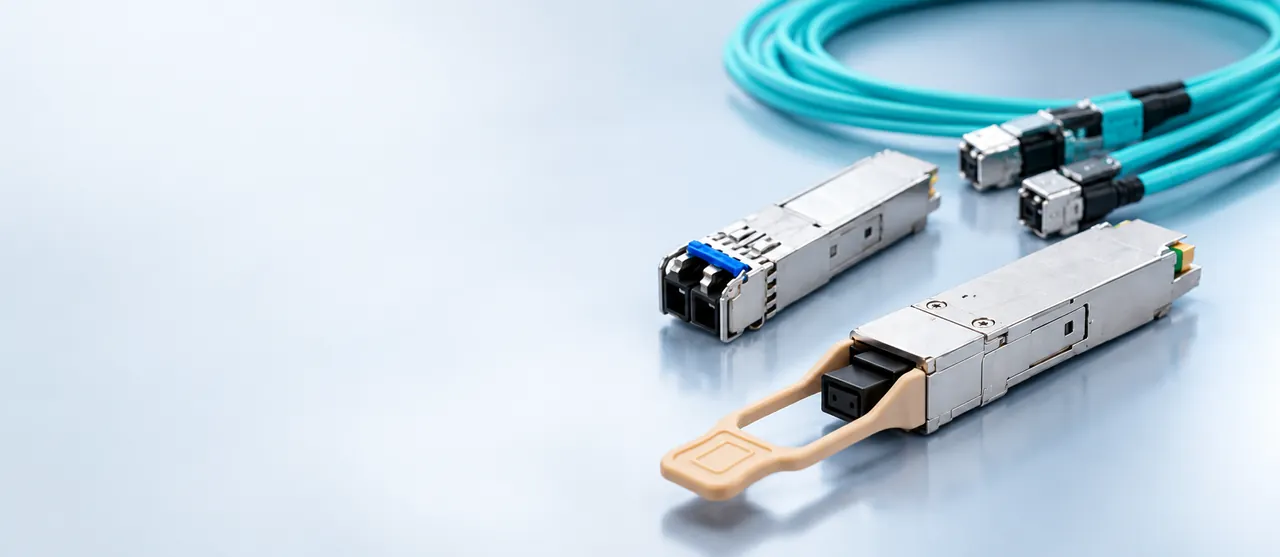
Not every pluggable exposes useful diagnostics. Direct attach copper assemblies have no optics to monitor and report little beyond identification data. Copper RJ45 modules such as the 10G SFP+ Copper RJ45 10GBASE-T 100m Cat6a/Cat7 in our catalog may report temperature and voltage and are listed with DDM support, but there is no optical power to read, so fault finding relies on link speed negotiation, interface error counters and a structured cabling test of the twisted pair. Active optical cables sit in between, exposing some module data at each end. Plan the monitoring approach per medium rather than assuming a uniform view across the estate, and make sure the operations team knows which links will and will not produce optical numbers when something goes wrong.
12What to send with a support request
A support request that resolves quickly contains the module part number and serial number at both ends, the host platform model and software version, the port identifier, the full diagnostic output from both ends rather than a single value, the commissioning baseline if one exists, the interface counter output including error and forward error correction counters, the route length and any measured loss figures, and a description of what changed before the problem appeared. State clearly which values you believe are out of range and against which datasheet figures. Attaching the datasheet for the exact model quoted avoids an exchange about which variant is installed, since reach and optical parameters differ within a product family and listed specifications must be confirmed per model.
13Frequently asked questions
What does DDM mean on an optical transceiver?
DDM, also called DOM, is digital diagnostics monitoring. The module continuously measures its case temperature, supply voltage, laser bias current, transmit optical power and received optical power, and makes them readable by the host along with high and low warning and alarm thresholds. It is the primary tool for diagnosing an optical link remotely, without sending an engineer to take a meter reading.
What is a normal receive power reading?
There is no universal figure; it depends entirely on the model and the link. Compare the reading with the worst-case receiver sensitivity and the overload limit on that model datasheet, and with the value recorded when the link was commissioned. A healthy link sits several decibels above sensitivity and below overload, and close to the loss you predicted for the route.
Why is my transceiver receiving too much light?
Usually because a long-reach module is being used over a short route, so the receiver is driven past its overload point. Extended-reach modules are designed for tens of kilometres of attenuation, and on a patch-panel-length link that attenuation is absent. Add a fixed optical attenuator of the appropriate value, or fit a module whose reach class matches the actual route.
Can DDM tell me if a fiber connector is dirty?
Indirectly. Contamination shows up as receive power lower than your predicted budget, commonly by one to two decibels per affected connection, while transmit power at the far end stays normal. DDM narrows the search to a direction and a rough magnitude; confirming the cause still requires inspecting the end face with a fiber scope and cleaning it properly before re-mating.
Does DDM show bit errors or link quality?
No. DDM reports average optical power and the module's internal environment only. It does not measure bit error ratio, dispersion or reflectance. Read it alongside the host interface counters, including CRC errors and, at 25 Gb/s per lane and above, corrected and uncorrected forward error correction codewords. Normal DDM with rising uncorrected codewords indicates a problem DDM cannot see.
Technical review note: confirm model-specific specifications with the product datasheet and the intended host documentation. Product images and application photographs are illustrative.
Discuss this with our team