While a network switch operates at Layer 2 to forward traffic within a local subnet at wire-speed ASIC rates, a router functions at Layer 3 to connect discrete subnets, manage WAN boundaries, and apply complex IP path policies.
01Network switch vs router: fundamental architectural differences
A network switch vs router comparison begins at network boundaries: switches connect client devices within the same Local Area Network (LAN), whereas routers interconnect separate networks and manage traffic between them. In enterprise topologies, an Ethernet switch operates primarily at the Data Link layer (Layer 2 of the Open Systems Interconnection model), using Media Access Control (MAC) addresses to direct Ethernet frames across dedicated physical ports. Conversely, an Internet Protocol (IP) router operates at the Network layer (Layer 3), evaluating destination IP addresses against a routing table to determine the next-hop path across wide area network (WAN) links or segregated subnets.
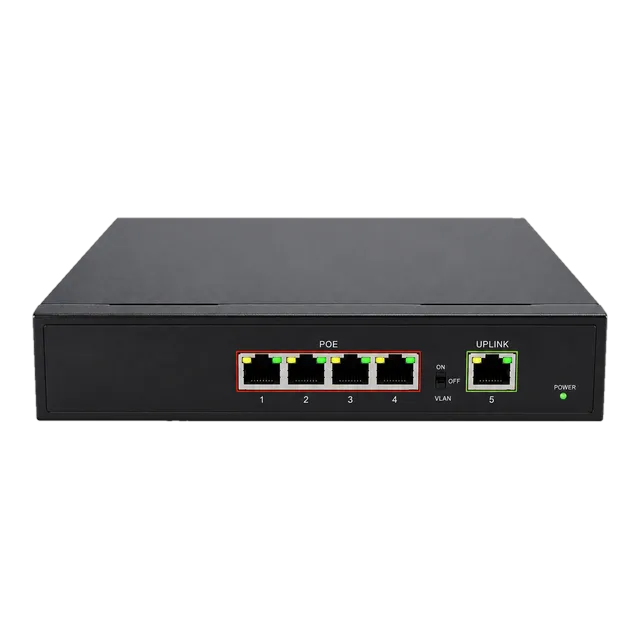
Because switches handle local intra-subnet frames, they rely on Application-Specific Integrated Circuits (ASICs) to forward traffic at wire speed with sub-microsecond latency. Routers process cross-subnet and external traffic, performing packet inspection, header modification, network address translation (NAT), and path determination protocols such as Open Shortest Path First (OSPF) or Border Gateway Protocol (BGP). Understanding the operational division between switches and routers allows enterprise architects to build resilient LAN backbones using dedicated hardware such as the Gigabit PoE IP Ethernet Switch — 4 PoE Ports + 1 Uplink while terminating Internet or perimeter uplinks on dedicated edge routers.
02OSI layer distinctions: Layer 2 switching versus Layer 3 routing
The core difference between a switch and a router lies in the OSI layer at which each device evaluates network traffic headers. Standard switches examine Layer 2 Ethernet frame headers defined under IEEE 802.3, inspecting the 48-bit source and destination MAC addresses to switch frames without modifying their contents. Routers inspect the Layer 3 header (IPv4 under RFC 791 or IPv6 under RFC 8200), decrementing the Time-to-Live (TTL) or Hop Limit counter, recomputing the header checksum, and rewriting the source and destination Layer 2 MAC addresses before egress.
This architectural split defines the scope of broadcast domains. A pure Layer 2 switch forwards broadcast frames (destination MAC FF:FF:FF:FF:FF:FF) to all ports within a given Virtual Local Area Network (VLAN). A router terminates the broadcast domain at its ingress physical interface or logical sub-interface, preventing broadcast radiation from spilling into adjacent networks. For network engineers evaluating campus infrastructure, our network with switch architecture guide explores how Layer 2 aggregation integrates into hierarchical enterprise topologies.
03Ethernet switch vs router vs hub: collision and broadcast domains
An Ethernet switch vs router vs hub comparison illustrates the evolution of traffic isolation across collision domains and broadcast domains. A legacy Ethernet hub acts as an unmanaged physical-layer (Layer 1) repeater, mirroring incoming bits on one port across every other port, forcing all connected nodes to share a single collision domain under Carrier Sense Multiple Access with Collision Detection (CSMA/CD) per IEEE 802.3 Clause 4. A switch creates an isolated collision domain on every individual port, permitting full-duplex operation where transmission and reception occur simultaneously without contention.
The router advances traffic segregation further by isolating broadcast domains at Layer 3. The following breakdown shows how LAN hub switch router devices govern collision and broadcast boundaries:
- Ethernet Hub (Layer 1): One shared collision domain across all ports; one shared broadcast domain; half-duplex only.
- Ethernet Switch (Layer 2): Dedicated collision domain per port; single broadcast domain per VLAN; full-duplex wire-speed switching.
- Network Router (Layer 3): Dedicated collision domain per port; dedicated broadcast domain per interface; route-based forwarding across distinct IP subnets.
04Difference between ethernet hub and ethernet switch forwarding logic
The functional difference between Ethernet hub and Ethernet switch architectures rests on intelligent address learning. When a hub receives a frame, its physical layer transceiver repeats the electrical signal indiscriminately to all pins, consuming aggregate bandwidth and exposing data packets to every connected network interface card (NIC). This behaviour generates severe packet collisions as port counts increase, restricting practical hub throughput to a fraction of the nominal line rate.
A switch maintains a Content-Addressable Memory (CAM) table that binds MAC addresses to physical port IDs. When a host transmits a frame, the switch records the source MAC address and ingress port, checking its table for the destination MAC address. If found, the frame egresses only through the designated physical port; if unknown, the frame floods out all member ports until the target responds. This mechanism eliminates collisions and ensures that multiple node pairs communicate simultaneously at full line rate. More architectural distinctions are detailed in our guide to Ethernet switch selection and RFQ specifications.
05Packet forwarding mechanics: MAC address tables versus IP routing tables
Switches and routers populate distinct lookup tables to direct ingress packets to the correct physical or logical interface. A switch populates its MAC address table dynamically through source-address learning and flushes entries after an inactivity timeout (typically 300 seconds per IEEE 802.1D). The lookup requires an exact binary match against the 48-bit destination address, which the hardware completes in a single clock cycle using CAM or Ternary CAM (TCAM).
A router directs packets by evaluating its IP routing table, which contains network prefixes, subnet masks, metric costs, administrative distances, and next-hop gateway addresses. Instead of an exact match, the router executes a Longest Prefix Match (LPM) algorithm across its Forwarding Information Base (FIB). For example, a packet addressed to 192.168.10.45 matches both 192.168.0.0/16 and 192.168.10.0/24; the router selects the /24 route as the most specific path. This prefix comparison requires multi-cycle algorithmic evaluation, which is why general-purpose router engines historically exhibited lower packet-per-second (pps) forwarding rates than dedicated switches.
06Hardware architecture: ASIC line-rate switching versus CPU-driven packet inspection
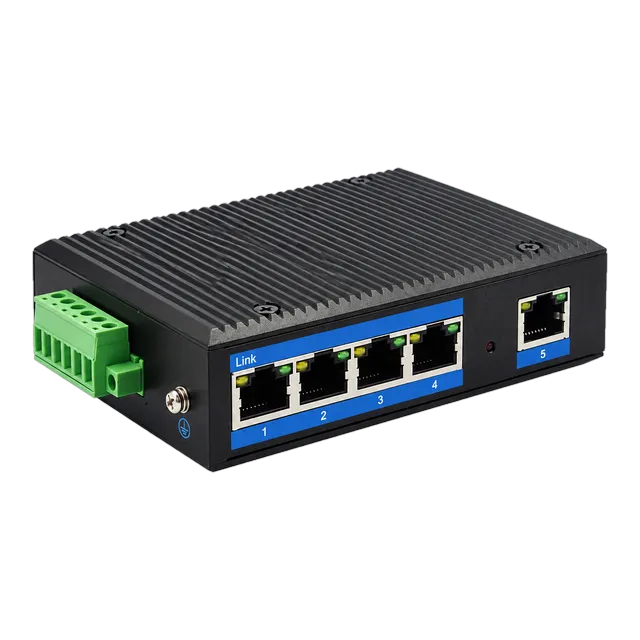
Line-rate throughput in switches is achieved through dedicated hardware ASICs, whereas enterprise routers combine network processors with general-purpose CPUs to manage variable routing logic. In a fixed-configuration switch, ingress packet parsing, L2 lookup, egress queue scheduling, and frame cyclic redundancy checks (CRC) occur entirely within the silicon datapath. This cut-through or store-and-forward silicon architecture enables unmanaged and managed units, including the Outdoor Industrial Gigabit Ethernet Switch — 5× RJ45 Port, to maintain non-blocking line rates across all ports concurrently.
Routers feature a distributed architecture separating the control plane from the data plane. The control plane runs routing daemons, cryptographic handshakes, and access control lists (ACLs) on an x86 or ARM CPU. The data plane forwards packets using specialized network processing units (NPUs) or hardware acceleration engines. Because routers frequently manage stateful firewall inspection, IPsec encryption (RFC 4301), and quality of service (QoS) shaping, per-packet processing budgets are higher, resulting in lower total forwarding capacity per currency unit compared to pure Layer 2 switching hardware.
07Calculating wire-speed forwarding performance for switches and routers
Packet forwarding capacity is calculated using the minimum Ethernet frame size plus physical layer framing overhead. Under IEEE 802.3, a minimum-sized Ethernet frame contains 64 bytes (512 bits). At the physical layer, each frame requires an 8-byte preamble/start-of-frame delimiter (SFD) and a 12-byte inter-packet gap (IPG), totalling 20 bytes (160 bits) of framing overhead. The total slot time per frame is 84 bytes (672 bits).
To calculate the theoretical maximum packet forwarding rate (PFR) for a given interface speed:
- Determine the formula:
PFR (packets per second) = Line Rate (bps) / Total Frame Bits (672 bits) - 1 Gigabit Ethernet (1 Gbps):
1,000,000,000 bps / 672 bits = 1,488,095 pps (1.488 Mpps) - 10 Gigabit Ethernet (10 Gbps):
10,000,000,000 bps / 672 bits = 14,880,952 pps (14.88 Mpps)
A 24-port Gigabit switch requires a switching fabric capacity of 24 ports × 1 Gbps × 2 (full duplex) = 48 Gbps and an aggregate throughput of 24 × 1.488 Mpps = 35.71 Mpps to achieve non-blocking wire-speed forwarding. Edge routers rarely match this full-mesh throughput across all interfaces when stateful services, deep packet inspection, and shaping queues are active on the control plane.
08VLAN segmentation and inter-VLAN routing options
VLAN segmentation isolates broadcast traffic at Layer 2, but moving data between VLANs requires Layer 3 routing functionality. In an environment running multiple departments on separate VLANs (for instance, VLAN 10 for Engineering and VLAN 20 for Finance), an unmanaged or standard Layer 2 switch cannot pass frames across the VLAN boundaries. Network engineers deploy two primary architectures to enable inter-VLAN communication:
- Router-on-a-Stick (RoaS): An Ethernet switch aggregates VLAN trunks using IEEE 802.1Q tagging over a single physical cable into an upstream router. The router assigns logical sub-interfaces to each VLAN ID, receiving traffic, routing it at Layer 3, and re-transmitting it back down the same trunk link. This approach is cost-effective but bottlenecks trunk link bandwidth.
- Multilayer (Layer 3) Switching: A Layer 3 switch integrates hardware-based IP routing into its switching silicon. Inter-VLAN routing is handled internally at line rate via Switched Virtual Interfaces (SVIs), eliminating external trunk congestion and achieving sub-microsecond latency between subnets.
09Technical decision matrix: when to specify a switch, router, or Layer 3 switch
Selecting between an Ethernet switch, an enterprise router, and a multilayer switch depends on required port density, protocol support, and network position. Layer 2 switches provide high-density client access at the lowest cost per port. Multilayer switches deliver high-speed aggregation and core inter-VLAN routing. Dedicated routers deliver WAN edge termination, dynamic Internet routing, and advanced security policies.
| Criteria / Parameter | Layer 2 Ethernet Switch | Layer 3 (Multilayer) Switch | Enterprise Edge Router |
|---|---|---|---|
| OSI Operating Layer | Layer 2 (Data Link) | Layer 2 and Layer 3 | Layer 3 (Network) through Layer 7 |
| Forwarding Decision | Destination MAC Address | MAC and IP Address | Destination IP Prefix |
| Lookup Hardware | Hardware CAM Table | Hardware TCAM (FIB) | Hardware NPU / CPU Memory |
| Average Latency | < 1 µs (Cut-Through) | 1 – 3 µs (Store-and-Forward) | 10 – 100+ µs (Queuing/Inspection) |
| Typical Port Density | 8 to 48+ ports per 1U | 24 to 48+ ports per 1U | 2 to 8 ports per 1U |
| WAN Interface Support | None (LAN Ethernet only) | Limited (Ethernet uplinks) | Extensive (Ethernet, POS, Cellular) |
| Dynamic Routing | None | OSPF, RIP, static routes | BGP, OSPF, EIGRP, IS-IS |
| NAT & Stateful Firewall | Unsupported | Rarely supported | Native standard feature |
10Optical transceiver and interface selection across switches and routers
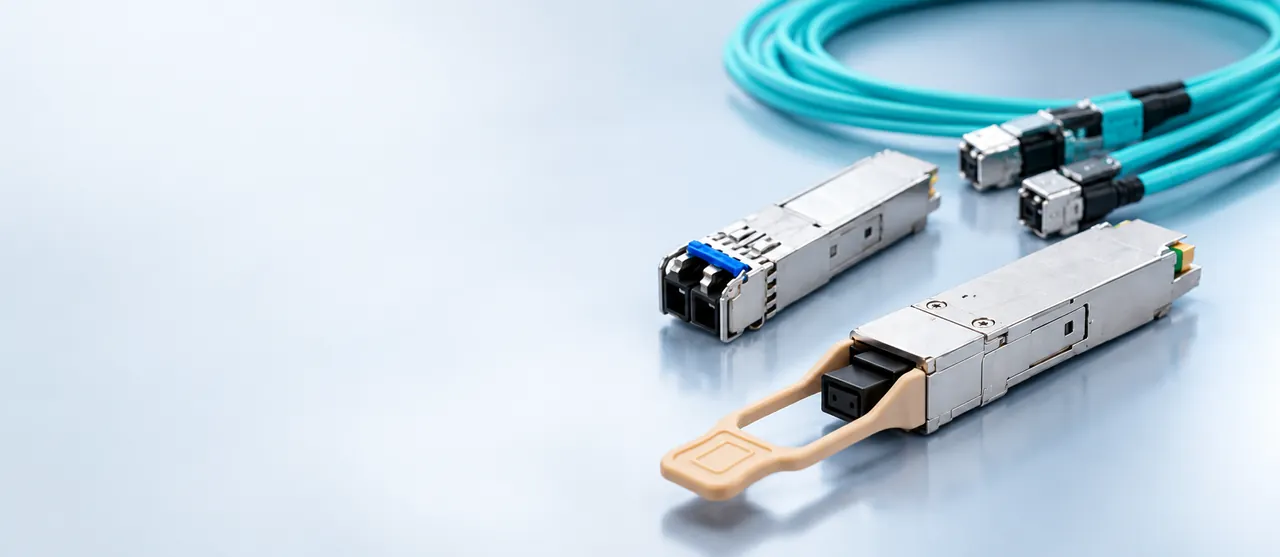
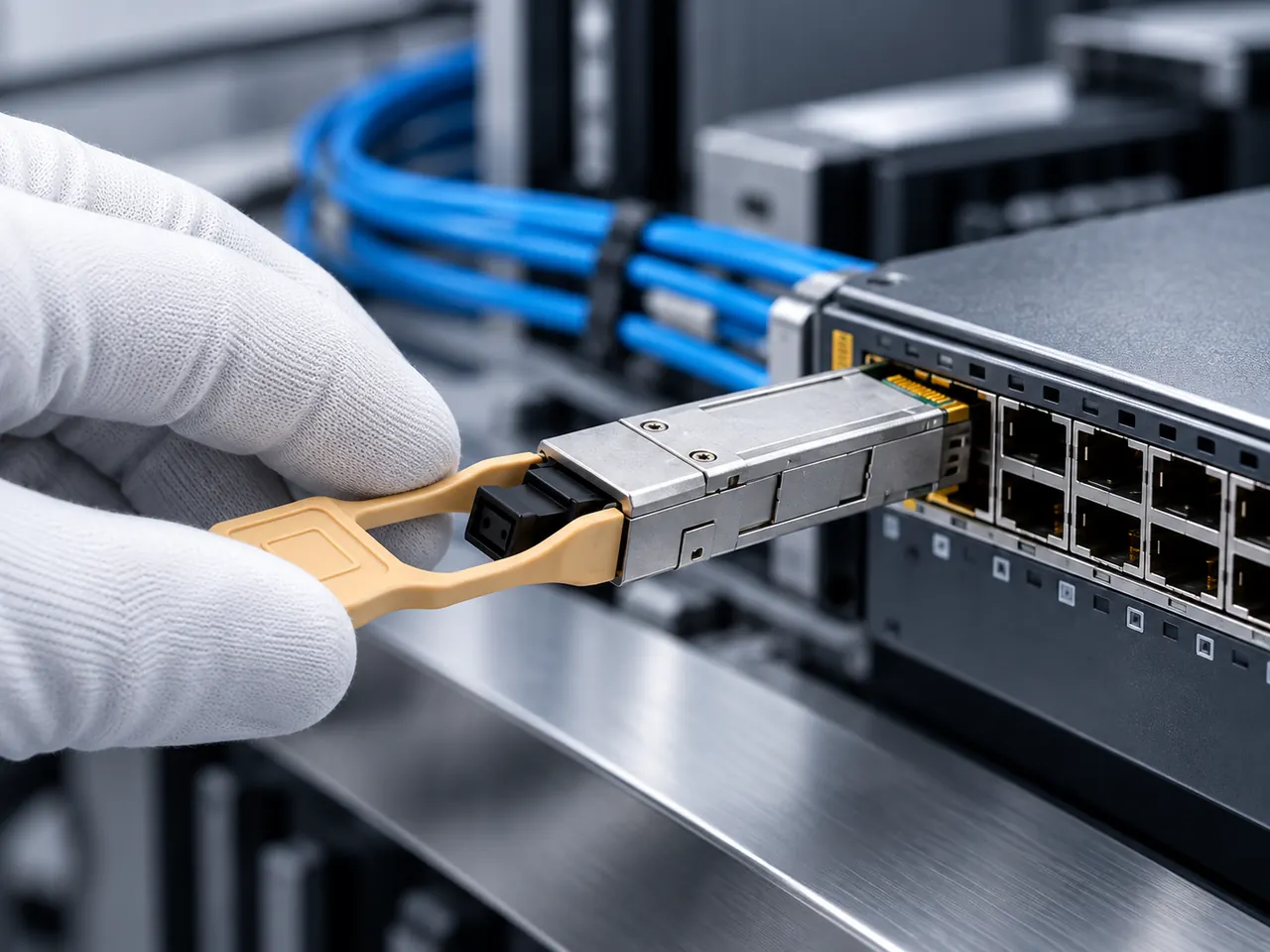
Optical transceiver form factors remain standardized across both switches and routers, but interface configuration and link budget considerations vary based on link distance and physical media. Switches and routers implement Small Form-factor Pluggable (SFP), SFP+, SFP28, and QSFP28 cages conforming to SFF Committee Multi-Source Agreements (MSAs) such as SFF-8431 and SFF-8472. Connecting an aggregation switch to a core router typically relies on single-mode fiber (SMF, ITU-T G.652.D) or multi-mode fiber (MMF, OM4 under ISO/IEC 11801).
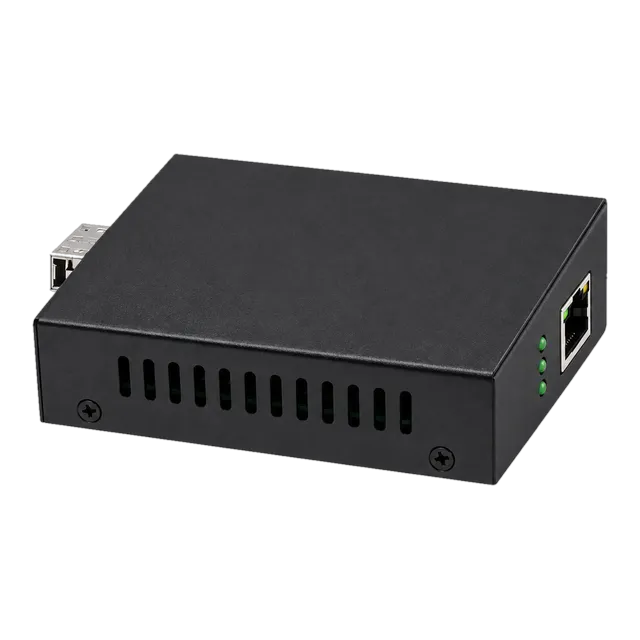
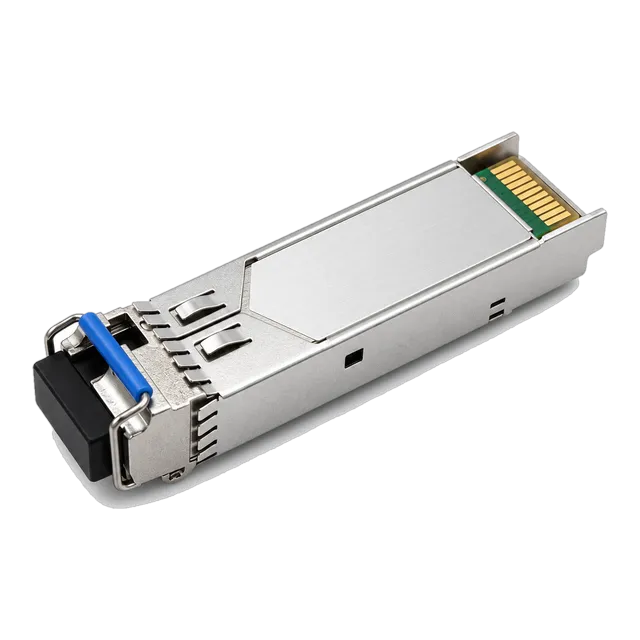
For campus uplinks up to 20 km, network operators install optical transceivers such as the 1.25G Gigabit SFP Transceiver across 1310 nm duplex LC links. When integrating remote client drops where managed switches are impractical, standalone conversion via a 2.5G Fiber to Ethernet Media Converter interfaces directly with router Ethernet ports. Reviewing our switch for fiber optic networks selection guide provides deeper criteria on link budget margins and wavelength allocations for enterprise backbones.
11Connecting a switch with router: topology models and uplink design
Connecting a switch with router infrastructure requires matching uplink bandwidth, link aggregation parameters, and encapsulation protocols. In enterprise network design, access switches connect directly to distribution or core switches, which subsequently aggregate into edge routers. For smaller deployments, access switches connect directly to the router LAN interface using single or bonded Ethernet physical links.
To build an optimal switch-to-router interconnection:
- Bandwidth Oversubscription: Calculate total downstream access bandwidth against uplink capacity. An access switch supporting 24 × 1 Gbps client ports (24 Gbps aggregate) feeding a 2 × 1 Gbps router trunk operates at a 12:1 oversubscription ratio, suitable for general enterprise office environments.
- Link Aggregation (LAG): Deploy IEEE 802.3ad Link Aggregation Control Protocol (LACP) across paired ports to supply link redundancy and double uplink capacity between the switch and router.
- MTU Matching: Standardise the Maximum Transmission Unit (MTU) across both ends. Mismatched MTUs (such as 9000-byte jumbo frames enabled on switch ports but 1500-byte standard MTU enforced on router interfaces) cause fragmented or dropped packets.
- Physical Medium: Utilize direct-attach copper (DAC) for intra-rack links under 5 metres, or optical SFP/SFP+ transceivers for campus or inter-room cable runs.
12Procurement and RFQ engineering checklist for networking switches and routers
When preparing a Request for Quotation (RFQ) for enterprise networking equipment, procurement teams must provide exact technical parameters to prevent vendor mismatch across switches and routers. Ensure all specifications articulate Layer 2 and Layer 3 performance figures, form factors, and environmental operational ranges before placing hardware tenders.
Incorporate the following checklist directly into your hardware procurement documentation:
- Port Speed and Medium: Specify the exact count of RJ45 copper ports (10/100/1000BASE-T) and optical cages (1G SFP, 10G SFP+, 25G SFP28) matching planned link budgets. Explore options across the Ethernet switch product family.
- Throughput and Fabric: Require non-blocking switching capacity (Gbps) and minimum wire-speed packet forwarding rate (Mpps) calculated at 64-byte frame sizes.
- Layer Capabilities: Explicitly state whether the device must support Layer 2 only, basic Layer 3 static routing/SVIs, or full dynamic routing protocols (BGP, OSPF).
- PoE Budget: If deploying PoE switches, mandate power availability per port under IEEE 802.3af (15.4W), 802.3at (30W), or 802.3bt (up to 90W), alongside aggregate power supply capacity.
- Transceiver Compatibility: Require open MSA coding (SFF-8472 with Digital Diagnostic Monitoring / DDM) to ensure multi-vendor optical module support.
- Operating Environment: Define temperature ratings, identifying commercial (0°C to +70°C) or industrial grade (-40°C to +85°C) requirements.
13Frequently asked questions
Can a network switch replace a router?
A standard network switch cannot replace a router because it cannot assign public IP addresses, perform Network Address Translation, or manage wide area network connections. While a Layer 3 switch can route between internal subnets, an edge router is still necessary to terminate Internet connections, enforce stateful firewall rules, and run WAN protocols.
Does a network switch slow down Internet speed?
A network switch does not slow down Internet speed provided its switching backplane and port ratings exceed your broadband bandwidth. Modern switches operate at wire speed with sub-microsecond latency. Congestion only occurs if total client demand on the switch exceeds the physical uplink bandwidth connecting the switch to the upstream router.
What is the difference between an Ethernet hub and a switch?
An Ethernet hub operates at Layer 1, repeating incoming electrical signals to all ports and forcing all connected devices to share a single collision domain. An Ethernet switch operates at Layer 2, using MAC addresses to forward frames only to the designated port, creating dedicated collision domains and supporting full-duplex transmission.
Do I need both a router and a switch?
Most business networks require both a router and a switch. The router connects the local network to external networks or the Internet and provides IP addressing and security services. The switch expands local port density, connecting multiple computers, access points, servers, and IP cameras within the local area network.
What is a Layer 3 switch compared to a router?
A Layer 3 switch is an Ethernet switch with integrated hardware-based IP routing capabilities, optimized for high-speed inter-VLAN routing within enterprise LANs. A router provides deeper packet inspection, support for diverse WAN physical interfaces, complex dynamic routing protocols like BGP, and advanced network security features that Layer 3 switches lack.
Technical review note: confirm model-specific specifications with the product datasheet and the intended host documentation. Product images and application photographs are illustrative.
Discuss this with our team