Migrate link by link: measure the copper, decide whether the fix is a converter pair, a single converter or a copper SFP, and remember that PoE must be regenerated locally.
01The connection brief
Copper-to-fiber migration means replacing twisted-pair runs that have reached their distance or noise limits with an optical path, while leaving the devices at each end unchanged wherever possible. This page is a planning concept describing the method. It is not a record of a delivered migration and contains no customer, site or measured outcome.
The usual brief is a set of links that already exist and already misbehave: runs that exceed the 100 m limit of structured copper, runs that pass close to motors or welding plant, or runs between buildings where a copper path also carries an earth potential difference. The planning task is to decide, link by link, whether the fix is a converter pair, a fiber-capable switch port, or a copper module inside a fiber switch.
02The design inputs
List every link in scope with its measured copper length, cable category, and the interface on the device at each end. Record whether each device is fixed-speed or auto-negotiating, and whether any of them requires PoE, because PoE cannot cross a fiber segment without being regenerated locally.
Record what is available at the aggregation end: free RJ45 ports, free SFP cages, or neither. Record whether a fiber route already exists between the two points or has to be installed, and if it exists, its grade, strand count and length. Note any galvanic isolation requirement between buildings, and note the environment at the remote end, which in industrial cases is often a cabinet rather than a room.
03The topology and optical path
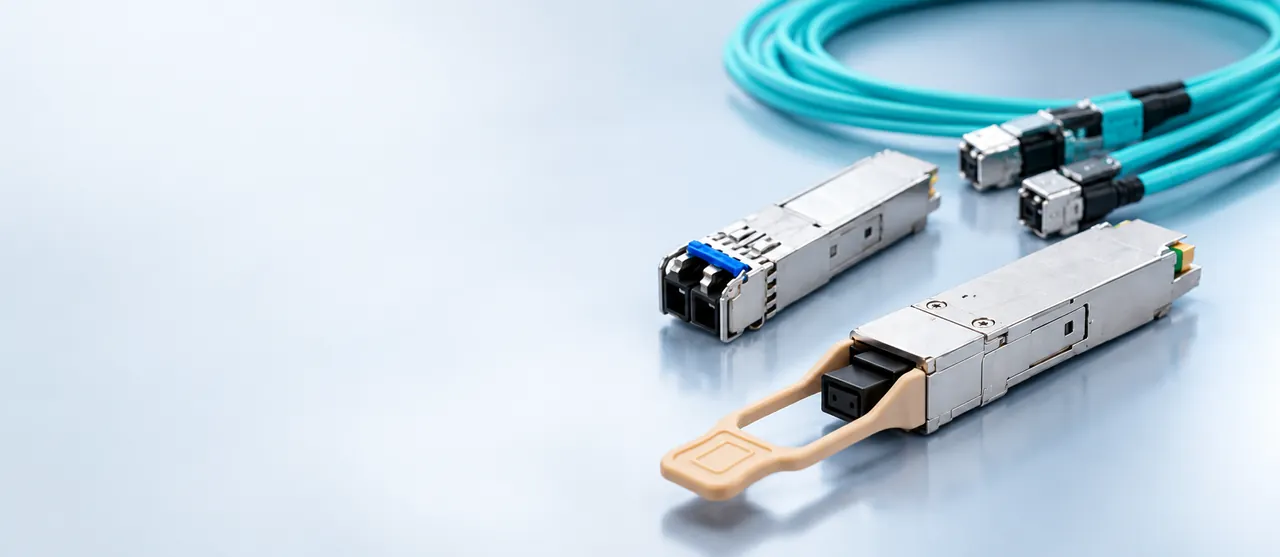
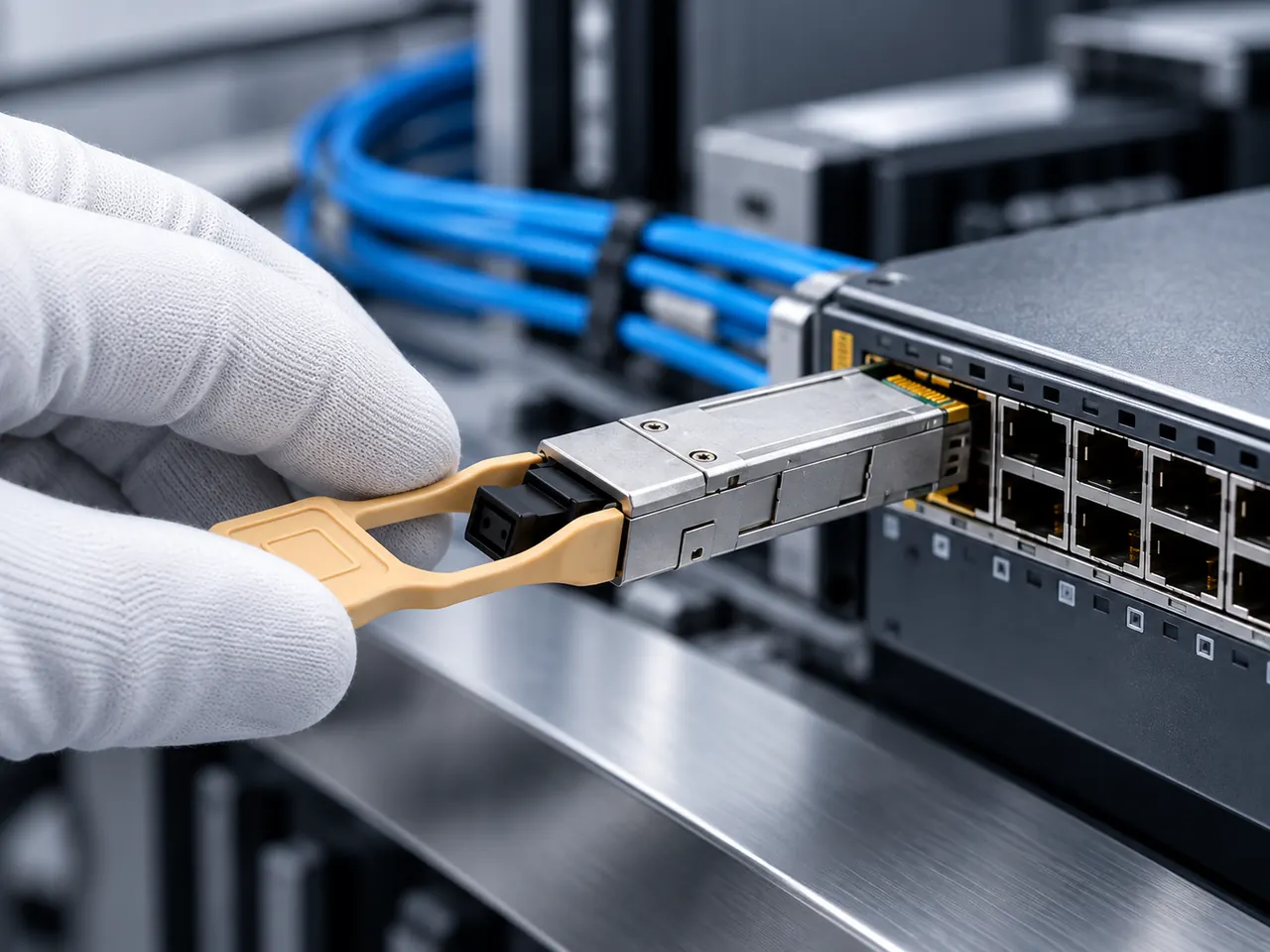
There are three recurring shapes. In the first, a converter pair replaces a long copper run end to end: device, short copper tail, converter, fiber, converter, short copper tail, device. In the second, the aggregation end already has a fiber switch, so only the remote end needs a converter. In the third the situation is reversed: the field device is already optical or is close enough for copper, and the switch port available is an SFP cage, so a copper RJ45 SFP module turns that cage back into an RJ45 port.
Draw whichever shape applies before choosing parts, and mark on the drawing where the 100 m copper limit still applies, because it applies to every copper tail that remains.
04Product families to evaluate
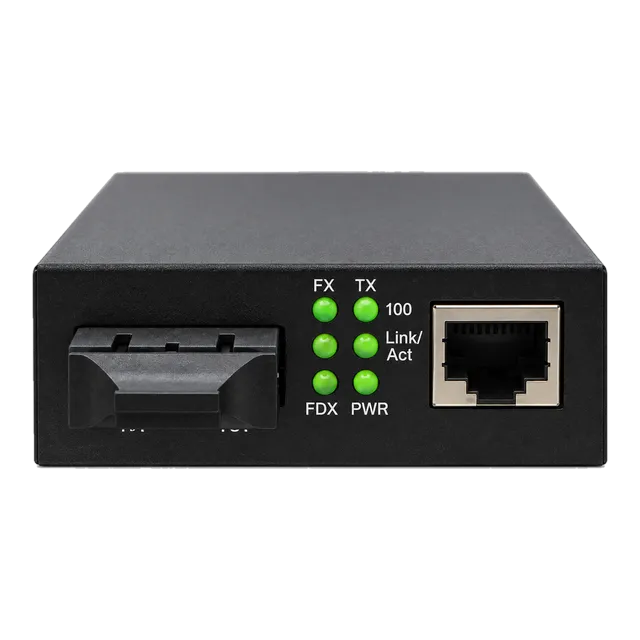
For converter-based migration the 10/100/1000 Gigabit Fiber Media Converter with a single-mode dual-fiber SC port covers the common gigabit case, and the 1.25G SFP UTP PoE Media Converter suits links whose remote device also needs power. Where the remote device needs a higher rate, the 2.5G Fiber to Ethernet Media Converter addresses 2.5 gigabit copper. Where an existing coaxial run is the only available medium, the IP Ethernet to Coax Media Converter is the relevant family.
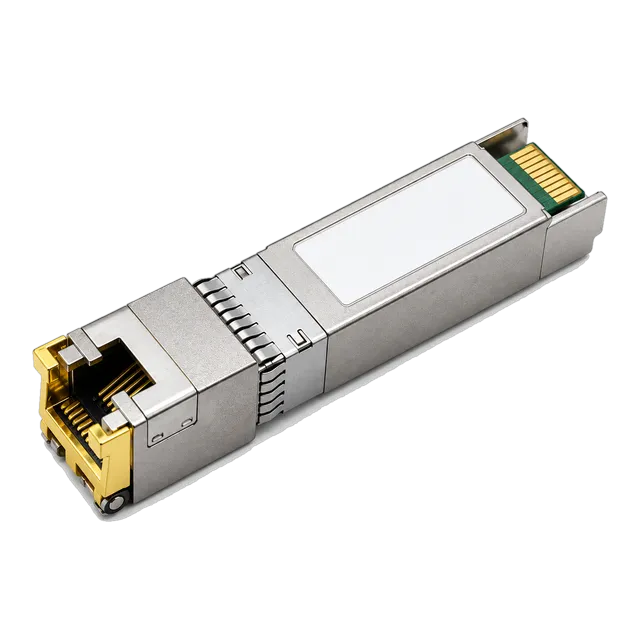
For the reverse direction, the copper RJ45 SFP listings turn an optical cage into a copper port: the 1000BASE-T SFP Copper RJ45 10/100/1000M module for gigabit and the 10G SFP+ Copper RJ45 10GBASE-T 100m Cat6a/Cat7 module for 10 gigabit.
05Link budget and reach considerations
Two different budgets apply. On the copper side the limit is the structured cabling rule of 100 m for the permanent link plus patch cords, and that limit does not change because the cable is new. A 10GBASE-T copper module also depends on cable category: Cat6a or better is expected for a full 100 m at 10 gigabit, and shorter variants exist where only 30 m is required.
On the fiber side, budget as usual: roughly 0.35 dB/km at 1310 nm, connectors at 0.3 to 0.75 dB per mated pair, splices at about 0.1 dB, and about 3 dB of unallocated margin. Most migration routes are short enough that the budget closes easily, so the real work is confirming lengths and connector counts.
06Environment and power
Migration usually moves equipment closer to the plant floor, so the environment worsens. A converter mounted in a machine cabinet may need the industrial grade of minus 40 to 85 degrees Celsius rather than the commercial 0 to 70 degrees Celsius grade, and it will certainly need a mounting arrangement and a DC supply rather than a desk brick on a shelf.
Power deserves explicit attention. Copper RJ45 SFP modules draw noticeably more power than optical modules of the same speed, particularly at 10 gigabit, and a switch fully populated with them can approach its per-cage or per-chassis power limit. Check the switch documentation for any restriction on how many copper modules may be fitted, and plan the port layout accordingly.
07Validation and acceptance
Test the new fiber route first with a light source and power meter, and certify any remaining copper tails to the relevant category rather than assuming they pass. A migration that leaves an old, uncertified copper tail in place frequently reproduces the original fault on the new equipment.
Once the path is up, confirm speed and duplex at both ends rather than trusting the link light, since converters and copper modules interact with auto-negotiation differently from a direct copper run. Check for late collisions, CRC errors and interface resets over a defined soak period. Where PoE is regenerated at the remote end, verify the delivered power class as well as the data link before acceptance.
08Procurement and BOM
Converters are bought per end, not per link, so a full replacement of a copper run needs two, while a migration to an existing fiber switch needs one. Every converter needs a power supply, and in cabinets that supply is usually DC rather than a mains adapter, which is a separate line item.
Copper RJ45 SFP modules are bought per cage. Note the required cable category and the reach variant in the specification so that a 30 m module is not ordered for a 90 m run. Where a switch has a documented limit on copper module population, record it next to the quantity. Coding for the host switch is confirmed per platform. Spares policy follows the same rule as for optics.
09Common mistakes
The first mistake is assuming PoE travels across the fiber segment. It does not: power has to be regenerated at the remote end by a PoE converter or a local injector, and the power budget for that must be planned.
The second is leaving a long copper tail in place so that the combined path still breaks the 100 m rule. The third is fitting 10GBASE-T copper modules across a switch without checking the chassis power and thermal limits. The fourth is ordering a 30 m copper module variant for a longer run. The fifth is skipping certification of retained copper, which turns an old cabling fault into a new and apparently inexplicable equipment fault.
10Next step
Build a link register: each link with its measured copper length, cable category, the devices at both ends, the PoE requirement, and whether a fiber route exists or must be installed. Mark each link with the shape it will take, converter pair, single converter, or copper module in a fiber cage.
Then add candidate media converters and copper RJ45 SFP items to an inquiry list, with the required temperature grade and power arrangement noted per location. The project worksheet contains the same fields. As this is a planning concept rather than a finished migration, the staging order and final part choice remain subject to engineering confirmation against the installed plant.
11Design inputs to document
| Design input | What to record |
|---|---|
| Link register | Every link in scope with measured copper length and cable category. |
| End device interfaces | Speed, duplex behaviour and whether auto-negotiation is supported. |
| PoE requirement | Which remote devices need power and at which class. |
| Available ports | Free RJ45 ports and free SFP cages at the aggregation end. |
| Fiber availability | Existing route grade, strand count and length, or new install needed. |
| Remote environment | Room, cabinet or outdoor enclosure, with the temperature grade implied. |
| Switch power limits | Any documented restriction on copper module population. |
| Isolation requirement | Whether galvanic separation between buildings is a design driver. |
12Planning bill of materials
| Item | Configuration | Quantity |
|---|---|---|
| Gigabit fiber media converter | 1310 nm single-mode, SC or SFP fiber port, RJ45 copper port | 1 or 2 per link, depending on shape |
| PoE media converter | SFP fiber port, RJ45 with PoE output, DC or mains supply | 1 per powered remote device |
| 1000BASE-T copper RJ45 SFP | 10/100/1000 Mbps, 100 m over Cat5e or Cat6 | 1 per gigabit copper port needed in an SFP cage |
| 10GBASE-T copper SFP+ | 10 Gbps, reach variant to specify, Cat6a or Cat7 | 1 per 10 gigabit copper port needed |
| Converter power supply | DC voltage to match the cabinet supply, or mains adapter | 1 per converter |
| Fiber patch cords | Connector style and length per panel layout | 2 per link |
Planning quantities only. The final bill of materials is confirmed with your quotation.
13Frequently asked questions
Can PoE pass through a fiber media converter?
Power does not cross the optical segment. If the remote device needs PoE, the power has to be produced locally, either by a converter with a PoE output port fed from a local supply, or by a separate injector in the same enclosure. Plan the local supply, its backup and its heat contribution at the same time as the data path.
When is a copper RJ45 SFP the better answer than a converter?
When the aggregation switch has spare SFP cages but no spare RJ45 ports, and the device is within the 100 m copper limit. The module turns an optical cage into a copper port without adding a separate box, power supply or failure point. It is not a distance solution, since the copper reach limit is unchanged.
Do copper SFP modules affect the switch power budget?
Yes, noticeably, especially 10GBASE-T variants. They consume more than optical modules of the same speed and add heat inside the cage. Some platforms document a limit on how many copper modules may be fitted, or restrict them to certain port groups. Check that documentation before planning a fully populated copper configuration.
Does new copper cable extend the 100 m limit?
No. The 100 m figure covers the permanent link plus patch cords and is a property of the standard, not of the cable quality. Better cable improves margin and supports higher rates such as 10GBASE-T over Cat6a, but it does not extend the distance. Anything beyond that limit needs an optical segment or an intermediate active device.
Technical review note: confirm model-specific specifications with the product datasheet and the intended host documentation. Product images and application photographs are illustrative.
Discuss this with our team