A campus backbone is decided by the fiber records: strand count, measured length and splice positions set the optical class, and the budget calculation decides whether an attenuator is needed.
01The connection brief
A campus backbone joins several buildings to a core or distribution layer over privately owned or leased fiber. This page is a planning concept that explains how such a backbone is specified. It is not a description of a completed installation, and it names no site, operator or outcome.
The brief begins with a simple list: which buildings are in scope, what sits in each communications room, how many fiber strands reach each room, and what the required uplink speed is now and at the next refresh. Campus routes are usually a few hundred metres to a few kilometres, which places them firmly in single-mode territory even where older multimode risers survive inside the buildings themselves.
02The design inputs
Record the fiber plant first: strand count per building, fiber type, the location of every splice enclosure and patch panel, and the age of the cable where it is known. Then record the active equipment: switch models, software releases, available SFP+ and SFP cages, and whether uplinks will be aggregated into a link bundle.
Capture the route length as measured on the fiber, not as measured on a site map, because ducted routes rarely follow the shortest path. Note whether any segment is leased dark fiber, since a leased segment usually comes with a stated maximum loss that becomes a hard design input. Finally, decide the redundancy intent: a single path, a dual path to two cores, or a ring, because that choice doubles or triples the optics count.

03The topology and optical path
Most campuses settle on a collapsed core or a two-tier distribution design. Each building edge switch takes one or two uplinks to the core, and the second uplink, if present, follows a physically diverse duct wherever the civil works allow. Diversity that shares a single duct is redundancy on paper only.
The optical path in each direction should be written out element by element: edge switch module, LC jumper, building panel, outside plant cable with its splices, campus panel, LC jumper, core module. Splices in an outside plant route are typically counted at about 0.1 dB each and mated connector pairs at 0.3 to 0.75 dB. Writing the chain down makes the loss calculation mechanical rather than a guess.
04Product families to evaluate
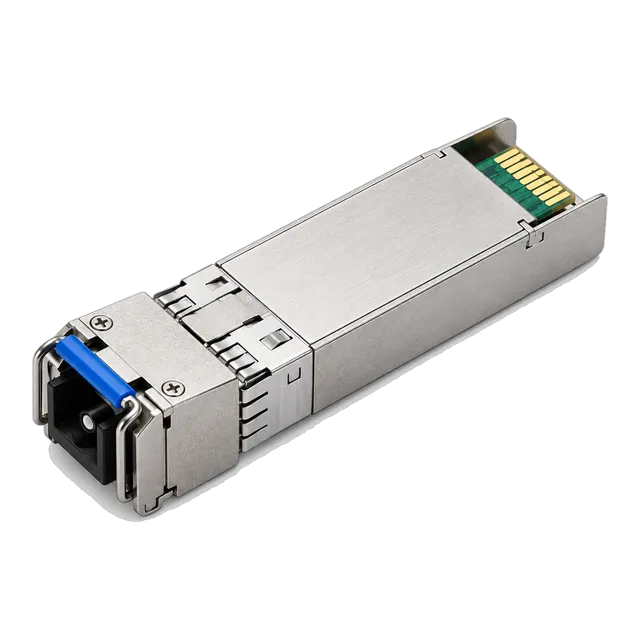
For building uplinks over campus single-mode, the 10G SFP+ listings cover the usual distances. Single-fiber routes, common where strand count is tight, are addressed by modules such as the 10G SFP+ BiDi BX20 20km 1270/1330nm Single-Fiber Simplex family, with the 10G SFP+ BiDi BX60 60km variant available where a route is unusually long. Where a route is short and multimode is already installed, the 10G SFP+ LRM 1310nm 220m Multimode Duplex LC module addresses legacy multimode risers.
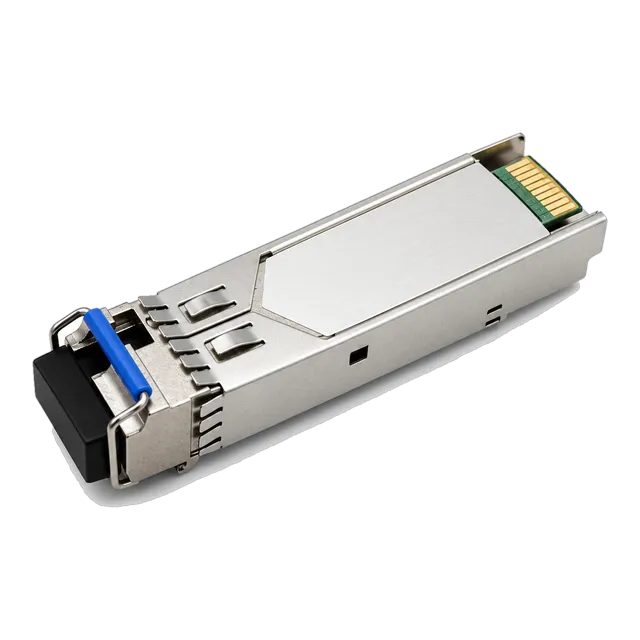
At the edge, gigabit aggregation still relies on the 1.25G SFP family: the 1.25G SFP 1310nm SMF Dual-Fiber Optical Transceiver 10km and the 1000BASE-EX SFP 1.25G 1310nm 40km module cover typical dual-fiber distances.
05Link budget and reach considerations
Build the budget from the datasheet, not from the headline distance. Take the minimum transmit power and the receiver sensitivity of the chosen module, subtract to get the available budget, then subtract the path losses.
For campus single-mode, use roughly 0.35 dB/km at 1310 nm and roughly 0.22 dB/km at 1550 nm. Add each mated connector pair at 0.3 to 0.75 dB and each fusion splice at about 0.1 dB. Keep about 3 dB unallocated as margin. On short campus routes the surprise is usually the opposite problem: a long-reach module on a 400 m link can overload the receiver, so check the maximum input power as well as the sensitivity and plan for an attenuator if the calculation says the receiver will be saturated.
06Environment and power
Building communications rooms vary more than data halls. Where a room is air conditioned and reasonably clean, commercial grade optics rated 0 to 70 degrees Celsius are appropriate. Where a switch sits in an unconditioned riser cupboard, a plant room or a rooftop enclosure, the industrial grade of minus 40 to 85 degrees Celsius is the safer specification, and several transceiver families are offered in both grades.
Power planning at the edge is mostly about what the edge switch has to feed downstream rather than about the optics themselves. Record the mains feed, whether an uninterruptible supply covers the switch, and whether the uplink must survive a building power event in order for door controllers or cameras to stay reachable.
07Validation and acceptance
Outside plant fiber deserves a proper test record. Before any module is fitted, test each strand with a light source and power meter at the working wavelength, and where the route includes splices, take an OTDR trace so that splice positions and losses are documented for future fault finding.
Once the modules are in, read digital diagnostics at both ends and compare received power against the calculated budget. A received power that differs from the calculation by more than a decibel or two usually means the record of splices or lengths is wrong, and that is worth resolving before the link goes into service. Finish with a traffic soak and a written as-built record including DDM values, strand assignments and panel positions.
08Procurement and BOM
Write the BOM per link and then multiply by the number of buildings and by the redundancy factor. A dual-homed building needs two complete uplink sets, and a ring needs one set per span rather than one per building.
Single-fiber BiDi links have a particular procurement trap: the two ends use different wavelength assignments and must be ordered as matched upstream and downstream pairs, so the line items are not interchangeable. Coding is recorded per switch platform in the same sheet. Attenuators, where the budget calculation calls for them, belong in the BOM from the start rather than being sourced in a hurry on the day of commissioning. Patch cords are listed with their length and connector style so that the installation team is not improvising at the panel.
09Common mistakes
The classic campus mistake is specifying a 40 km or 80 km module for a 500 m link because it sounds safer. The result is an overloaded receiver, a high error rate and an intermittent link that tests well with a meter.
Second is treating a documented strand count as accurate without checking, since campus fiber is often partly in use, partly broken and partly undocumented. Third is ordering BiDi modules as a single part number rather than as matched pairs. Fourth is assuming that two uplinks in the same duct give path redundancy. Finally, deferring the OTDR record saves a day at installation and costs several days at the first outage.
10Next step
Compile a building list, a fiber schedule with strand counts and measured lengths, the switch inventory with models and software releases, and a statement of the redundancy intent. That package is enough to size a shortlist properly.
Add candidate items from the 10G SFP+ and 1.25G SFP listings to an inquiry list, noting which routes are single-fiber and which are dual-fiber, and which rooms need the industrial temperature grade. The project worksheet gives blank fields for the same information. This page is a reference concept rather than a delivered campus design, so every figure quoted here is a method to apply rather than a result to reuse, and the budget should be recalculated against the actual fiber records before anything is purchased.
11Design inputs to document
| Design input | What to record |
|---|---|
| Building and room list | Every communications room in scope with its role in the topology. |
| Fiber schedule | Strand count, fiber type and measured length per route. |
| Splice and panel record | Position and count of splices, enclosures and patch panels. |
| Switch inventory | Models, software releases and free SFP or SFP+ cages. |
| Redundancy intent | Single path, dual path or ring, and whether ducts are diverse. |
| Room environment | Conditioned or unconditioned, to select the temperature grade. |
| Leased segment limits | Stated maximum loss for any leased dark fiber span. |
12Planning bill of materials
| Item | Configuration | Quantity |
|---|---|---|
| 10G SFP+ BiDi BX20 transceiver | 1270/1330 nm, simplex LC, single-mode, 20 km class | 2 per single-fiber uplink, matched pair |
| 10G SFP+ dual-fiber transceiver | 1310 nm region, duplex LC, reach class per route | 2 per dual-fiber uplink |
| 1.25G SFP 1310 nm transceiver | Single-mode, duplex LC, 10 or 40 km class, DDM | 2 per gigabit edge link |
| LC patch cords | Simplex or duplex, single-mode, length per room layout | 2 per link |
| Fixed optical attenuator | Value from the budget calculation, single-mode LC | To specify where receiver overload is predicted |
Planning quantities only. The final bill of materials is confirmed with your quotation.
13Frequently asked questions
When does a campus route need single-fiber BiDi optics?
When the available strand count is lower than the number of links required, which is common in older ducts. BiDi halves strand consumption by placing the two directions on different wavelengths over one fiber. The cost is that the two ends are different part numbers and must be ordered and stocked as matched pairs, and that a strand fault takes both directions with it.
Why would a long-reach module fail on a short link?
Because the receiver has a maximum input power as well as a minimum sensitivity. A high-power module across a few hundred metres can deliver more light than the receiver tolerates, producing errors that look like a faulty module. The fix is either a shorter-reach optical class or a fixed attenuator sized from the budget calculation.
Is an OTDR trace necessary on a campus route?
It is not required for the link to work, but it is the only record that locates splices and their individual losses. When a backhoe or a water ingress event damages the route later, the original trace turns a day of hunting into an hour. Take the trace at installation and store it with the strand schedule and panel assignments.
Which temperature grade suits a building riser cupboard?
If the space is unconditioned, plan on the industrial grade of minus 40 to 85 degrees Celsius rather than the commercial 0 to 70 degrees Celsius grade. Riser cupboards and plant rooms can exceed the commercial ceiling in summer, and the resulting faults are intermittent and hard to attribute. Several transceiver families are available in both grades.
Technical review note: confirm model-specific specifications with the product datasheet and the intended host documentation. Product images and application photographs are illustrative.
Discuss this with our team