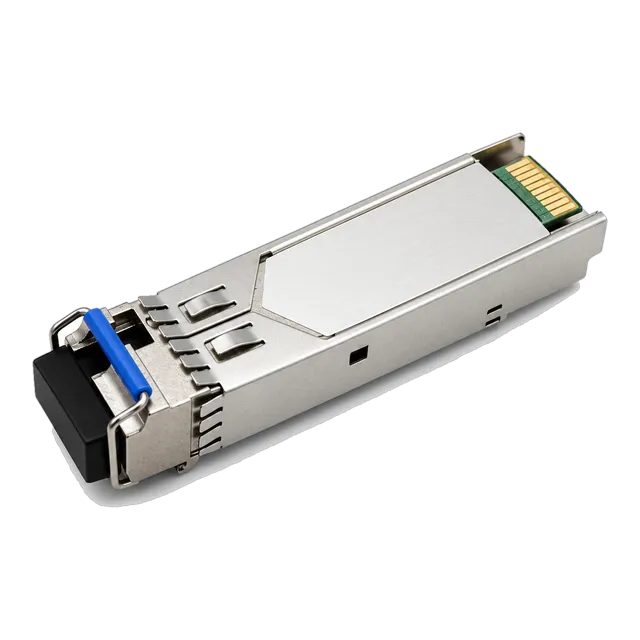
A usable optics BOM has one row per distinct configuration, states the requirement as well as the part, and carries its own version history and assumptions.
01What the document has to achieve
A bill of materials for optical networking has three audiences and must serve all of them. A supplier reads it to produce a price and a lead time without asking a round of questions. An engineer reads it to confirm that what was ordered matches what the design requires. A stores or site team reads it to check a delivery and to know where each item is destined. A parts list that only satisfies the first audience tends to produce correct invoices and incorrect installations. Build the document so that every row can be traced back to a link in the design and forward to a delivery, and so that a colleague who was not involved can understand a year later why a particular module was bought for a particular port.
02One row per distinct configuration
The most common structural error is aggregating by speed. Forty-eight ports of ten gigabit is not one line item if some of those links run three hundred metres on multimode, some run eight kilometres on single-mode, some are single-fiber BiDi, and some land on a different switch platform at the far end. Each of those is a different part with a different price, lead time and spare holding. Split the sheet by configuration: form factor, data rate, standards designation, reach class, wavelength plan, connector, temperature grade and coding. If two rows differ in any of those fields they stay separate, even when the quantity is one. Aggregation can happen later at the ordering stage; it should never happen in the document that defines the requirement.
03Give every link a stable reference
Assign each link a short identifier and use it everywhere: in the design drawing, in the BOM, on the port labels, in the cabling schedule and in the commissioning record. A workable scheme encodes site, building or room, and a sequence number, and stays fixed even when equipment is replaced. Add columns for the A end and B end, each with site, room, rack, device and port. This is what lets a delivered box be matched to a destination, and what makes a later question such as which module is in the link to the substation answerable without a site visit. Avoid references that embed information likely to change, such as a switch hostname or a VLAN number, since they turn into misleading labels after the first reconfiguration.
04Columns a supplier can actually price
Alongside the link references, each row needs the fields that determine the part: form factor; data rate; standards designation such as 1000BASE-LX, 10GBASE-LR or 100GBASE-SR4; fiber type and grade; connector type, including whether simplex or duplex; reach class; wavelength plan with the transmit and receive assignment for BiDi variants; temperature grade; DDM requirement; host platform, model and software version at each end; and quantity. Add a free-text note column for anything unusual, such as an attenuator required on a short link or a specific labelling format. A row containing these fields can be quoted directly. A row containing only a catalog part number and a quantity usually cannot, because families span several reaches and wavelength plans.
05State the requirement as well as the part
Keep two parallel sets of columns. One describes what the link needs in objective terms; the other records the part chosen to meet it, whether that is a catalog reference from our listings or an item already approved internally. This separation is what makes substitution safe. When an item is superseded or a lead time is unacceptable, a supplier can propose an alternative against the requirement columns and you can evaluate it against something concrete rather than against a part number. It also protects the document from becoming unreadable over time, since a part number with no accompanying specification is meaningless once the catalog page has changed. Note explicitly that listed reach and specifications must be confirmed against the datasheet of the model finally quoted.
06Getting the quantity arithmetic right
Each row needs at least three numbers: the installed quantity, the spare quantity and the total. Installed quantity for a two-ended fiber link is twice the number of links, which is obvious in principle and frequently wrong in practice when one end belongs to a carrier or a third party. Mark those rows clearly so that only your end is counted. For single-fiber BiDi links, split the row into two, one per wavelength variant, and count each separately, because a combined total conceals the fact that the variants are not interchangeable. Set the spare quantity per row rather than as a percentage of the whole order, and be prepared to justify a deeper holding on rows that support critical links or that carry a long lead time.
07Handling several host platforms on one sheet
Where a project spans more than one switch or router family, coding multiplies the row count. The same 10GBASE-LR optical specification may appear three times because it lands on three platforms. Keep those rows apart throughout the document and give each its own stock code, because merging them at any point in the process creates a delivery that cannot be allocated. Record the software version per row, since module handling can change between releases, and add a column noting whether a sample has already been validated on that combination. Rows without a validated sample are the ones that need a test before the production order, and having that visible on the sheet is more effective than tracking it in a separate list.
08Include cables, adapters and accessories
A bill of materials that stops at transceivers produces a site that cannot be commissioned. Add rows for patch cords with the correct connector type, polarity and length; for simplex cords and adapters where single-fiber BiDi modules are used; for MPO trunks, cassettes and harnesses on parallel links with the polarity method stated; for fixed optical attenuators where a long-reach module lands on a short route; for direct attach and active optical assemblies with their measured lengths; and for cleaning consumables and dust caps. Media converters and small switches belong here too where the design uses them. Each accessory row should carry the same link reference as the module row it supports, so that a delivery can be checked as a complete set per link rather than as a pile of boxes.
09Phasing, delivery and destination columns
Large rollouts rarely need everything at once, and a single consolidated delivery often arrives at a site with nowhere to store it. Add columns for delivery phase, required date and destination address, then let the supplier quote lead time per row. This exposes early which rows are stock items and which are built to order, which is the information that lets the programme be sequenced sensibly. Where partial delivery is acceptable, say so explicitly on the sheet. Where a site has receiving restrictions, a booking requirement or limited secure storage, note it against the destination. These are the details that determine whether a technically correct order turns into a smooth installation or a series of rescheduled visits.
10Write down assumptions and exclusions
Every BOM rests on assumptions, and the ones left unwritten are the ones that cause disputes. Record the source of each route length, whether measured with a test set, taken from a cable schedule or estimated from a drawing. Record the fiber grade assumed for each link and how it was established. Record which items are supplied by others, such as modules at a carrier-owned end, and which work is excluded, such as patch panel installation or fiber cleaning. Record the design margin you have applied to loss budgets. A short assumptions section at the head of the document costs a paragraph and prevents the common outcome where a link fails on the day of commissioning and nobody can establish whether the design, the cabling or the module was at fault.
11Version control and change orders
Give the document a version number, a date and an owner, and keep a change log with one line per revision saying what changed and why. When a row changes after an order has been placed, do not overwrite it; add a revision and note the purchase order it affects. This matters because optics orders are frequently placed in tranches, and a sheet that has been silently edited leaves nobody able to say what the second tranche was actually built against. Circulate the version number with every quotation request so that the supplier's response can be tied to a specific revision. When a quotation is received, record which revision it priced, since a quotation against an obsolete revision is a common source of shortfall on delivery.
12What comes back from the supplier
Ask for the response to be returned in the same row structure, with the quoted part number, the datasheet reference, the lead time, the unit price and the price break applicable to each row, plus any clarification the supplier had to assume. That format lets you check line by line that each requirement was addressed rather than reading a separate proposal document and trying to map it back. Where a substitution has been proposed, ask for the reason and the datasheet so the requirement columns can be checked against it. Finally, once goods are delivered and links are commissioned, write the actual part numbers, serial numbers and commissioning diagnostic baselines back into the sheet, so the BOM becomes the as-built record rather than an artefact of the purchasing phase.
13Frequently asked questions
What should an optical transceiver BOM include?
One row per distinct configuration with link reference, both endpoints, form factor, data rate, standards designation, fiber type and grade, connector, reach class, wavelength plan, temperature grade, DDM requirement, host platform and software version at each end, and installed plus spare quantities. Add rows for patch cords, adapters, attenuators, MPO trunks and cleaning consumables tied to the same link references.
Should I list part numbers or specifications in a BOM?
Both, in parallel columns. The specification columns describe what the link objectively needs; the part column records what was chosen to meet it. That separation lets a supplier propose a valid alternative when an item is superseded or the lead time is unacceptable, and keeps the document readable after catalog pages change. Note that listed specifications must be confirmed per model.
How do I count transceivers for a fiber link?
Two modules per link when you own both ends, one when the far end belongs to a carrier or another party, and those rows should be marked clearly. For single-fiber BiDi links, split the row into two, one per wavelength variant, and count each separately, since the variants are not interchangeable and a combined total hides an imbalance in stock.
Why does a BOM need version control?
Because optics are usually ordered in tranches, and a silently edited sheet leaves nobody able to say what a later order was built against. Give the document a version number, date and owner, keep a one-line change log per revision, quote the version with every request, and record which revision each quotation priced so shortfalls can be traced.
Should patch cords and adapters be in the transceiver BOM?
Yes. A list that stops at modules produces a site that cannot be commissioned, particularly where simplex cords for BiDi links or MPO trunks and harnesses for parallel optics are involved. Tie each accessory row to the link reference it serves so a delivery can be checked as a complete set per link rather than as an unallocated pile of boxes.
Technical review note: confirm model-specific specifications with the product datasheet and the intended host documentation. Product images and application photographs are illustrative.
Discuss this with our team