Outside the equipment room the module is rarely the weak point; temperature grade, enclosure heat, surge protection and an honest PoE power budget decide whether the link survives.
01What changes outside the equipment room
A link inside a data hall lives in filtered air at a controlled temperature, on a clean earth, behind an uninterruptible supply. A link serving a car park camera, a roadside cabinet, a factory line or a rooftop radio has none of that. It sees ambient temperatures from below freezing to well above forty degrees, direct sunlight on a metal enclosure, condensation at dawn, dust, vibration, lightning-induced surges on copper runs, motor noise on the supply, and a power budget shared with the devices it feeds.
The components are the same in principle: transceivers, media converters, switches, fiber and copper. What changes is that the environment, not the traffic, decides whether the installation stays up. Specification is therefore mostly a matter of matching environmental ratings to real site conditions and planning power properly.
02Temperature grades and what they mean
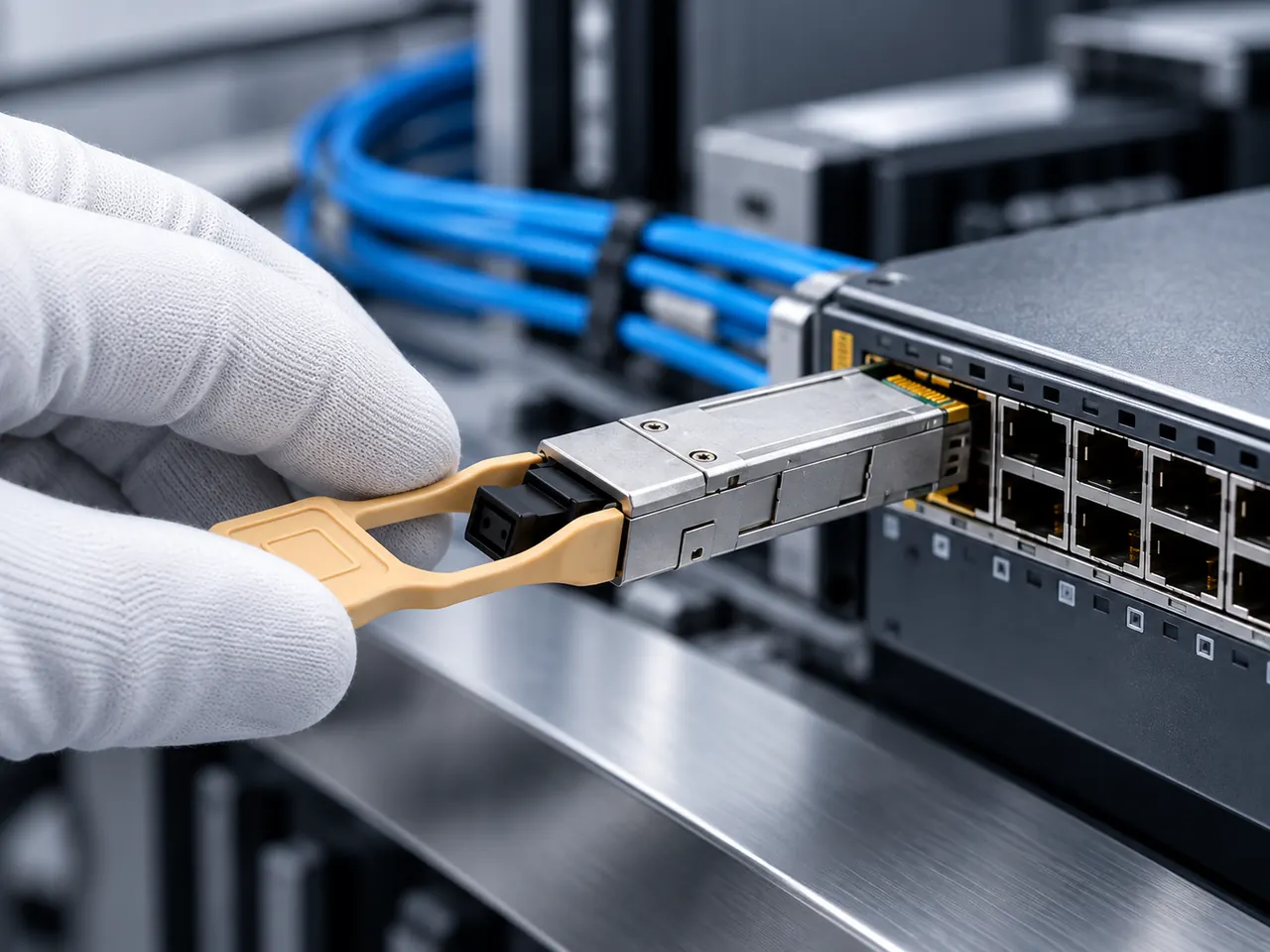
Optical modules are commonly offered in two grades. Commercial grade covers 0 to 70 °C and is what most catalogue listings specify, including the 1.25G SFP 1310 nm transceiver and the 100G QSFP28 SR4 module. Industrial or extended grade covers minus 40 to 85 °C and is offered as a customisation on many of the same optical variants, alongside coding and packaging options.
The figures refer to the module case temperature, not to the weather. A module in a sealed roadside cabinet in direct sun can sit twenty or thirty degrees above outside air, so a site that never exceeds 40 °C ambient can still present a module with 65 °C or more. Below zero the concern reverses: a commercial-grade module at minus 10 °C is outside its specified range at start-up, which is when a cold site most often fails after a power interruption.
03Estimating enclosure temperature honestly
The useful calculation is not the local climate record but the temperature inside the box. Start with the maximum ambient air temperature at the site, add the heat rise the enclosure produces, and compare the result with the rating of every component inside it. Heat rise depends on the power dissipated by the equipment, the surface area and material of the enclosure, whether it is ventilated or sealed, whether it is shaded, and how it is mounted.
Solar gain on an unshaded metal cabinet is significant and is the factor most often left out. Practical mitigations are sunshades and light-coloured finishes, shaded mounting, filtered ventilation where the environment permits it, and choosing components with headroom. An industrial-grade module rated to 85 °C in an enclosure that reaches 60 °C removes the question entirely.
04Industrial-grade switches and DC power
Equipment designed for these environments looks different from office equipment. The outdoor industrial Gigabit Ethernet switch in the catalogue lists five 10/100/1000Base-T ports, a 10 to 47 V DC input range, an operating range of minus 40 to 85 °C, an aluminium alloy housing and DIN-rail or wall mounting. Each of those attributes addresses a specific field condition.
The wide DC input range matters because remote sites are often powered from a battery, a solar controller or a long DC feed with voltage drop, none of which hold a tidy nominal voltage. Fanless aluminium construction removes the moving part most likely to fail in dust and takes heat out by conduction rather than airflow. DIN-rail mounting suits the cabinets and control panels these sites use. When comparing products, read the input range and mounting method as carefully as the port count.
05Surge, transients and why fiber helps
Copper cable entering a building or running between structures is exposed to surges induced by nearby lightning strikes and to differences in earth potential between buildings. The energy arrives on the cable, not through the air, and it destroys interface electronics. Equipment is characterised against standards in the IEC 61000-4 series covering electrostatic discharge, fast transients and surge immunity, and those figures are worth requesting for any product installed outside.
Fiber offers something no protection device can: it is a dielectric path with no electrical continuity between the two ends. A fiber link between buildings cannot carry a surge or a ground loop, which is why converting to fiber at the building boundary is standard practice for inter-building links and for long external runs. Where copper must be used, surge protective devices at both ends and a properly bonded earth are the minimum, and they are consumable items that need inspection.
06EMC on the factory floor
Industrial sites add continuous electrical noise to the occasional surge. Variable-speed drives, welding equipment, contactors and large motors radiate interference and inject it into supply and earth systems. Copper Ethernet is susceptible to this, and the symptoms are intermittent: error counters that climb during a production shift and stop overnight, links that drop when a particular machine starts.
Fiber is immune to that class of problem, which makes an optical uplink from a machine cell to the plant network a robust design even at short distances where copper would be adequate on paper. Where copper must run near noise sources, use shielded cable that is properly bonded, keep separation from power cabling, and avoid sharing a tray with drive output cables. Shielded systems only work when the bonding is continuous.
07Media converters at the edge
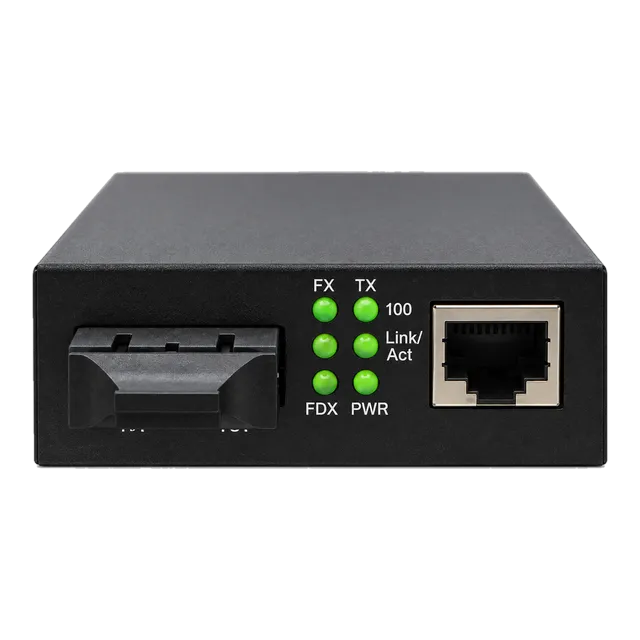
Many field devices have only a copper interface, so the fiber has to stop somewhere. A media converter does exactly that job. The catalogue includes a 10/100/1000 Gigabit fiber media converter with dual-fiber SC at 1310 nm rated to 20 km and a 0 to 70 °C operating range, a 2.5G fiber to Ethernet converter with an SFP fiber port and multi-rate copper side, and an IP Ethernet to coax converter for reusing existing coaxial runs in surveillance retrofits.
Two choices matter when selecting one. A fixed-optics converter is simpler to stock; an SFP-based converter lets the same chassis serve 550 m, 2 km, 20 km or 40 km links by changing the module, which is valuable across a mixed campus. Second, check the power input, since a converter fed from a 5 V or 12 V adapter in a field cabinet needs that supply to be as reliable as the converter itself.
08PoE standards and the numbers that matter
Power over Ethernet is defined in three generations. IEEE 802.3af provides up to 15.4 W at the power sourcing equipment with up to 12.95 W available at the powered device. IEEE 802.3at, often called PoE+, raises that to 30 W at the source and about 25.5 W at the device. IEEE 802.3bt adds Type 3 at up to 60 W and Type 4 at up to roughly 90 W at the source, using all four pairs.
The gap between the source figure and the device figure is cable loss, and it grows with distance and with thinner conductors. A device specified at 25 W on a 90 m run of thin cable can be marginal even from a compliant 802.3at port. When specifying, work from the device's stated power draw, add cable loss, and confirm the class the device negotiates rather than assuming its maximum rating.
09Total budget, not per-port rating
The most common PoE mistake is reading the per-port figure and ignoring the chassis total. The Gigabit PoE switch in the catalogue illustrates this precisely: four PoE ports at 10/100/1000 Mbps supporting IEEE 802.3af and 802.3at, a maximum of 30 W per port, one Gigabit uplink, and a total power input of 52 V at 65 W. Four ports at 30 W would be 120 W, but the supply provides 65 W, so the switch cannot deliver the per-port maximum on every port at once.
That is normal and not a defect; almost all PoE switches are provisioned this way. The design rule is to sum the actual draw of the connected devices, add headroom for start-up surges and for future additions, and compare that against the total budget. If cameras draw 12 W each, four of them fit comfortably. If they are heated units drawing 25 W in winter, they do not.
10PoE over fiber links and powered converters
PoE does not travel over fiber. Where a remote device needs both data and power and the run is optical, the power must be produced at the far end. The usual arrangement is a PoE-capable media converter or a small PoE switch in the field cabinet, fed by a local supply, with the fiber carrying only data. The catalogue includes a 1.25G SFP UTP PoE media converter specified at 48 to 57 V with a maximum of 30 W, accepting AC 100 to 240 V or DC 48 V input, with SFP wavelength options at 850, 1310 and 1550 nm covering 550 m to 40 km.
When designing such a node, check three items: that the local supply can start every powered device simultaneously after an outage, that the cabinet can dissipate the heat of the converter plus its powered load, and that the PoE voltage matches what the device expects.
11Environmental protection beyond temperature
Ingress protection, condensation and mechanical stress deserve as much attention as heat. An enclosure rating describes resistance to dust and water, but a sealed cabinet in a climate with large day-to-night swings breathes and forms condensation inside, so vented drains, pressure equalisation membranes or a small cabinet heater are often necessary. Connectors and glands must be rated for outdoor use and installed with drip loops.
Fiber outdoors needs the right cable construction as well: armoured or rodent-resistant cable in ducts and direct burial, UV-stable jackets where cable is exposed, and correct bend radius at every entry. Splice closures and cabinet panels should be sealed and accessible without disturbing live fibers. All of it is easier to specify at purchase than to retrofit later.
12What to include in the enquiry
For field deployments, describe the site rather than only the part. State the minimum and maximum ambient temperature, whether the equipment sits in a sealed or ventilated enclosure, whether it is exposed to direct sun, and whether the location is indoor industrial, outdoor or a vehicle. State the required temperature grade explicitly, since commercial and industrial versions of the same optical variant are different part numbers.
For powered equipment, state the supply available at the site, its voltage range and whether it is AC or DC, and list every powered device with its real draw and the PoE type it expects. For links, state the fiber type, route length, connector type and whether the path leaves the building. Finally, name the host platform for any module that plugs into a switch or router, so coding can be confirmed against it.
13Frequently asked questions
What is the difference between commercial and industrial temperature grades?
Commercial grade modules are specified for 0 to 70 °C and cover most indoor equipment-room installations. Industrial or extended grade modules are specified for minus 40 to 85 °C and are intended for outdoor cabinets, unheated spaces, vehicles and factory environments. The rating refers to the module case temperature, which is usually well above the outdoor air temperature.
How do I know if I need an industrial-grade module?
Take the maximum ambient air temperature at the site, add the temperature rise inside the enclosure, including solar gain on an unshaded cabinet, and compare the result with 70 °C. Then check the minimum: a cold-start at below zero is outside the commercial range. If either end of the range is close, specify the industrial grade rather than relying on margin.
Why convert to fiber for links between buildings?
Because fiber is a dielectric path and cannot carry surge energy or ground-potential differences between structures, which are the main causes of destroyed interface electronics on inter-building copper. Fiber is also immune to the electromagnetic interference produced by drives, motors and welding equipment, so it removes an entire class of intermittent faults from industrial sites.
How do I calculate a PoE power budget?
Sum the actual draw of every powered device rather than their maximum class ratings, add cable loss over the run length, and add headroom for simultaneous start-up after an outage and for future devices. Compare that figure with the switch's total power budget, not its per-port maximum: a four-port switch rated 30 W per port may have a 65 W total supply.
Can PoE be delivered over a fiber link?
No. Fiber carries data only, so power must be generated at the remote end. The usual design places a PoE media converter or a small PoE switch in the field cabinet with a local supply, with fiber providing the uplink. Confirm that the local supply can start all powered devices at once and that the cabinet can dissipate the resulting heat.
Technical review note: confirm model-specific specifications with the product datasheet and the intended host documentation. Product images and application photographs are illustrative.
Discuss this with our team