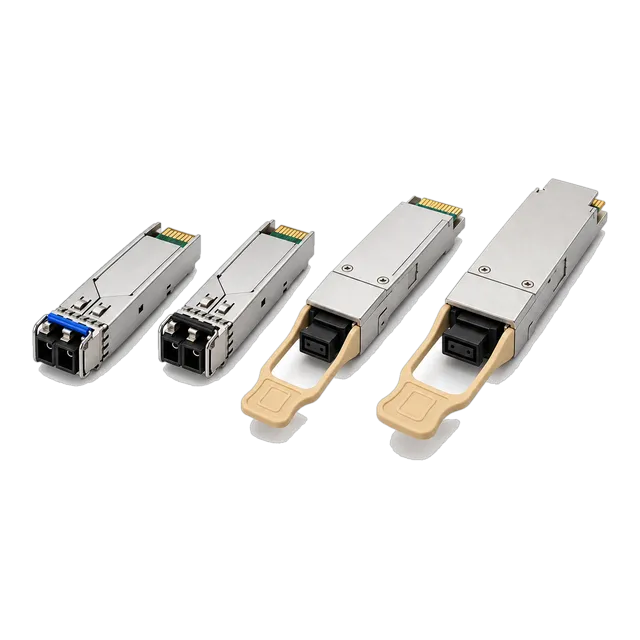
An optics order is complete when every line states host platform and coding, standards designation, reach and fiber, temperature grade, quantity with spares, and the commercial and documentation terms.
01Build the link inventory first
Procurement begins with a list of links, not a list of parts. Give every link a reference, then record the two endpoints by site, room, rack and port, the medium, the route length and the role the link performs. Group identical links together and count them. This inventory is the document that survives the project: it is what allows a later engineer to understand why a particular module was bought, and it is what turns a change request into a manageable edit rather than a fresh investigation. Most procurement problems in optical networking are traceable to a bill of materials assembled from port counts alone, which hides the fact that two links of the same speed on the same switch may need different reaches, different connectors or different coding.
02State the host platform for every line
Each line of the order needs the host manufacturer, model, hardware revision where relevant and software version, because module coding is specific to the platform family and can be sensitive to the release running on it. Where the two ends of a link sit on different platforms, state both. Where a site runs several platforms, expect the same optical specification to appear more than once under different coding, and keep those lines separate rather than merging the quantities. It is worth adding a short note on how strictly the platform enforces module checks, since that shapes the sample plan. No supplier can represent a host manufacturer's certification or approval; what can be arranged is coding to the platform you name, validated by a sample test in your own equipment before the production quantity ships.
03Specify the optical requirement, not just the part
A part number alone is fragile: it can be discontinued, superseded, or interpreted differently within a product family. Alongside any catalog reference, state the requirement in its own terms. That means the standards designation such as 10GBASE-LR or 100GBASE-CWDM4, the wavelength plan including the transmit and receive assignment for single-fiber BiDi links, the fiber type and grade, the connector type, the reach class, and the minimum link budget your route needs. Written this way, a supplier can propose an equivalent when a specific item changes, and you can evaluate the proposal against something objective. It also makes the order self-documenting, so that a replacement bought two years later is chosen against the same criteria rather than against a part number nobody can interpret.
04Decide the temperature grade deliberately
Commercial modules rated 0 to 70 degrees Celsius and industrial modules rated minus 40 to 85 degrees Celsius are different builds with different prices and often different lead times. The grade is decided by the air entering the cage, not by the climate outside. Street cabinets, unconditioned plant rooms, ceiling voids, industrial enclosures and outdoor equipment regularly exceed commercial limits, and a module operated beyond its range tends to drift before it fails. Where our catalog offers both grades for a family, the request should name the grade rather than leave it to be assumed, and the inventory should record which links carry which. Note that the enclosure and the switch have their own ratings too; an industrial module in a cabinet that overheats solves only part of the problem.
05Quantities, spares and how to hold them
Order quantity is installed quantity plus spares, and spares should be calculated per distinct configuration rather than per site. A holding that looks generous in total can still leave a site unable to replace a module because every spare on the shelf carries the wrong coding, the wrong reach or the wrong BiDi variant. Set the spare level by how quickly a replacement could otherwise be obtained and by the consequence of the link being down: a core uplink and an access port do not justify the same holding. For single-fiber BiDi links, stock both variants separately and consider sealed pairs for field engineers. Record the stock code against the link inventory so that the relationship between a shelf item and a live link is never a matter of memory.
06Agree the sample and validation step
For any new combination of module and platform, plan a sample before the production order. Define in advance what the sample must demonstrate: the port comes up at the expected speed without manual intervention, the host reports the module identity as expected, diagnostic data is readable, the link stays up across a reboot and a hot-swap, and interface counters stay clean under traffic for an agreed soak period. Agree who performs the test, in which equipment, and what the pass and fail criteria are. Record the module identification string reported by the host, because that string is what the production build must reproduce. Keep the result with the purchase record; it is the reference point if a later shipment behaves differently in the same port.
07Documentation to request with the quotation
Ask for the datasheet covering the exact model quoted rather than a family overview, since reach, optical power and temperature grade vary within a family. Ask for a statement of the coding applied and for the compliance declarations relevant to your market, such as RoHS and REACH, and request confirmation of what testing accompanies the shipment. Where your organisation requires it, ask what serial number traceability is provided and whether a lot or batch reference will appear on the packaging. It is reasonable to ask for advance notification if the internal build or the coding changes between shipments, since that is the change most likely to affect a platform that inspects module data closely. Agree this before the first order, not after a problem.
08Labelling, packaging and logistics detail
Small details in this category cause disproportionate delay. Say whether modules should be individually labelled, whether neutral packaging is required, whether a customer part number should appear on the label, and how the goods should be boxed for the destination. Confirm the incoterm, the delivery address including any receiving restrictions, and the harmonised system code you expect to be used for customs. Where a shipment crosses borders, agree who handles the declaration and what documentation travels with the goods. For phased rollouts, state the delivery schedule per site rather than accepting a single consolidated delivery that a site cannot store safely. Our catalog notes neutral or custom export packaging among the customisation options on many items; confirm the specific arrangement in the quotation.
09Commercial terms that belong in the request
State the required delivery date and whether partial delivery is acceptable, the currency, the payment terms you work to, and any framework agreement the order sits under. Ask for lead time to be quoted separately for stock items and built-to-order items, since a mixed order moves at the speed of its slowest line. Ask for minimum order quantity and price breaks so that the quantity can be optimised before the order rather than renegotiated after it. Ask for the warranty period and, more importantly, the return process: who raises the case, what evidence is expected, whether an advance replacement is available, and where returns are shipped. A warranty duration without a workable return process is of limited practical value to an operations team.
10Acceptance testing on receipt
Test a sample of each delivered batch before it is absorbed into stores. Confirm the physical markings match the order, plug samples into the intended platform and port type, check the reported identity, read the diagnostic values and compare them with the datasheet, and run traffic long enough for interface counters to be meaningful. Record the batch reference alongside the result. This step catches the two failure modes that are expensive later: a shipment coded for the wrong platform, and a shipment whose optical parameters differ from the previously validated build. Both are recoverable if found on the loading dock and disruptive if found during a change window. Keep the record with the purchase order so that a future issue can be traced to a specific delivery.
11Change control across repeat orders
The riskiest optics order is the second one. The first order is tested carefully; the repeat is often placed against a part number with no further checks, and any change in the internal build, the firmware or the coding arrives untested. Treat each repeat order as a small change: reference the original purchase order and the validated configuration explicitly, ask whether anything has changed since that shipment, and repeat a short acceptance test on a sample. Keep a simple register of which build was validated against which platform and software version. When the platform itself is upgraded, revisit the register, because a software release can change how strictly module data is inspected and how a previously accepted module is treated.
12Keeping the record traceable
Close the loop by writing the outcome back into the link inventory. Against every link, record the module part number actually installed, the serial numbers at both ends, the purchase order and delivery reference, the commissioning diagnostic baseline and the date. Store the quotation, the datasheets and the sample test result in the same place. This record is what makes a future failure a ten minute exercise rather than an investigation, what allows a warranty claim to be substantiated, and what lets a colleague reorder correctly without reconstructing the original reasoning. It also gives procurement a defensible basis for the next negotiation, because the installed base is described in specific, verifiable terms rather than as a rough count of ports.
13Frequently asked questions
What information does a transceiver supplier need to quote accurately?
For each link type: host platform, model and software version at both ends; form factor and data rate; standards designation; fiber type and grade; connector type; route length and expected loss; wavelength plan including BiDi transmit and receive assignment; temperature grade; DDM requirement; quantity with spares; and labelling or packaging needs. Add delivery date, destination and incoterm so the commercial side can be quoted at the same time.
How many spare transceivers should I buy?
Set the level per distinct configuration, not per site total, since a spare with the wrong coding, reach or BiDi variant cannot be used. Weigh how quickly a replacement could otherwise be obtained against the consequence of the link being down, so core uplinks justify a deeper holding than access ports. Record the stock code against each link in the inventory.
Should I order samples before a bulk transceiver order?
For any new combination of module and host platform, yes. Agree the pass criteria in advance: the port comes up at the expected speed, module identity reads as expected, diagnostics are readable, the link survives a reboot and hot-swap, and counters stay clean over a soak period. Record the module identification string reported by the host, since production must reproduce it.
What should I check when transceivers are delivered?
Verify markings against the order, then test a sample from each batch in the intended platform and port type. Check reported identity, read diagnostics against the datasheet, and run traffic long enough for interface counters to mean something. Record the batch reference with the result so a later problem can be traced to a specific delivery rather than to the product in general.
Why does the switch software version matter when ordering optics?
Because the host reads the module EEPROM and decides whether to enable the port, and how strictly that data is inspected can change between software releases. A module validated on one release may be treated differently after an upgrade. State the software version on each order line, keep a register of which build was validated against which release, and revisit it whenever the platform is upgraded.
Technical review note: confirm model-specific specifications with the product datasheet and the intended host documentation. Product images and application photographs are illustrative.
Discuss this with our team